
Learning path
AI for electrical engineers
Be the AI expert in your job. Always up to date.
Your first AI Expert certificate this week. Your AI set up in 15 minutes.
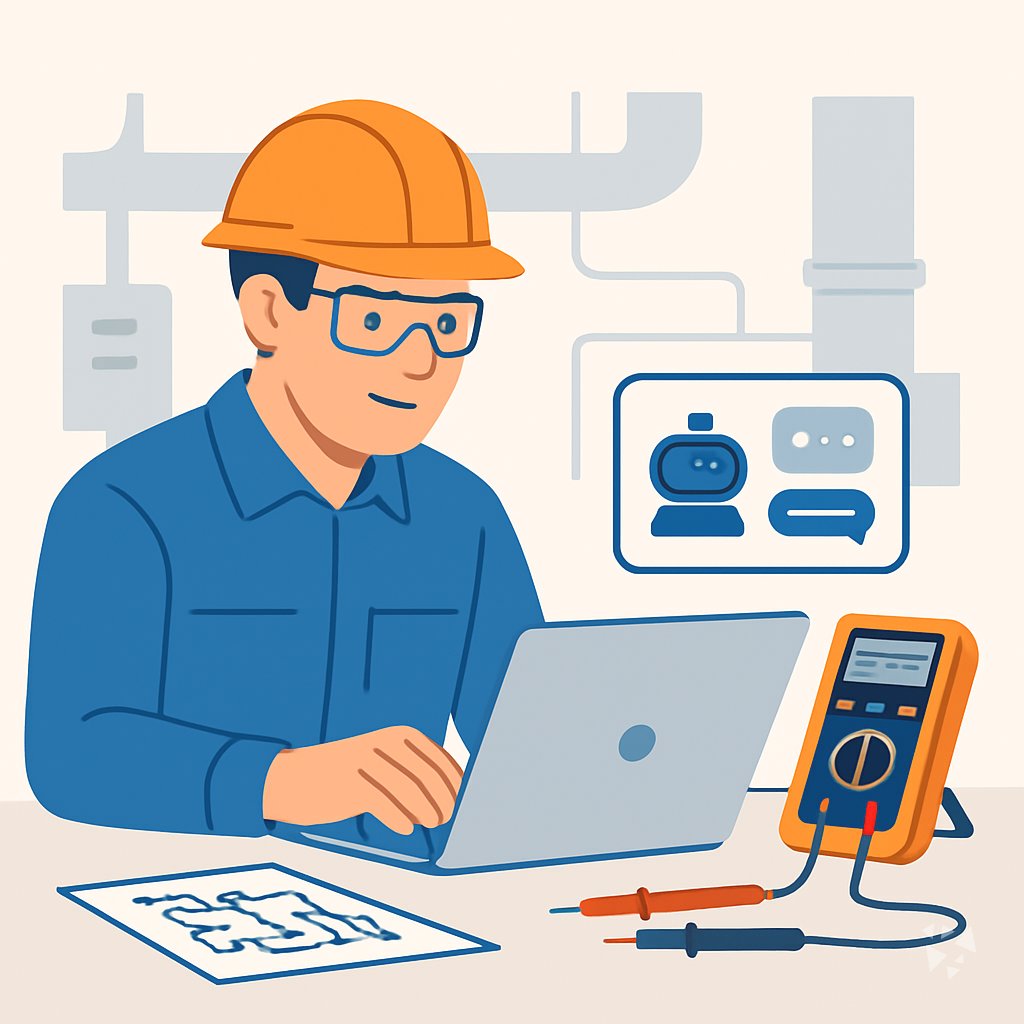
This is exactly what happens after you join. Try it: everything below reacts to your choices.
Only stored for members. Join to keep the courses you choose in your account and favorites; until then only this browser remembers them. Start for Free





Picked by our course-matching AI for electrical engineers, your level and your AI, from 700+ courses. Each course ends in a short exam and an AI Expert certificate. New courses arrive every week and your suggestions update with them. Your choices are kept in this browser until you join.
For members: your personal setup prompt, with your sign-in built in. Here's what's inside.
What the setup does
- Connects your AI to your AI Coach: ChatGPT, Claude, Cowork, Microsoft Copilot and more
- Asks you a few questions about your work and saves your profile
- Gives your AI the skills, prompts and tools for electrical engineers
- Writes your personal instructions and gives you today's first suggestion
What your AI gets: the electrical engineer AI kit
See everything in your electrical engineer AI kit: log in or sign up first → · Start for Free
Like "Draft Prototype Bench Test Plan"
A new idea from your AI Coach every day
Let your AI run electronics calculators and look up product integrity scores and downgrade history from URDB.
From 4,600+ connections, after a short interview about the apps you use
Keep the repository equal to what really runs, with every difference explained
From 3,900+ AI agents: hand a whole task to AI
Turn your lab notes into a test report in your own words, without retyping everything.
From 2,400+ apps you can build, with step-by-step prompts
Not connected? The same suggestions wait for you on your dashboard under Today, with prompts to copy into any AI.
All the courses, certifications, AI tools, connections and apps for electrical engineers, most relevant first. Tap the heart on anything to save it for later.
All prompt courses for electrical engineers
How to talk to AI, then 8 lessons with ready-to-use prompts for electrical engineers.
All video courses for electrical engineers
68 video courses our AI picked for electrical engineers, most useful first. Tap the heart to save one for later.
Favorites are saved to your account: sign in or get your AI kit first.
All certifications for electrical engineers
Every course ends in a short exam and an AI Expert certificate you can add to LinkedIn. Tap the heart to save the ones you're aiming for.
Favorites are saved to your account: sign in or get your AI kit first.
More certifications for electrical engineersAll AI tools for electrical engineers
7 AI tools our AI matched to the work of electrical engineers, best fit first. Each review shows what it does, its alternatives and the jobs it suits.
Favorites are saved to your account: sign in or get your AI kit first.
All connections for electrical engineers
Connections let ChatGPT, Claude or Copilot look things up and get work done in other apps, like your email, calendar or bookkeeping software. These 4 fit the work of electrical engineers best, well-known apps first.

SheetsData MCP server
by octoco-ltdLets your AI look up electronic component specs, pinouts and package info from datasheets without opening a PDF.
ResearchNo install
MATLAB MCP server
by HanSur94Let your AI write and run MATLAB code, make interactive plots, and run long jobs for you.

URDB MCP server
by GetMystAdminLet your AI run electronics calculators and look up product integrity scores and downgrade history from URDB.
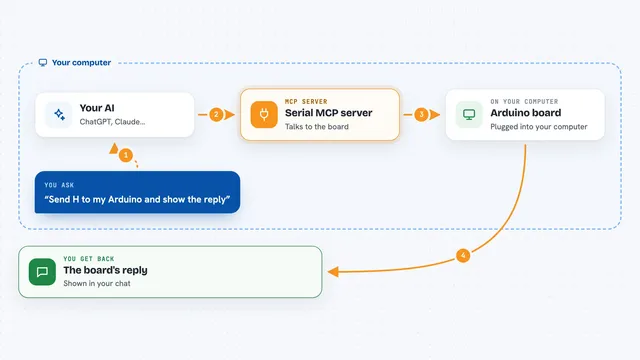
Serial MCP server
by adancurusulLets your AI talk to devices plugged into a serial port, like Arduino or STM32 boards.





























































About this learning path
6 topicsAI for Electrical Engineers: A Practical Learning Path
Electrical engineering work asks you to keep many details straight: circuit behavior, part choices, test results, safety rules, and clear updates for clients. AI can help you draft, check, and explain that work, but only if you give it the right context and review what it returns.
This path is built for working engineers who want practical help without learning to code or becoming an AI specialist. You will set up your tools, connect them to your daily tasks, and practice prompts that fit electrical engineering.
Why AI Matters Now
Projects move fast, and the paperwork around design, testing, and compliance can take as long as the technical work. AI can help you turn rough notes into clear drafts, compare options, and spot questions you might otherwise miss.
It will not replace your judgment. It gives you a faster first pass so you can spend more time on the engineering decisions that need your experience.
What This Path Includes
You start with setup questions and simple steps to connect your AI tool to your work. Then you learn skills for the job inside your AI, such as how to describe a circuit, a test setup, or a safety concern.
The path includes this prompt course, plus video courses picked for electrical engineering work and the certifications that come with those courses. Each piece builds on the last, so you can move at your own pace.
How It Saves You Time
You can use AI to draft schematic notes, bills of materials, test plans, fault study explanations, and client updates. Instead of starting from a blank page, you start with a useful draft and shape it with your own knowledge.
The time saved adds up across a week. You can use it for deeper design checks, mentoring, or simply leaving work at a reasonable hour.
How It Protects Your Career
Engineers who can guide AI tools and check their output are becoming more valuable. You stay in charge of safety, code compliance, and final decisions while AI handles the repetitive drafting and summarizing.
This path helps you build a habit of review, so you can use AI without putting your professional reputation at risk.
How To Start
Begin with the setup questions and connect your AI tool. Then take the prompt course and try one lesson on a real task, such as a schematic note or a test summary.
Pick one small task this week, run it through AI, and compare the result with your usual work. That first step will show you where AI fits best in your day.
Frequently asked questions
Do I need to know how to code?
No. The path is made for electrical engineers who want to use AI in plain language. You will write prompts and review answers, not build software.Will AI make my engineering decisions?
No. AI can draft, compare, and explain, but you remain responsible for design choices, safety, and compliance. Treat every answer as a starting point that needs your review.How long does the path take?
You can move through the lessons at your own pace, a little at a time. Many engineers start with one prompt course lesson and add video courses as their schedule allows.Is my project data safe?
You should follow your employer's rules about what can be shared with AI tools. The course covers privacy habits for electrical engineering work, including how to remove sensitive details before you prompt.
At a glance
What you get
- 3 step setup process
- Relevant courses for your job (700+ available)
- A certificate per course
- AI Coach
- 15-minute AI setup in ChatGPT, Claude, Copilot and more