AI tool
Highlight & Summarize: PDF Companion
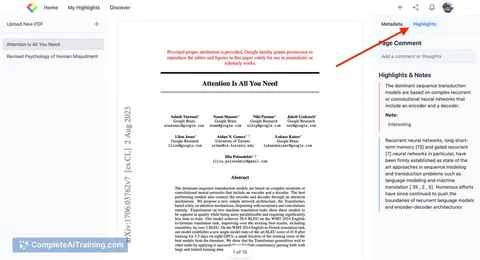
Upload any PDF to highlight key sections and generate clear summaries instantly. Ideal for students, researchers, and professionals, this tool streamlines organizing important information for efficient study and review.
About Highlight & Summarize: PDF Companion
Highlight & Summarize: PDF Companion is a user-friendly tool designed to help users easily highlight and summarize content within PDF files. It streamlines the process of marking important sections and creating summaries, making PDF management more efficient for a variety of users including students, researchers, and professionals.
Review
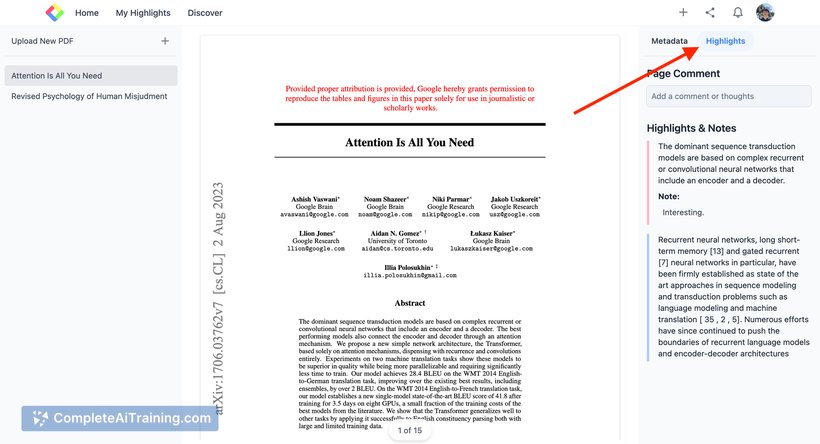
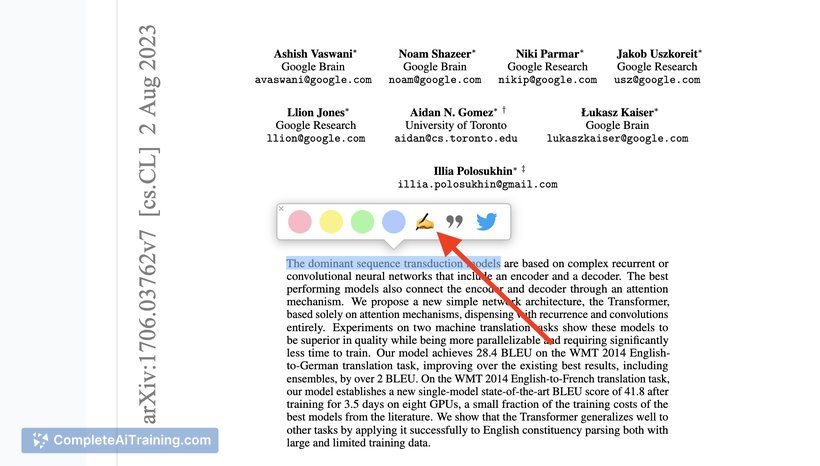
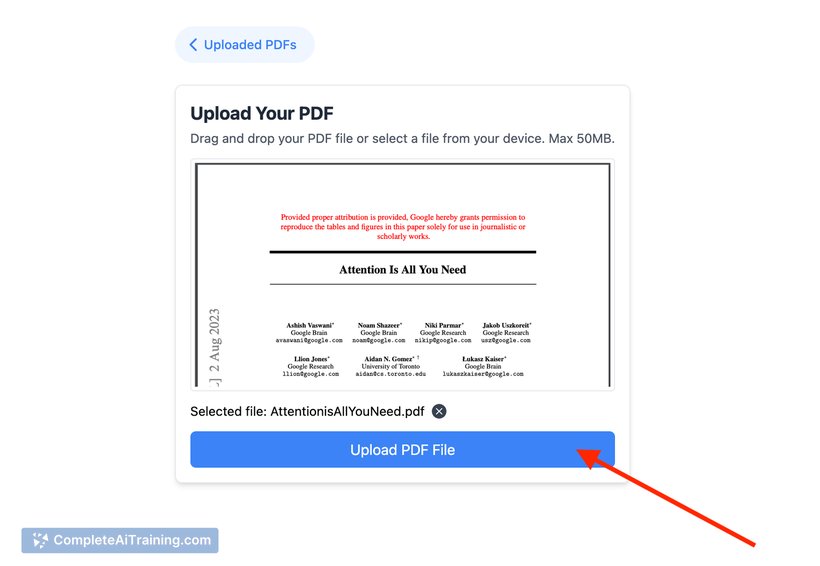
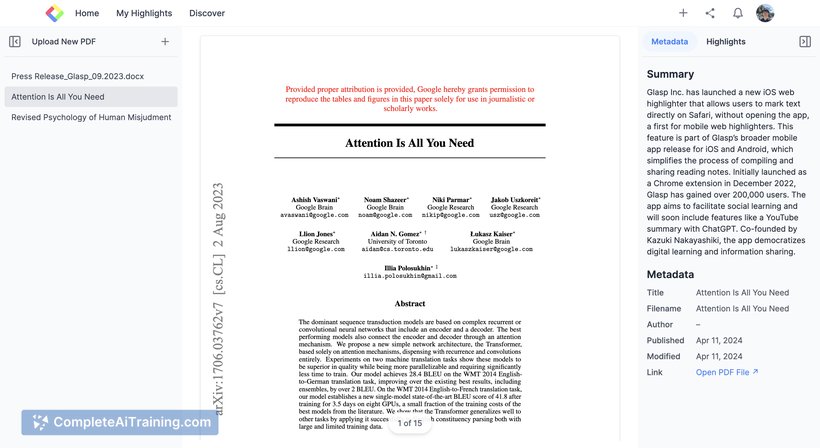
This tool offers a straightforward approach to managing PDF documents by combining highlighting and summarizing capabilities in one place. It is particularly helpful for those who frequently work with dense documents and need to extract key information quickly. The interface is simple and accessible, making it easy to upload PDFs and start annotating without a steep learning curve.
Key Features
- Upload and work with any local PDF file directly within the tool.
- Highlight key sections with different colors to organize information visually.
- Generate concise summaries based on highlighted content to save time reviewing.
- Supports integration as a browser extension for seamless access.
- Sync highlights and notes with other supported platforms for unified information management.
Pricing and Value
The tool offers free access options that allow users to perform essential highlighting and summarizing functions without cost. This makes it a good choice for individuals or students on a budget. While full details on premium features or pricing tiers are not extensively outlined, the available free features provide solid value for casual and moderate users who need straightforward PDF annotation and summarization.
Pros
- Easy to use with a clean and intuitive interface.
- Supports multiple file uploads and quick highlighting.
- Helpful for organizing and summarizing large amounts of text efficiently.
- Free access provides substantial functionality without immediate need for payment.
- Browser extension integration enhances workflow convenience.
Cons
- Limited information available about advanced or premium features.
- May lack some advanced annotation tools found in specialized PDF editors.
- Reliance on internet connection for browser extension features could limit offline use.
Overall, Highlight & Summarize: PDF Companion is well-suited for students, researchers, and professionals who need to quickly extract and organize important information from PDFs. It works best for those looking for a simple, no-frills tool that covers the basics of PDF annotation and summary creation efficiently. Users seeking more advanced editing or offline capabilities might want to consider complementing it with other PDF tools.
Jobs Highlight & Summarize: PDF Companion suits
We checked Highlight & Summarize: PDF Companion against 500+ jobs; these get the most out of it.
Alternatives to Highlight & Summarize: PDF Companion
Other tools that do the same main job. Our AI compared Highlight & Summarize: PDF Companion with similar tools and kept the ones you could use instead.