AI tool
Lovelace
Lovelace lets developers code anywhere with AI completion, synced workspaces and collaboration for PR reviews, dependency management and remote debugging.
About Lovelace
Lovelace is a browser-based, AI-assisted cloud IDE that lets developers code from any device. It provides AI code completion, code generation, and an integrated AI agent, with cloud-based workspace management accessible from tablets, phones, or any browser.
Review
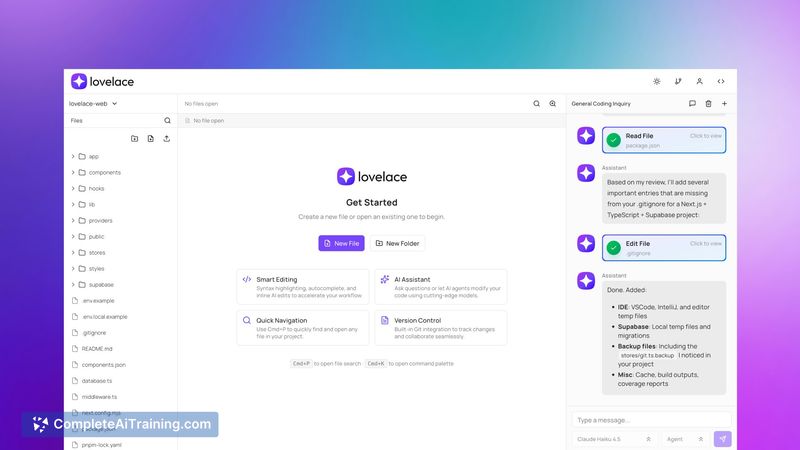
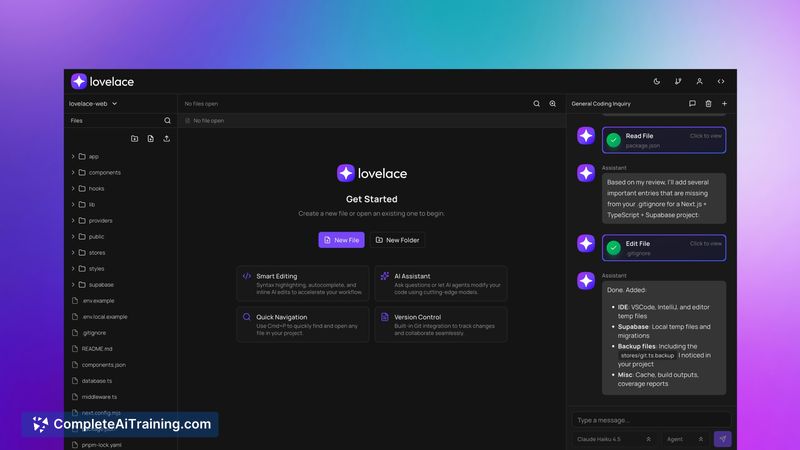
Lovelace targets developers who need flexibility to work away from their main machine, offering features aimed at reviewing pull requests, debugging production issues remotely, and quickly prototyping ideas. The product is launching with free options and focuses on a lightweight, mobile-friendly experience while development continues on larger scale workflows.
Key Features
- AI-assisted code completion and generation to speed up routine coding tasks
- Integrated AI agent for contextual assistance and automated coding tasks
- Cloud-based workspace management accessible via any browser, tablet, or phone
- Git integration for reviewing PRs and basic source control workflows (foundational)
- Code storage on Cloudflare and application database hosted on PSQL (Supabase); deployment testing planned for Cloudflare Workers
Pricing and Value
Lovelace launches with free options, making it easy to try core features without upfront cost. The value proposition is strongest for developers who need to check code, review PRs, or debug issues while away from their main workstation. Organizations or teams that require advanced collaboration, larger-scale project support, or guaranteed SLAs should expect paid tiers or additional features as the product matures.
Pros
- Accessible editing and AI assistance from any browser or mobile device
- Helpful AI-assisted completion and generation for faster iteration
- Useful for on-the-go tasks like PR reviews, quick debugging, and prototyping
- Basic git integration already available for everyday workflows
- Transparent stack details: code stored on Cloudflare and DB on PSQL (Supabase)
Cons
- Currently better suited to smaller projects (tested up to ~100 files); larger repositories may face performance limits
- Git integration is still foundational and not yet optimized for teams larger than a few developers
- Limited public details on long-term pricing and enterprise features at launch
Lovelace is a strong fit for solo developers, freelancers, and small teams that need a convenient, browser-based IDE with AI assistance for short tasks and reviews. Teams with large codebases or heavy multi-developer workflows should evaluate scalability and integration needs before adopting it as a primary development environment.
Jobs Lovelace suits
We checked Lovelace against 500+ jobs; these get the most out of it.
Alternatives to Lovelace
Other tools that do the same main job. Our AI compared Lovelace with similar tools and kept the ones you could use instead.