AI tool
Lumo Studios
Lumo Studios turns your brief into a clean, fully structured slide deck in minutes. Skip template hunting and late-night layout fixes-get intentional, editable designs you can tweak with a single sentence.

About Lumo Studios
Lumo Studios is AI presentation software that generates polished slide decks from a simple prompt in seconds. It combines automatic slide structure with a canvas editor so users can refine layout, typography, and imagery without starting from a blank template.
Review

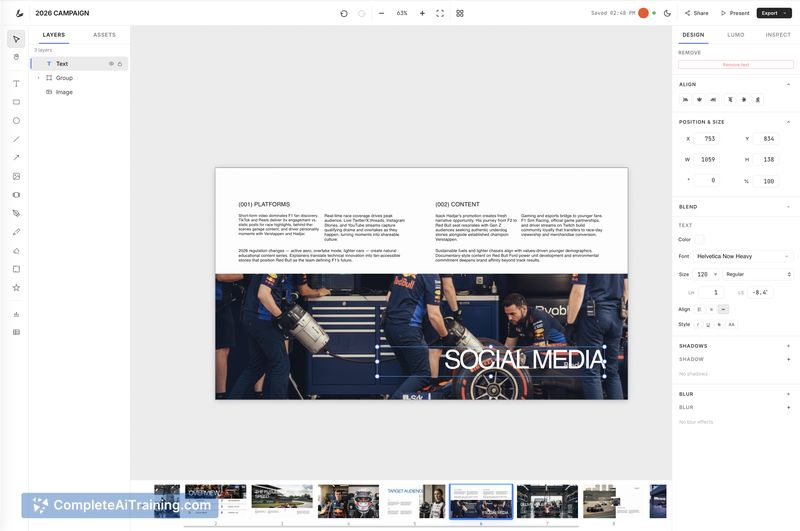



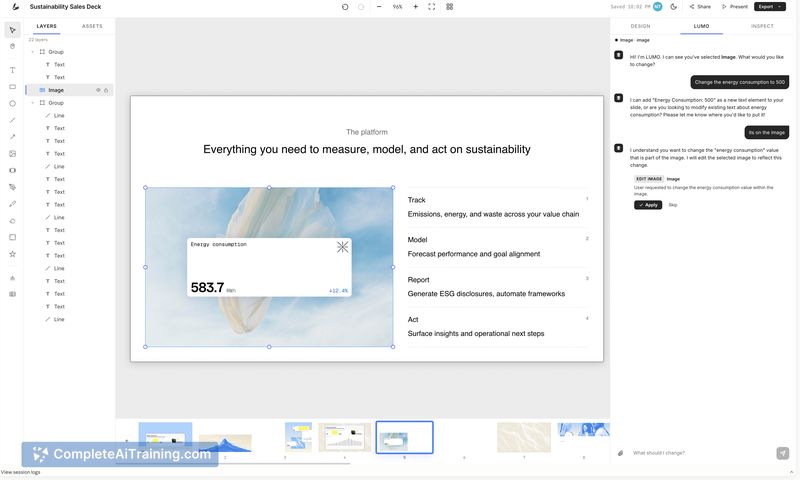
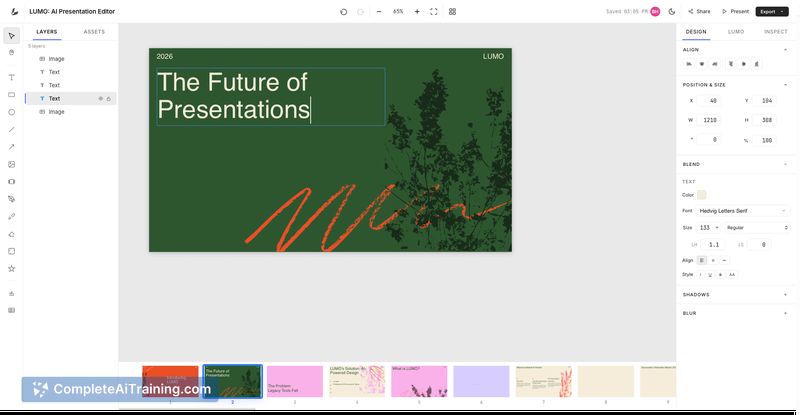
On first use Lumo Studios produces clean, structured decks very quickly and gives you control to edit details afterward. The workflow focuses on both content structure and visual consistency, with options to import brand assets so decks match established identity guidelines.
Key Features
- Generate full slide decks from a text prompt, producing a complete first draft in seconds.
- Canvas editor that lets you move elements, resize, swap images, and edit spacing without fighting the layout.
- Brand kit import via PDF or website URL that extracts colors, fonts, logos, and images to keep decks consistent.
- Global style adjustments that update the whole deck, plus the ability to request changes using plain language.
- Team collaboration and sharing features to keep decks accessible across groups.
Pricing and Value
Lumo Studios lists a free option to get started, with paid plans expected for additional features such as team collaboration, advanced brand integrations, and higher usage. For anyone who spends significant time polishing slides, the time saved on layout and consistency can justify a subscription; however, exact paid-tier details should be checked on the product site before committing for larger teams.
Pros
- Very fast generation of a usable first draft, reducing time spent on layout decisions.
- Strong post-generation editing tools that avoid the "fixed template" problem found in some competitors.
- Brand import that automates consistency across decks by pulling colors, fonts, and logos from a site or guideline files.
- Ability to adjust overall style globally, which saves manual fixes slide-by-slide.
- Simple prompts and natural-language edits make iterative changes easy for non-designers.
Cons
- Recently launched, so some advanced or niche features may be incomplete or still improving.
- Pricing specifics for larger teams and enterprise use are not fully detailed on the public listing.
- AI-generated content sometimes needs human editing to perfect messaging and data accuracy.
Overall, Lumo Studios is a strong fit for founders, product leads, consultants, and marketing teams that need fast, consistent presentations and still want hands-on control of design details. It's particularly useful for users who prefer generating drafts quickly and then refining them in a visual editor rather than building slides from scratch.
Jobs Lumo Studios suits
We checked Lumo Studios against 500+ jobs; these get the most out of it.
Alternatives to Lumo Studios
Other tools that do the same main job. Our AI compared Lumo Studios with similar tools and kept the ones you could use instead.