
MCP server · Social media
Substack MCP server
by 06ketan
Lets your AI read and manage your Substack posts, notes, comments and replies for you.
This is a helper that connects your AI assistant to Substack. Once it is set up, you can ask your AI to look at your posts, read comments, and even draft replies. It is handy if you write on Substack and want less clicking around.
What is an MCP server? The 30-second version
On its own, your AI can only chat with you. An MCP server is a small helper program that gives your AI a new skill or a connection to an app, and here that app is Substack. With this helper running, your AI can look things up on Substack and do things there when you ask. You stay in charge, because it asks before it posts anything.
What this MCP server does
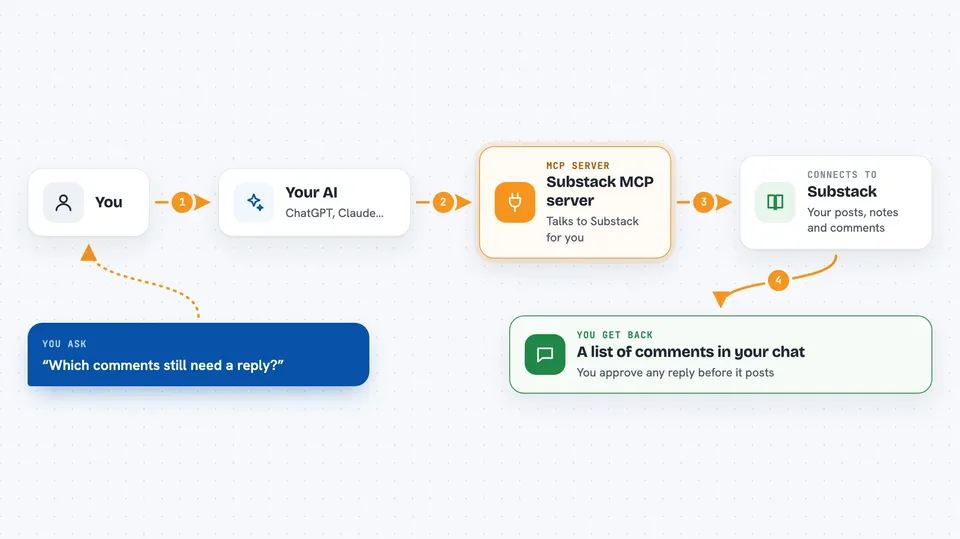
You ask your AI something about your Substack, like which comments still need a reply. Your AI uses this helper to talk to Substack and fetch that information. The helper sends back the list, and your AI shows it to you in the chat. If you want to reply, your AI can draft one for you, and you approve it before it goes live. Nothing gets posted unless you say yes.
 Click to zoom
What you can do with it
- List your Substack posts and see their stats
- Read the full comment tree on a post
- Find comments you have not replied to yet
- Draft a reply to a comment and post it after you confirm
- React to or restack a post or note
- Search posts on your publication or another one
- Check your reader feed and profile
Try asking your AI
- “List unanswered comments on my latest post”
- “Draft a warm reply to comment 12345”
- “Show me my last five posts and their reaction counts”
- “Search my publication for posts about writing”
What it gives back to you
You get back lists, counts and text answers shown right in your chat. For example, a list of comments with who wrote them and what they said. If you ask for a draft, you see the suggested reply before anything is posted. When you confirm, it tells you the reply went through.
Before you start
What you need
- A Substack account
- Your Substack login cookie (the tool can grab it from your browser or you paste it in)
- A program called uv installed on your computer
- An AI app that supports MCP, like Cursor or Claude Desktop
Good to know
It can post comments, replies, reactions and restacks on your Substack account, so check drafts before you confirm them.
Install it with your AI
Add Substack MCP server to your AI, no technical skills needed
You don't install anything by hand. You copy one prompt, paste it into an AI that can work on your computer, and it checks, installs and connects the server for you, asking you when it needs something.
Sign in to get the install prompt
Members get a ready-made prompt that lets the Claude desktop app check Substack MCP server, install it and connect it for them, step by step. You don't need any technical skills: you copy, paste and answer a few questions. Your connected AI can also find and install any of the 4,361 MCP servers here for you.
Who it's for
Substack writers and newsletter authors who want to handle comments and replies faster with their AI assistant.





