MCP server · Research
Google Custom Search MCP server
by A1-x-Tech
Lets your AI search the web and images through your own Google Programmable Search Engine.
This is a small helper that connects your AI assistant to Google Custom Search, the same kind of search you set up yourself in Google's Programmable Search Engine. Once it is connected, you can ask your AI in normal words to find pages or images, and it will run the search and show you the results. It is handy for anyone who wants their AI to look things up on the web without copy-pasting links back and forth.
What is an MCP server? The 30-second version
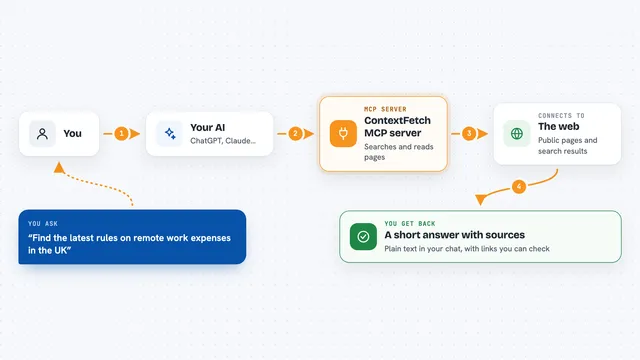
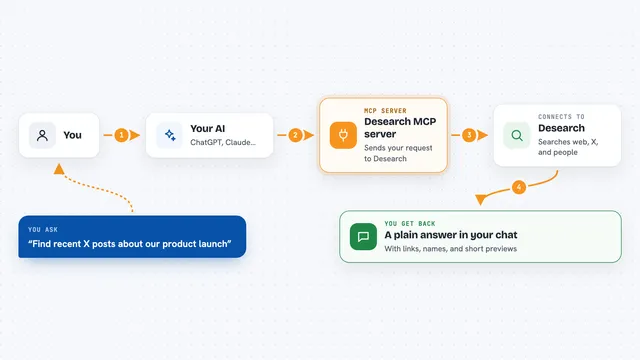
On its own, your AI can only chat with you using what it already knows. An MCP server is a small helper program that gives your AI a new skill or a connection to an outside service. This one connects your AI to Google Custom Search, so when you ask a question it can actually go and look things up on the web for you. You stay in the chat; the helper does the searching behind the scenes.
What this MCP server does
You ask your AI something like find recent articles about a topic. Your AI passes that request to this helper. The helper sends it to your Google Programmable Search Engine using your API key and engine id. Google sends back a list of matching pages or images. Your AI then shows you the titles, links and short snippets, or the image files with their sizes and thumbnails.
What you can do with it
- Search the web for pages on any topic and get titles, links and snippets
- Narrow results by language, country, date, file type or a specific site
- Page through results to see the next ten matches
- Search for images and get their dimensions, thumbnails and source pages
- Filter images by type, size or color
- Ask for the raw Google response when you need details the normal tools do not show
Try asking your AI
- “Find recent articles about passkey adoption from the last month and summarize the top three results”
- “Search only docs.python.org for how to read a CSV file”
- “Show the next page of those results”
- “Find large press photos about electric bikes and show the pages they come from”
What it gives back to you
You get back a list of results in the chat: each one has a title, a link and a short snippet. For image searches you also see the image size, a thumbnail and the page that hosts it. If you ask for a summary, your AI will write one based on those results. Nothing on the web changes; it only reads and reports.
Before you start
What you need
- A Google Cloud account with the Custom Search API turned on
- An API key from Google Cloud (a kind of password for apps; Google gives you one for free)
- A Programmable Search Engine set up at programmablesearchengine.google.com, and its Search engine ID (called cx)
- Node.js 20 or newer on your computer if you run it locally
Good to know
Every search uses one unit of your Google daily quota (100 free per day, more if you turn on billing), so heavy use can run out or cost money.
Install it with your AI
Add Google Custom Search MCP server to your AI, no technical skills needed
You don't install anything by hand. You copy one prompt, paste it into an AI that can work on your computer, and it checks, installs and connects the server for you, asking you when it needs something.
Sign in to get the install prompt
Members get a ready-made prompt that lets the Claude desktop app check Google Custom Search MCP server, install it and connect it for them, step by step. You don't need any technical skills: you copy, paste and answer a few questions. Your connected AI can also find and install any of the 4,610 MCP servers here for you.
Who it's for
Anyone who wants their AI to search the web or find images, especially researchers, writers, marketers and support teams who look things up all day.