MCP server · Design tools
Bacon Services MCP server
by afmontoya
Lets your AI buy small image jobs, like background removal, using USDC from your own wallet.
This is a helper you add to your AI app so it can buy small image jobs from a service called Bacon Services. You pay a few cents per job using a crypto wallet you control. It is handy if you often need quick photo fixes, like cutting out a background or shrinking a picture, without signing up for an account anywhere.
What is an MCP server? The 30-second version
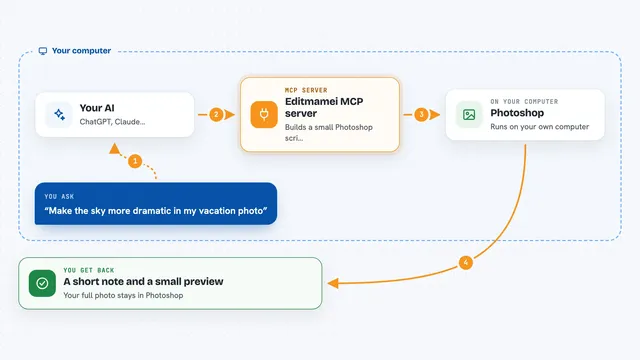
On its own, your AI can only chat with you; it cannot reach out and do things on other websites. An MCP server is a small helper program you install once, and it gives your AI one new skill. This particular helper connects your AI to Bacon Services, a shop that sells small image jobs. When you ask for something, your AI passes the request to this helper, and the helper pays Bacon from your wallet and brings the result back.
What this MCP server does
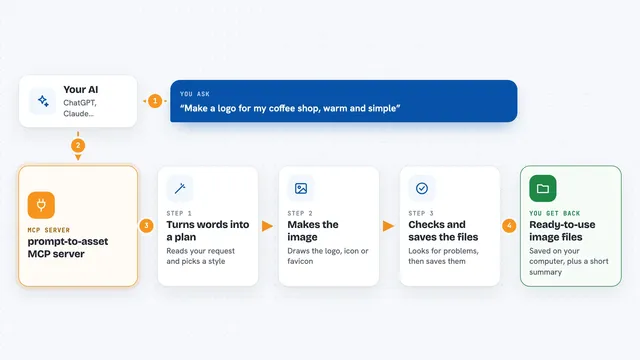
You ask your AI for something like removing the background from a photo. Your AI hands that request to this helper program running quietly on your computer. The helper checks the price against limits you set, signs a small payment from your own wallet, and sends the request to Bacon Services. Bacon does the work and sends back either a finished image file or a short piece of text like a list of colours. Your AI shows you the result right there in the chat.
What you can do with it
- Remove the background from a photo and get a transparent PNG back
- Shrink a large image and turn it into a smaller WebP file
- Pull out the main colours from an image as a short list
- Look at a public web page and pull out the brand name, logo, colours and fonts
- Check what Bacon Services sells right now and what each job costs
- Ask for a price quote before paying anything
- See your spending limits and how much you have left today
Try asking your AI
- “Remove the background from this photo and save the result to my Desktop”
- “Resize this image so the longest side is 1200 pixels”
- “What are the six main colours in this picture?”
- “What can Bacon Services do, and what does each thing cost?”
What it gives back to you
For background removal and image shrinking, you get a download link that works for 24 hours, or the file saved straight to your computer if you asked for that. For the colour list and the brand lookup, you get short JSON text right in the chat, which looks like a small block of labels and values. Free checks like the price quote or your wallet status come back as plain answers. If something went wrong and you were not charged, the reply says so clearly.
Before you start
What you need
- Node.js version 20 or newer installed on your computer
- A separate crypto wallet with some USDC on the Base network in it (only what you are happy to spend)
- The private key of that wallet saved in a plain text file that only you can read, for example ~/.bacon/buyer.key
- An AI app that supports MCP servers, such as Claude Desktop or Claude Code
Good to know
These tools spend real money from your wallet, so use a separate wallet with only a small amount in it and keep your spending limits low.
Install it with your AI
Add Bacon Services MCP server to your AI, no technical skills needed
You don't install anything by hand. You copy one prompt, paste it into an AI that can work on your computer, and it checks, installs and connects the server for you, asking you when it needs something.
Sign in to get the install prompt
Members get a ready-made prompt that lets the Claude desktop app check Bacon Services MCP server, install it and connect it for them, step by step. You don't need any technical skills: you copy, paste and answer a few questions. Your connected AI can also find and install any of the 4,611 MCP servers here for you.
Who it's for
This suits designers, marketers and small business owners who need quick image fixes and are comfortable setting up a crypto wallet with a small amount of USDC.