MCP server · Productivity · official
AIOProductOS MCP server
by AIOProductOS · official
Lets your AI read and update your product workspace: feedback, features, tasks, releases, and analytics.

AIOProductOS is a workspace where product teams keep customer feedback, features, tasks, releases, and numbers like revenue and retention in one place. This plugin connects that workspace to Claude Code, so you can ask questions and make changes from chat instead of clicking around the app. It is handy if you are a product manager, founder, or team lead who lives in your product data all day.
What is an MCP server? The 30-second version
On its own, your AI can only chat with you. An MCP server is a small helper that gives your AI a new skill or a connection to an app. This one connects your AI to your AIOProductOS workspace, so it can look things up and do things there when you ask. You sign in once with your workspace account, and after that your AI can reach your product data for you.
What this MCP server does
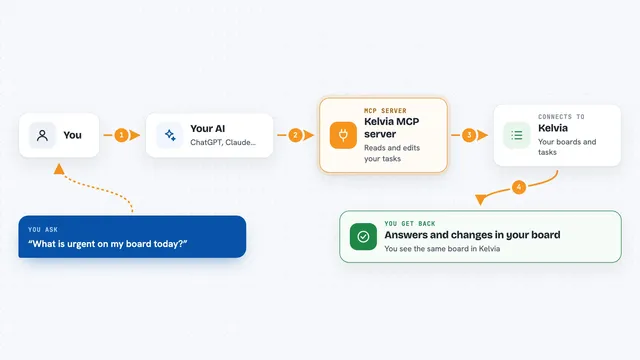
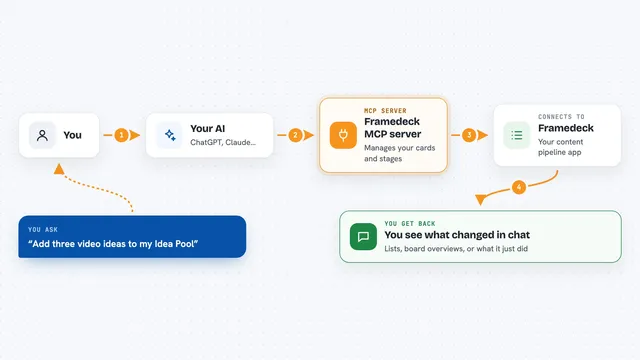
You ask your AI something in plain words, like what to work on next or how a funnel is doing. The AI uses this helper to talk to your AIOProductOS workspace. The helper pulls back the records you asked about, such as ideas, tasks, features, or numbers, and the AI turns them into an answer in the chat. If you ask it to change something, like creating a task or posting to a channel, it does that in your workspace too, after you confirm.
 Click to zoom
What you can do with it
- See a customer 360 view that joins feedback, revenue, tasks, and code activity
- Capture ideas, vote on them, and promote an idea into a feature
- Create and update tasks, sprints, features, and releases
- Run a weekly triage that scores top insights from real revenue and usage
- Check analytics like NPS, NRR, funnels, and retention
- Post to team channels and reply to customer conversations
- Merge or unmerge end users when the same person shows up twice
Try asking your AI
- “What should we work on next? Run this week's triage.”
- “Show me the top customer insights from the last two weeks.”
- “Create a task for shortening the signup form and put it in the next sprint.”
- “How is our funnel converting this month, step by step?”
What it gives back to you
You get answers in the chat: lists of ideas, tasks, features, or releases, plus summaries and numbers like MRR, NPS, or funnel conversion. Some tools show a small interactive view right in the conversation, like a task board grouped by status or a funnel chart with the revenue behind each step. When it makes a change, like creating a task or posting a reply, you see what it did and where. Every number it shows traces back to a real record in your workspace.
Before you start
What you need
- An AIOProductOS workspace account
- Claude Code (or another MCP host) to install the plugin
- Sign-in approval on first use, done through your workspace account
Good to know
Some actions are visible to other people, like posting to team channels, replying to customers, or changing a booked meeting, and delete_task is permanent with no undo, so check before you confirm.
Install it with your AI
Add AIOProductOS MCP server to your AI, no technical skills needed
You don't install anything by hand. You copy one prompt, paste it into an AI that can work on your computer, and it checks, installs and connects the server for you, asking you when it needs something.
Sign in to get the install prompt
Members get a ready-made prompt that lets the Claude desktop app check AIOProductOS MCP server, install it and connect it for them, step by step. You don't need any technical skills: you copy, paste and answer a few questions. Your connected AI can also find and install any of the 4,361 MCP servers here for you.
Who it's for
Product managers, founders, and team leads who track feedback, roadmap, and product numbers and want to work on them from chat.