MCP server · GitHub
Baron MCP server
by zanaat-dev
Let your AI create and move work items, cut branches, open pull requests and send Slack notes across your trackers.
Baron is a helper that lets your AI assistant actually do things in your work tracker instead of just talking about them. It can create and move issues, make branches, open pull requests and send messages, and it works with Azure DevOps, GitHub, Jira, Linear and Slack. It is handy if you use an AI coding assistant and want it to handle the boring ticket-and-branch chores for you.
What is an MCP server? The 30-second version
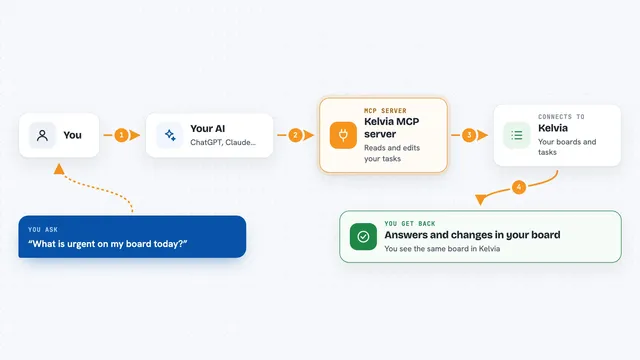
On its own, your AI can only chat. An MCP server is a small helper program that gives your AI a new skill or a connection to an app. This one connects your AI to your work tracker, so when you ask it to start a task, it can look the task up, make a branch, and move the task along. You set it up once, and after that your AI can act in your tracker when you ask.
What this MCP server does
You ask your AI something like start work on ticket 142. The AI passes that request to Baron. Baron checks the ticket in your tracker, makes sure it is not already done or assigned to someone else, and then creates a branch and moves the ticket to in progress. It also leaves a short comment on the ticket saying work has started. When you finish, you can ask it to open a pull request or mark the ticket done, and Baron does that too.
What you can do with it
- Create new work items in your tracker
- Move a ticket from one stage to another, like from to do to in progress
- Cut a branch for a ticket with a consistent name
- Open a pull request and link it to the ticket
- Merge a pull request when the work is ready
- Send a short note to a Slack channel
- Run a whole workflow like start a task or ship it in one go
Try asking your AI
- “Start work on STORE-142”
- “Open a pull request for the branch feature/STORE-142 and link it to the ticket”
- “Move STORE-142 to in review and tell the team channel”
- “Mark STORE-142 as done and merge its pull request”
What it gives back to you
You get back a short step-by-step report in the chat, like a checklist of what Baron did. It shows the ticket it found, the branch it made, the new stage, and any comment it left. If something is wrong, like the ticket is already done, it stops before changing anything and tells you why.
Before you start
What you need
- An account on your work tracker (Azure DevOps, GitHub, Jira or Linear)
- A token or sign-in for that tracker (Baron walks you through it)
- Node.js installed on your computer if you run it locally
- A project folder where Baron can save its settings
Good to know
Baron can change real tickets and code, so check the step-by-step report it gives you and make sure your token only has the access you are comfortable with.
Install it with your AI
Add Baron MCP server to your AI, no technical skills needed
You don't install anything by hand. You copy one prompt, paste it into an AI that can work on your computer, and it checks, installs and connects the server for you, asking you when it needs something.
Sign in to get the install prompt
Members get a ready-made prompt that lets the Claude desktop app check Baron MCP server, install it and connect it for them, step by step. You don't need any technical skills: you copy, paste and answer a few questions. Your connected AI can also find and install any of the 4,609 MCP servers here for you.
Who it's for
Developers and product managers who use an AI coding assistant and want it to handle tickets, branches and pull requests without switching tools.