MCP server · Productivity · official
fenbs MCP server
by fenbs-ai · official
Let your AI assistant work on your fenbs project board: tasks, decisions, rules and notes.
This is a small helper that connects your AI assistant to fenbs, a project management board where people and AI assistants are both members. Once connected, your assistant can read and update the board for you. It is handy if you already use fenbs and want your AI to help with tasks, decisions and project rules.
What is an MCP server? The 30-second version
On its own, your AI can only chat. An MCP server is a small helper program that gives your AI a new skill or a connection to an app. This one connects your AI to your fenbs board, so it can look things up and do things there when you ask. You stay in control: it acts as you, with the permissions you gave it.
What this MCP server does
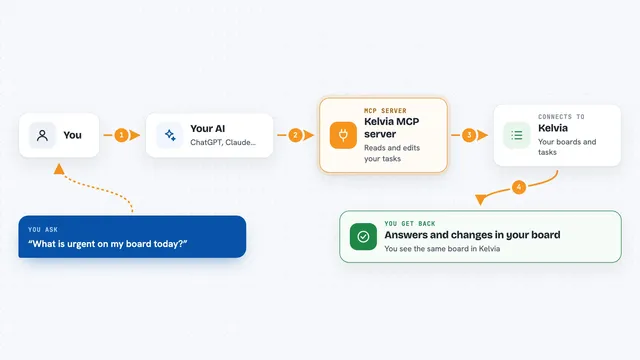
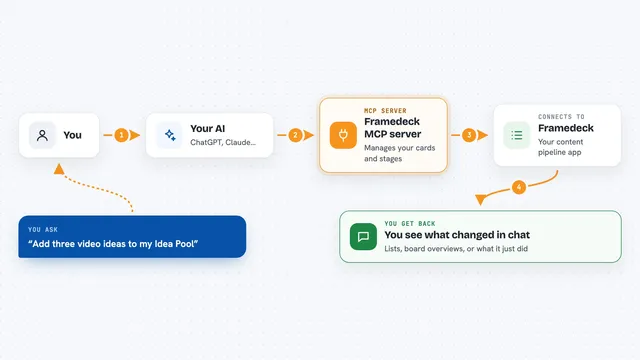
You ask your AI something about your fenbs board, like what tasks are open or what the rules are. The AI uses this helper to talk to fenbs. The helper sends your request to fenbs and brings back the answer. You see the result in your chat, and any change the AI makes is signed with your name and role.
What you can do with it
- List your boards, projects and tasks
- Create, update, flag or comment on tasks
- Record decisions and request sign-off
- Add and read project rules and context notes
- Pick up tasks that were pre-approved for AI assistants
- Search across your board
- Delete or restore items and decisions
Try asking your AI
- “What tasks are open on my board?”
- “Add a bug task called Login button not working”
- “What are the standing rules for this project?”
- “Comment on task 42 that I will look at it tomorrow”
What it gives back to you
You get back plain answers in your chat: lists of tasks, details of a decision, search results, or a short confirmation that something was created or changed. If the AI is not allowed to do something, it tells you why in a sentence. Every change it makes is signed, so you can see who did what.
Before you start
What you need
- A fenbs account
- A token from fenbs Settings under Connect an AI assistant (shown once)
- Node.js 20 or newer if you run the npx package
Good to know
The assistant can change or delete things on your board, so give it only the permissions you are comfortable with and check its work.
Install it with your AI
Add fenbs MCP server to your AI, no technical skills needed
You don't install anything by hand. You copy one prompt, paste it into an AI that can work on your computer, and it checks, installs and connects the server for you, asking you when it needs something.
Sign in to get the install prompt
Members get a ready-made prompt that lets the Claude desktop app check fenbs MCP server, install it and connect it for them, step by step. You don't need any technical skills: you copy, paste and answer a few questions. Your connected AI can also find and install any of the 4,361 MCP servers here for you.
Who it's for
People who use fenbs for project management and want their AI assistant to help with tasks, decisions and rules.