MCP server · Notes
Agentic System Core MCP server
Let your AI search, read and cite your own folder of Markdown notes, without sending anything off your computer.
This is a small helper that turns a folder of Markdown notes into something your AI assistant can search and read. It is handy if you keep notes, procedures or project documents in plain text files and want your AI to answer from them. Everything stays on your own machine.
What is an MCP server? The 30-second version
On its own, your AI can only chat with you. An MCP server is a small helper program that gives your AI a new skill or a connection to something else. This one connects your AI to a folder of Markdown notes on your computer, so it can look things up there when you ask. You set it up once, and then your AI can search and read those notes for you.
What this MCP server does
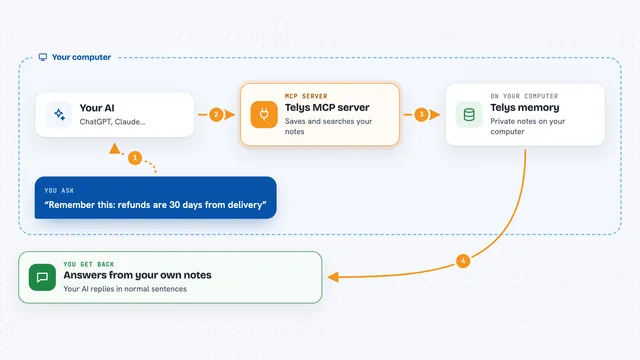
You point this helper at a folder of Markdown notes. When you ask your AI a question, the AI uses this helper to search that folder and read the notes that match. The helper follows the links between your notes, so it can gather related pages together. It then hands the text back to your AI, which writes the answer for you and can say which note it came from. It only reads. If you want to change something, the helper gives your AI back a written suggestion, and a person still has to approve it.
What you can do with it
- Search your notes for a word or a topic
- Read a specific note in full
- Follow links from one note to related notes
- Cite which note an answer came from
- Gather several related notes into one answer
- Suggest a change as a written proposal, without editing anything
What it gives back to you
You get answers in the chat, written in normal sentences. Your AI can also show you a list of matching notes, or quote the part of a note it used. When it cites something, it gives the note's address so you can open it yourself. Nothing in your folder is changed.
Before you start
What you need
- A folder of Markdown notes on your computer
- Node.js 22.13 or newer installed
- The agentic-system-core package installed in a working folder
- Your AI assistant set up to use local MCP servers
Good to know
It only reads your notes and never writes to them, so any change it suggests still needs a person to approve it.
Install it with your AI
Add Agentic System Core MCP server to your AI, no technical skills needed
You don't install anything by hand. You copy one prompt, paste it into an AI that can work on your computer, and it checks, installs and connects the server for you, asking you when it needs something.
Sign in to get the install prompt
Members get a ready-made prompt that lets the Claude desktop app check Agentic System Core MCP server, install it and connect it for them, step by step. You don't need any technical skills: you copy, paste and answer a few questions. Your connected AI can also find and install any of the 4,611 MCP servers here for you.
Who it's for
People who keep their notes, procedures or project documents as Markdown files and want an AI assistant to answer from them.