MCP server · Research
Danish Address Lookup MCP server
by aneal99
Lets your AI look up Danish addresses and coordinates from the official Datafordeleren register.
This is a small helper that connects your AI to Datafordeleren's address register, the official source for Danish addresses. It is handy if you work with addresses in Denmark and want to check them, find one, or get its coordinates without switching between websites. If you only trust the source description, that is exactly what it does: lookup, street and address prefix search, and WGS84 coordinates.
What is an MCP server? The 30-second version
On its own, your AI can only chat: it has no way to look inside an address database. An MCP server is a small helper program that gives your AI one new skill. This helper gives it a link to Danmarks Adresseregister, so when you ask about a Danish address, your AI can actually go and look it up and bring the answer back to the chat.
What this MCP server does
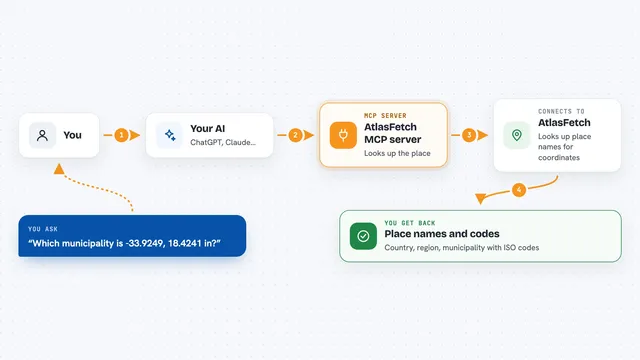
You ask your AI something about a Danish address. The AI passes your question to this helper. The helper talks to Datafordeleren's address register. It gets back the matching address details, including WGS84 coordinates if you need them. Then the AI shows you the result in the chat, as a list or a short answer.
What you can do with it
- Look up a specific Danish address
- Search for addresses by street name
- Search using the start of an address (a prefix search)
- Get WGS84 coordinates for an address
- Check what the register has for a given address
- Find addresses that match part of a name
Try asking your AI
- “Find the address Nørrebrogade 1, 2200 København N”
- “What addresses are on Vestergade in Aarhus?”
- “Give me the coordinates for Rådhuspladsen 1, 8000 Aarhus C”
- “Search for Danish addresses starting with Strandvejen”
What it gives back to you
You get back the address details the register holds, like the full written address, and its WGS84 latitude and longitude when you ask for coordinates. Search results come back as a list of matching addresses you can read in the chat. If nothing matches, you just get a plain no results message.
Before you start
What you need
- Access to Datafordeleren (the Danish address register)
- Any login or key that Datafordeleren requires for your account
- An AI app that can connect to a remote MCP server
Good to know
It only reads address records, so it will not change anything, but remember the register is a public data source and results depend on what is listed there.
Install it with your AI
Add Danish Address Lookup MCP server to your AI, no technical skills needed
You don't install anything by hand. You copy one prompt, paste it into an AI that can work on your computer, and it checks, installs and connects the server for you, asking you when it needs something.
Sign in to get the install prompt
Members get a ready-made prompt that lets the Claude desktop app check Danish Address Lookup MCP server, install it and connect it for them, step by step. You don't need any technical skills: you copy, paste and answer a few questions. Your connected AI can also find and install any of the 4,361 MCP servers here for you.
Who it's for
Anyone who deals with Danish addresses day to day, like office staff, planners, real estate and logistics people, or developers checking address data.