MCP server · Security
Tremelay credential broker
Let your AI use your API keys and SSH keys without ever seeing them, through a local encrypted vault with scoped, expiring grants.
Tremelay is a small program that runs on your own computer and keeps your passwords and keys in a locked box. Your AI assistant can ask it to do things like call an API or sign into a server, but the AI never gets to see the actual secret. It is handy for anyone who wants to give an AI some real access without pasting a key into a chat or a config file.
What is an MCP server? The 30-second version
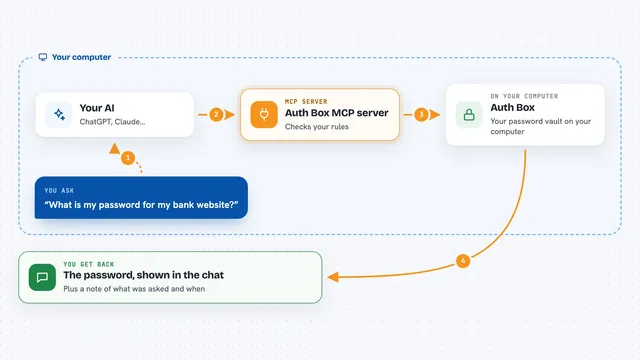
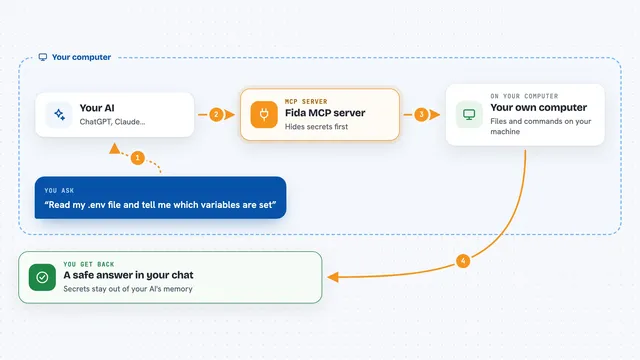
On its own, your AI can only chat with you. An MCP server is a small helper program that gives your AI a new skill or a connection to something else. Here, the helper is Tremelay, and the connection is to your own vault of credentials on your machine. When you ask your AI to do something that needs a key, the AI asks Tremelay, and Tremelay does the job with the key and hands back only the result.
What this MCP server does
You store your API keys and SSH keys in Tremelay's encrypted vault on your computer. You then create an agent identity for your AI and give it a narrow permission, for example to make GET requests to one specific web address using one specific key, with an expiry date. When you ask your AI to do something, the AI asks Tremelay to perform the operation. Tremelay checks the permission, uses the key itself, and returns only the allowed result. Every attempt, allowed or denied, is written to a tamper-evident log.
What you can do with it
- Store API keys and SSH keys in an encrypted vault on your machine
- Give each AI agent its own identity and its own narrow permissions
- Limit permissions by web address, method, and expiry date
- Revoke a permission at any time and have it take effect immediately
- Let an AI call an API through Tremelay without ever seeing the key
- Let an AI sign SSH operations through a local ssh-agent socket
- Review a hash-chained audit log of every allowed and denied attempt
Try asking your AI
- “Use my GitHub key to list the open issues in my repository, but do not show me the key.”
- “Check whether my grant to the GitHub API is still active.”
- “Revoke the permission I gave you for the staging server.”
- “Show me the audit log entries for today that were denied.”
What it gives back to you
You get back the result of the operation, for example the status code and a portion of the response body from a web request, with the secret removed. You can also ask for lists of permissions, descriptions of a single permission, or audit log entries. The secret itself is never returned to the AI, and the chat shows only the allowed result or a clear denial reason.
Before you start
What you need
- A computer where you can run a small program (Linux, macOS, or Windows)
- The Tremelay program installed (the README shows a one-line Go install or a release download)
- A passphrase you choose to unlock your vault
- The API keys or SSH keys you want to protect
Good to know
While the vault is unlocked, any code running as you on your computer can use the permissions you granted, and the AI still sees the data those permissions unlock, so only grant access to places you trust.
Install it with your AI
Add Tremelay credential broker to your AI, no technical skills needed
You don't install anything by hand. You copy one prompt, paste it into an AI that can work on your computer, and it checks, installs and connects the server for you, asking you when it needs something.
Sign in to get the install prompt
Members get a ready-made prompt that lets the Claude desktop app check Tremelay credential broker, install it and connect it for them, step by step. You don't need any technical skills: you copy, paste and answer a few questions. Your connected AI can also find and install any of the 4,960 MCP servers here for you.
Who it's for
This is most useful for developers and technical office workers who already give AI agents real access to APIs or servers and want to stop pasting raw secrets into config files.