MCP server · Analytics
Math MCP server
Lets your AI do math, statistics, matrices, and charts, and save its work for later.

This is a small helper that gives your AI a set of math skills. It can calculate, run statistics, work with matrices, draw charts, and remember what it did. It is handy for anyone who does numbers at work, like analysts, students, teachers, or anyone who wants a quick chart without opening a spreadsheet.
What is an MCP server? The 30-second version
On its own, your AI can only chat. An MCP server is a small helper program that gives your AI a new skill or a connection to a service. This one connects your AI to a math toolbox, so it can calculate, run statistics, and draw charts for you. You just ask in plain words, and the helper does the number crunching behind the scenes.
What this MCP server does
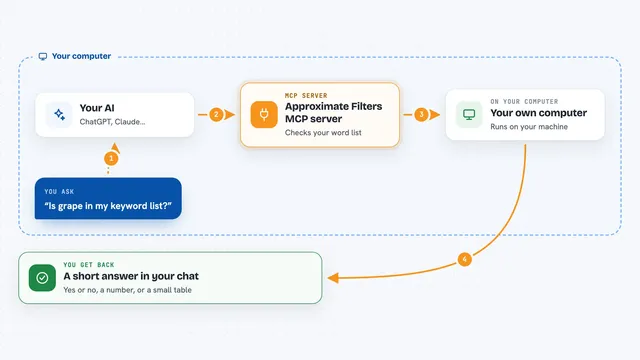
You ask your AI something like "what is the average of these numbers" or "draw a chart of this function". The AI sends the request to this helper. The helper does the calculation or makes the chart. Then it sends the answer or the picture back, and the AI shows it to you in the chat. It can also save your calculations so you can pick them up again later.
 Click to zoom
What you can do with it
- Calculate math expressions and formulas
- Run statistics like mean, median, and standard deviation
- Work out compound interest for savings or loans
- Convert units like length, weight, and temperature
- Multiply, transpose, and invert matrices
- Draw charts like line charts, histograms, and scatter plots
- Save and reload your calculations in a workspace
Try asking your AI
- “What is the mean and standard deviation of 12, 15, 18, 22, 25?”
- “Draw a line chart of y = x squared from -5 to 5”
- “If I invest 1000 at 5 percent for 10 years, what do I get?”
- “Convert 72 Fahrenheit to Celsius”
- “Save this calculation so I can find it later”
What it gives back to you
You get answers in plain text, like a number or a short summary. For statistics you get the values you asked for. For charts you get a picture you can look at in the chat. It can also show you a list of what you saved earlier.
Before you start
What you need
- An AI app that supports MCP, like the Claude desktop app
- Nothing else if you use the cloud version
- Python and the uvx tool if you want to run it on your own computer
Good to know
It saves your calculations in a workspace, so if you share the same workspace with others, they can see what you saved.
Install it with your AI
Add Math MCP server to your AI, no technical skills needed
You don't install anything by hand. You copy one prompt, paste it into an AI that can work on your computer, and it checks, installs and connects the server for you, asking you when it needs something.
Sign in to get the install prompt
Members get a ready-made prompt that lets the Claude desktop app check Math MCP server, install it and connect it for them, step by step. You don't need any technical skills: you copy, paste and answer a few questions. Your connected AI can also find and install any of the 4,361 MCP servers here for you.
Who it's for
Anyone who works with numbers and wants quick math, stats, or charts without leaving their AI chat, like analysts, students, teachers, and finance folks.