MCP server · Research
US Federal Register MCP server
by datakoot
Lets your AI search US federal rules, notices and executive orders from the official public record.
This is a small helper that connects your AI assistant to the US Federal Register, the official daily record of federal rules, notices and presidential documents. It is handy if you work in legal, compliance, policy or research and you want quick answers without digging through government websites yourself. There is nothing to sign up for and no password to get.
What is an MCP server? The 30-second version
On its own, your AI can only chat with you using what it already learned. An MCP server is a small helper program that gives your AI a new skill or a connection to an outside service. This one connects your AI to the US Federal Register, so when you ask a question it can actually look things up in that public record and bring the answer back to you. You do not install anything on your computer, because this helper lives online at a web address.
What this MCP server does
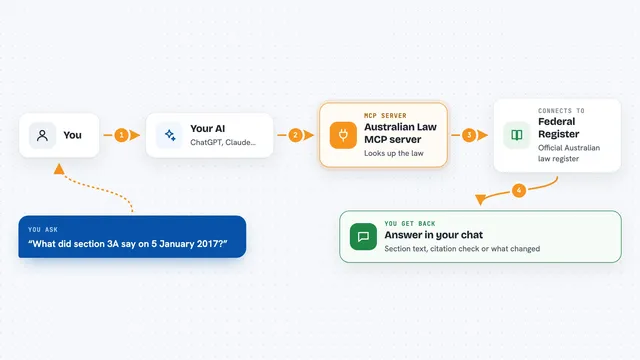
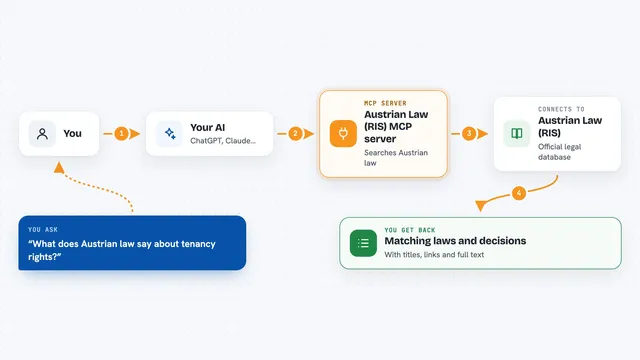
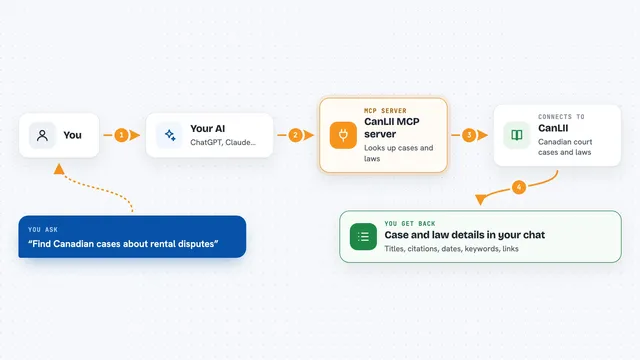
You ask your AI a question in plain language, like what new federal rules mention a certain topic. Your AI sends that request to this helper, which passes it to the Federal Register's public data service. The helper gets the matching documents back and hands them to your AI. Your AI then writes the answer for you in the chat, with the document titles, agencies and dates it found.
What you can do with it
- Search federal rules, proposed rules and notices by keyword
- Filter results by agency or by date
- Pull the full details of one document, like its abstract and comment deadline
- See the newest filings over a recent window of time
- Look up recent presidential executive orders
- Find the right agency name to use when filtering
Try asking your AI
- “What new federal regulations mention artificial intelligence?”
- “Show me the latest executive orders.”
- “Find proposed rules from the Environmental Protection Agency this year.”
- “Give me the details of that document, including the comment deadline.”
What it gives back to you
You get answers written in the chat, usually as a short list of matching documents with their titles, agencies and dates. If you ask about one document, you get its abstract, effective date, comment deadline and citation. You can then ask follow-up questions and your AI will look up more. Nothing is changed or saved anywhere; it is all reading.
Before you start
Good to know
This is an informational lookup over the public record and not legal advice, so always check the official federalregister.gov page before relying on anything.
Install it with your AI
Add US Federal Register MCP server to your AI, no technical skills needed
You don't install anything by hand. You copy one prompt, paste it into an AI that can work on your computer, and it checks, installs and connects the server for you, asking you when it needs something.
Sign in to get the install prompt
Members get a ready-made prompt that lets the Claude desktop app check US Federal Register MCP server, install it and connect it for them, step by step. You don't need any technical skills: you copy, paste and answer a few questions. Your connected AI can also find and install any of the 4,609 MCP servers here for you.
Who it's for
Legal, compliance, policy and research people who need quick, sourced answers about US federal rules and notices.