MCP server · Research
TMDB MCP server
by drakonkat
Lets your AI look up movies, TV shows and actors from The Movie Database while you chat.

This is a small helper that connects your AI assistant to The Movie Database, the big public catalogue of films, TV shows and actors. Once it is set up, you can just ask your AI things like what a movie is about or what is popular right now, and it will go and check for you. It is handy if you often look up films for work, for a newsletter, or just for fun.
What is an MCP server? The 30-second version
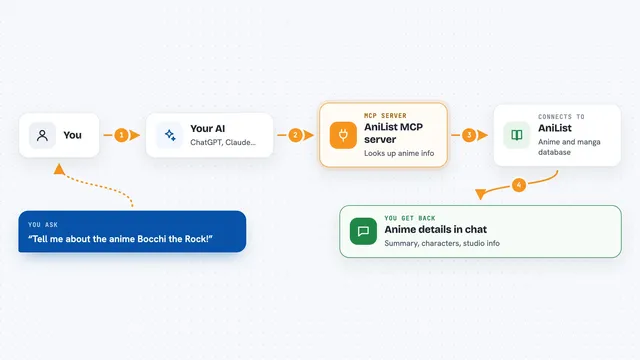
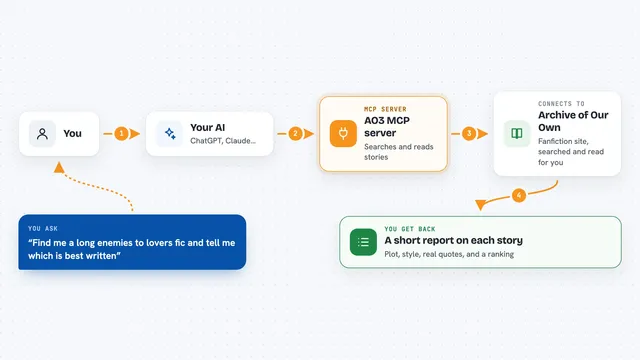
On its own, your AI can only talk. It cannot open a website or check a database by itself. An MCP server is a small helper program that gives your AI one new skill, and here that skill is talking to The Movie Database. So when you ask about a film, your AI passes the question to this helper, the helper asks TMDB, and the answer comes back into your chat.
What this MCP server does
You type a question in plain words, like the name of a movie or an actor. Your AI sends that to this helper, which searches The Movie Database for matching films, shows or people. If you want more, the helper can pull the full details for one specific title, such as the cast, the release date or the poster images. It can also fetch what is trending today or this week. The results come back to your AI, which then explains them to you in normal language.
 Click to zoom
What you can do with it
- Search for a movie, TV show or person by name
- Get full details for one title, like cast, release date and images
- See what is trending today or this week
- Ask follow-up questions about a result your AI just found
- Compare a few titles or actors in one chat
- Look up who acted in a film or what else they have been in
Try asking your AI
- “Search TMDB for the movie Dune and tell me what it is about”
- “Who is in the cast of that film and what year did it come out”
- “What is trending on TMDB today”
- “Find the TV show with that name and show me the details”
What it gives back to you
You get answers written out in the chat, based on what TMDB holds. That can be a short list of matching titles with years and short descriptions, or the full details of one film or show, like the cast, the release date and image links. For trending, you get a list of what is popular right now. Your AI turns all of that into a normal reply, so you do not have to read raw data.
Before you start
What you need
- Node.js version 18 or higher installed on your computer
- A TMDB access token from your admin, used with the TNL TMDB proxy
- An MCP-compatible client, such as an IDE or a chat app that supports MCP
Good to know
It only reads information from The Movie Database, so it does not change or delete anything, but the results come from a public catalogue and may not always be perfectly up to date.
Install it with your AI
Add TMDB MCP server to your AI, no technical skills needed
You don't install anything by hand. You copy one prompt, paste it into an AI that can work on your computer, and it checks, installs and connects the server for you, asking you when it needs something.
Sign in to get the install prompt
Members get a ready-made prompt that lets the Claude desktop app check TMDB MCP server, install it and connect it for them, step by step. You don't need any technical skills: you copy, paste and answer a few questions. Your connected AI can also find and install any of the 4,609 MCP servers here for you.
Who it's for
Anyone who often looks up films, TV shows or actors, like writers, editors, researchers, or just film fans who want quick answers in chat.