MCP server · Generative art
ForgeMesh Image Generator
Let your AI create images, remove backgrounds, and upscale to HD, paying a small fee per image.
This is a helper that lets your AI make pictures for you. You describe what you want, and it creates the image, cleans up the background, or makes it sharper and bigger. It is handy for anyone who needs quick visuals but does not want to open a design app.
What is an MCP server? The 30-second version
On its own, your AI can only chat. An MCP server is a small helper program that gives your AI a new skill or a connection to an app or service. This one connects your AI to the ForgeMesh image service, so when you ask for a picture, the AI can actually go make one for you. You do not need to know how it works inside.
What this MCP server does
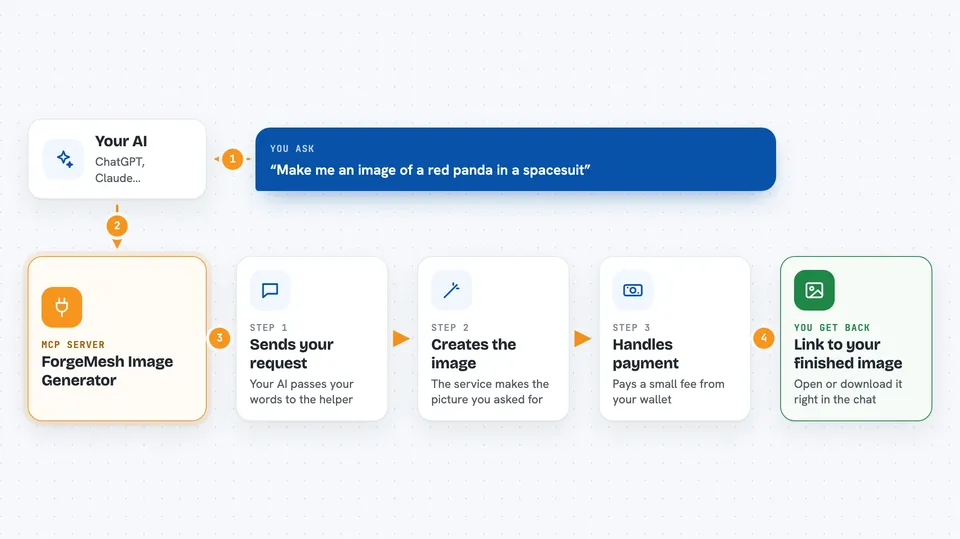
You type a request like make me a picture of a red panda in a spacesuit. Your AI sends that request to this helper. The helper talks to the ForgeMesh image service, which creates the image. If a small payment is needed, the helper handles it automatically from your wallet. Then you get a link to the finished image right in the chat.
 Click to zoom
What you can do with it
- Create an image from a text description
- Remove the background so you get a transparent picture
- Upscale an image to 4x HD quality
- Combine background removal and HD upscaling in one step
- Pick the shape of the image, like square or widescreen
- Pay only for the images you actually make
Try asking your AI
- “Make me an image of a red panda in a spacesuit”
- “Create a product photo of a ceramic mug with a clean background”
- “Generate a futuristic city at night in cyberpunk style and make it HD”
- “Make a simple geometric eagle logo with no background”
What it gives back to you
You get a link to the finished image, plus a short note about the prompt, the shape, and which quality level was used. For background removal you get a transparent PNG. For HD you get a larger, sharper image. Everything shows up right in your chat as a link you can open or download.
Before you start
What you need
- A Base mainnet wallet private key that holds USDC (a kind of digital money)
- Enough USDC to cover the per-image fee, about $1 for a few images
- The Claude desktop app or Claude Code
Good to know
Each image costs real money from your wallet, so check the price before you ask for many images.
Install it with your AI
Add ForgeMesh Image Generator to your AI, no technical skills needed
You don't install anything by hand. You copy one prompt, paste it into an AI that can work on your computer, and it checks, installs and connects the server for you, asking you when it needs something.
Sign in to get the install prompt
Members get a ready-made prompt that lets the Claude desktop app check ForgeMesh Image Generator, install it and connect it for them, step by step. You don't need any technical skills: you copy, paste and answer a few questions. Your connected AI can also find and install any of the 4,361 MCP servers here for you.
Who it's for
Anyone who needs quick images for slides, posts, or mockups without opening a design tool, especially office workers who already chat with an AI.