MCP server · Generative art
Imagen 3 MCP server
by hamflx
Ask your AI to create pictures from a written description, using Google's Imagen 3 image maker.

This is a small helper that lets your AI make pictures for you. You describe what you want in plain words, and it creates an image using Google's Imagen 3 tool. It is handy if you write posts, make slides, or just want a quick picture without opening a design app.
What is an MCP server? The 30-second version
On its own, your AI can only chat with you in text. An MCP server is a small helper program that gives your AI one new skill. This helper gives your AI a connection to Google's Imagen 3 image maker. So when you ask for a picture, your AI passes your words to Imagen 3 and brings the result back to you.
What this MCP server does
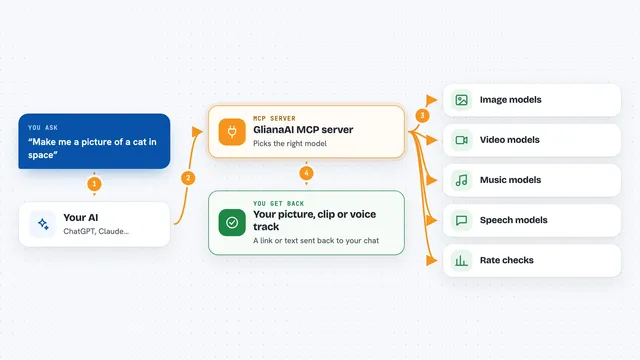
You type a request like "make me a picture of a running dog in the sun". Your AI sends that description to this helper program running on your computer. The helper talks to Google's Imagen 3 service using your own Google key. Google creates the image and sends it back. The helper then shows you the picture in your chat, usually as a link or an image you can open.
 Click to zoom
What you can do with it
- Create a picture from a written description
- Ask for a photorealistic look, like a real photo
- Ask for an artistic or drawn style
- Describe camera details, like a telephoto lens or sunlight
- Make quick images for posts, slides, or drafts
- Try a few versions of the same idea by asking again
Try asking your AI
- “Make a picture of a running Jack Russell terrier, telephoto lens, sunlight through its fur, photorealistic”
- “Create a high-tech looking apple on a clean background”
- “Draw a cozy coffee shop in the rain, artistic style”
- “Generate a simple flat illustration of a paper airplane for a slide”
What it gives back to you
You get back an image made from your description. In the chat it usually appears as a picture or a link you can open and save. If something goes wrong, like a wrong key or a blocked request, you get a short message explaining it.
Before you start
What you need
- A Google Gemini API key (a kind of password for apps; Google gives you one for free at their AI Studio site)
- The Imagen 3 MCP program file downloaded from its GitHub releases page
- An AI app that supports MCP servers, like Cherry Studio or Cursor
Good to know
It uses your Google Gemini key, so image requests may count against your Google usage limits or cost, and you should keep that key private.
Install it with your AI
Add Imagen 3 MCP server to your AI, no technical skills needed
You don't install anything by hand. You copy one prompt, paste it into an AI that can work on your computer, and it checks, installs and connects the server for you, asking you when it needs something.
Sign in to get the install prompt
Members get a ready-made prompt that lets the Claude desktop app check Imagen 3 MCP server, install it and connect it for them, step by step. You don't need any technical skills: you copy, paste and answer a few questions. Your connected AI can also find and install any of the 4,361 MCP servers here for you.
Who it's for
Anyone who writes, makes slides or posts, and wants quick pictures without learning a design tool.