
MCP server · Notes
CogmemAi MCP server
by hifriendbot
Give your AI a long-term memory that remembers your projects, rules and decisions across sessions.
CogmemAi is a memory service for AI assistants. It lets your AI remember things between chats, so you do not have to repeat yourself every time. It is handy if you use Claude Code or another AI tool for ongoing work and want it to keep track of what you decided.
What is an MCP server? The 30-second version
On its own, your AI can only chat with what is in front of it. An MCP server is a small helper program that gives your AI a new skill or a connection to an outside service. This one connects your AI to CogmemAi, a cloud memory service. Once connected, your AI can save notes, look them up later, and follow rules you set, all through that service.
What this MCP server does
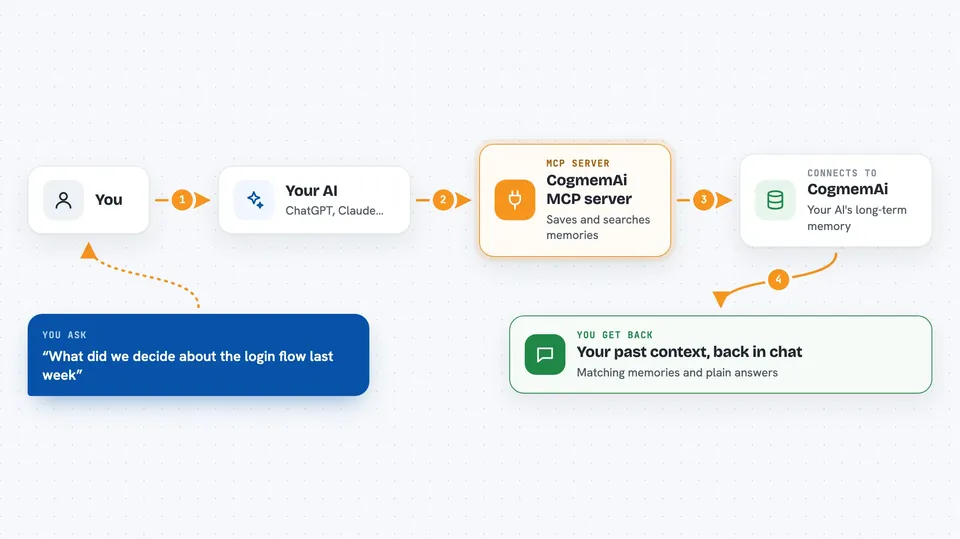
You tell your AI something worth remembering, like a project rule or a decision you made. Your AI sends that to CogmemAi through this helper. CogmemAi stores it and can search it later by meaning, not just exact words. When you ask a related question in a future session, your AI checks CogmemAi first and brings back what it finds. You get your past context back without having to explain it again.
 Click to zoom
What you can do with it
- Save facts, decisions and rules so your AI remembers them later
- Search your past memories by meaning, not just keywords
- Set project rules your AI should always follow
- Check whether an action is allowed before your AI does it
- Review what your AI did against what you asked for
- Extract principles from groups of related memories
- Keep memories separate per project so they do not mix
Try asking your AI
- “Remember that this project uses Zustand for state management”
- “What did we decide about the login flow last week”
- “Set a rule that you should never delete files outside the temp folder”
- “Check if this change matches what we said the project is for”
What it gives back to you
You get back lists of matching memories, short summaries, and plain-English answers pulled from what was stored. When you save something, you get a confirmation. When you ask a question, your AI shows the relevant memories in the chat. Some checks return a simple allow, ask or deny with the rule that applies.
Before you start
What you need
- A free CogmemAi API key from hifriendbot.com
- An MCP-compatible AI tool such as Claude Code, Cursor or Windsurf
- Node.js if you install it locally instead of using the remote address
Good to know
It can store your project details, rules and decisions in the cloud, and it can block or flag actions your AI tries to take, so review what you save and which rules you set.
Install it with your AI
Add CogmemAi MCP server to your AI, no technical skills needed
You don't install anything by hand. You copy one prompt, paste it into an AI that can work on your computer, and it checks, installs and connects the server for you, asking you when it needs something.
Sign in to get the install prompt
Members get a ready-made prompt that lets the Claude desktop app check CogmemAi MCP server, install it and connect it for them, step by step. You don't need any technical skills: you copy, paste and answer a few questions. Your connected AI can also find and install any of the 4,609 MCP servers here for you.
Who it's for
People who use an AI coding or writing assistant regularly and want it to remember their projects, rules and past decisions without repeating themselves.





