MCP server · Developer tools
FixGraph MCP server
by jawdat6
Let your AI search a community knowledge base of real fixes for technical errors and problems.

FixGraph is a big shared library of fixes for real world problems. People have written down what went wrong and what made it work again, and this helper lets your AI look things up there for you. It is handy if you run into error messages at work and want a quick starting point instead of searching the web yourself.
What is an MCP server? The 30-second version
On its own, your AI can only chat with you using what it already knows. An MCP server is a small helper program that gives your AI a new skill or a connection to an app or service. This one connects your AI to FixGraph, a website full of fixes for technical errors. Once it is set up, you can just ask your AI about a problem and it will go check FixGraph for you.
What this MCP server does
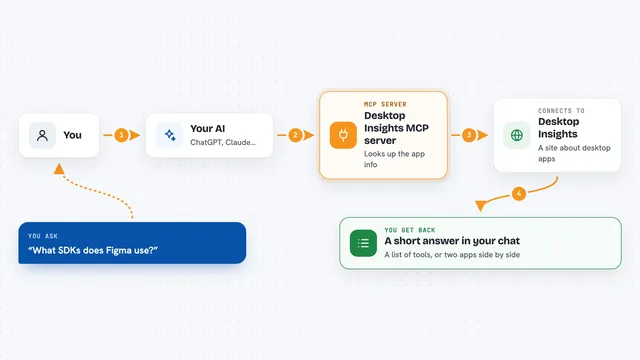
You describe a problem to your AI, like an error message or a strange symptom. Your AI passes that along to this helper, which talks to the FixGraph website. FixGraph sends back matching issues and the fixes people have tried. Your AI then shows you the results in the chat, usually as a short list with the fix and how trusted it seems. If you want, you can also send your own fix back so others can find it.
 Click to zoom
What you can do with it
- Search FixGraph by error message, symptom, or technology
- Read all the verified fixes listed for one specific issue
- Submit a new fix you found so others can use it
- Submit a new issue your AI came across
- Record whether a fix worked for you
- Check trust scores to see how reliable a fix looks
Try asking your AI
- “Search FixGraph for Docker container exits immediately”
- “Find fixes for npm ERESOLVE dependency conflict”
- “Check if there is a verified fix for ERR_OSSL_EVP_UNSUPPORTED”
- “Look up FixGraph for my washing machine making a loud banging noise”
What it gives back to you
You get back a list of matching issues and fixes, usually with short descriptions and a trust score showing how reliable other people found them. Your AI may summarise the top options and point you to the most likely fix. If you submit something, you get a short confirmation that it was saved. Everything appears right in the chat, no separate website needed.
Before you start
What you need
- The Claude desktop app or another AI tool that supports MCP servers
- Node.js installed on your computer (the free software that runs the helper)
- A free FixGraph API key only if you want to submit fixes or issues (the site gives you one when you register)
Good to know
Submitting fixes or issues sends your text to a public knowledge base, so do not include private details like passwords or customer data.
Install it with your AI
Add FixGraph MCP server to your AI, no technical skills needed
You don't install anything by hand. You copy one prompt, paste it into an AI that can work on your computer, and it checks, installs and connects the server for you, asking you when it needs something.
Sign in to get the install prompt
Members get a ready-made prompt that lets the Claude desktop app check FixGraph MCP server, install it and connect it for them, step by step. You don't need any technical skills: you copy, paste and answer a few questions. Your connected AI can also find and install any of the 4,609 MCP servers here for you.
Who it's for
Anyone who hits technical error messages at work and wants a fast, community-checked starting point, especially developers, IT support, and handy people fixing things at home.