MCP server · Email
ClawAIMail MCP server
by joansongjr
Let your AI create its own email address, send messages, and read and search its inbox for you.

ClawAIMail is an email service made for AI assistants. It gives your AI its own email address and lets it send, receive, and search messages when you ask. It is handy if you want your AI to handle email for you without you copying and pasting things by hand.
What is an MCP server? The 30-second version
On its own, your AI can only chat with you. An MCP server is a small helper program that gives your AI a new skill or a connection to an app or service. This one connects your AI to ClawAIMail, an email service. Once it is set up, your AI can create an inbox, send a message, or look through incoming mail when you ask it to.
What this MCP server does
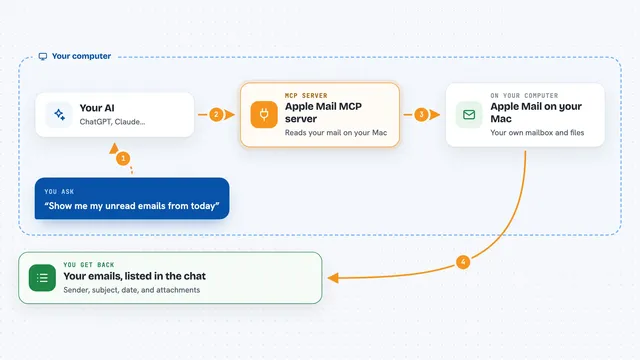
You ask your AI something like "send an email to Sam about the meeting." Your AI uses this helper, which talks to the ClawAIMail service behind the scenes. ClawAIMail creates the mailbox if needed, sends the message, and reports back. When mail arrives, your AI can read it, search it, and tell you what is there. You stay in the chat the whole time and never touch the email service yourself.
 Click to zoom
What you can do with it
- Create a new email inbox for your AI
- Send an email to someone from that inbox
- Read the messages that arrived
- Search through emails by keyword or sender
- List all the inboxes you have set up
- Delete an email or an inbox you no longer need
- Set up a webhook so you get told when new mail arrives
Try asking your AI
- “Create a new inbox called support-agent and tell me its address”
- “Send an email to anna@example.com saying the report is ready”
- “Check the inbox and summarise any unread messages”
- “Search my inbox for anything from the finance team this week”
What it gives back to you
You get answers in plain chat. If you asked to send, it tells you the message went out. If you asked to read, it shows you a list of messages with sender, subject, and a short preview. If you asked to search, it gives you the matching emails. If you asked to create an inbox, it tells you the new address.
Before you start
What you need
- A ClawAIMail account (there is a free plan)
- An API key from ClawAIMail (a kind of password for apps; you get one from your account)
- The Claude desktop app or another app that supports MCP servers
- Node.js installed on your computer, because the helper runs with a tool called npx
Good to know
Your AI can send real emails and delete messages or inboxes, so check what it is about to do before you say yes.
Install it with your AI
Add ClawAIMail MCP server to your AI, no technical skills needed
You don't install anything by hand. You copy one prompt, paste it into an AI that can work on your computer, and it checks, installs and connects the server for you, asking you when it needs something.
Sign in to get the install prompt
Members get a ready-made prompt that lets the Claude desktop app check ClawAIMail MCP server, install it and connect it for them, step by step. You don't need any technical skills: you copy, paste and answer a few questions. Your connected AI can also find and install any of the 4,066 MCP servers here for you.
Who it's for
People who want their AI to handle simple email tasks for them, like support teams, small business owners, and anyone automating replies.