MCP server · Developer tools
GitLab MR MCP server
by kopfrechner
Let your AI read and comment on GitLab merge requests and issues for you.
This is a small helper that connects your AI assistant to GitLab, the place where your team stores code and reviews changes. Once it is set up, you can ask your AI to look at a merge request, read the discussion, or leave a comment, without clicking around the GitLab website yourself. It is handy for anyone who reviews code or keeps an eye on issues but does not want to hunt through pages.
What is an MCP server? The 30-second version
On its own, your AI can only chat with you. An MCP server is a small helper program that gives your AI a new skill or a connection to an app or service. This one connects your AI to GitLab, so it can look up your projects, merge requests and issues, and even post comments for you. You just ask in plain words, and the helper does the clicking behind the scenes.
What this MCP server does
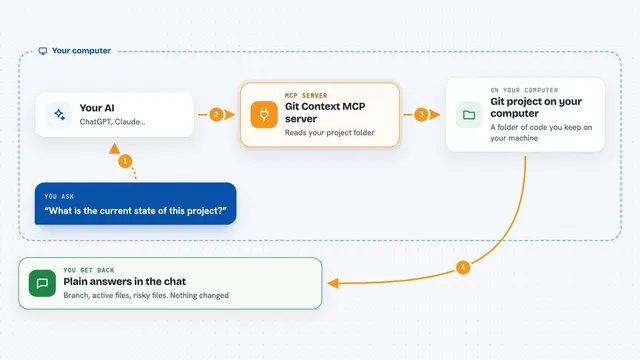
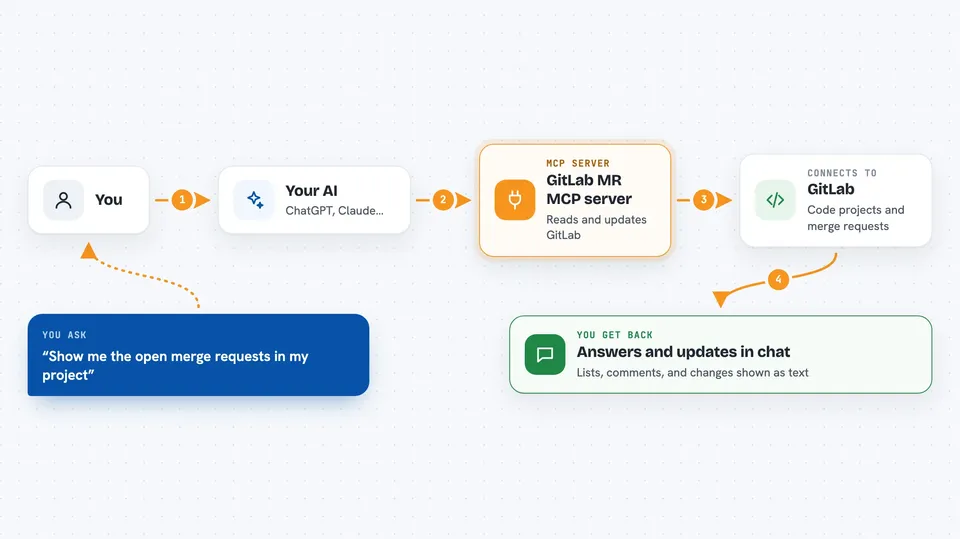
You ask your AI something like "show me the open merge requests in my project". The AI passes that request to this helper. The helper talks to GitLab using your access token and fetches the answer. Then the AI shows it back to you in the chat, as a list or a summary. If you ask it to comment or change a title, the helper makes that change in GitLab for you.
 Click to zoom
What you can do with it
- List the GitLab projects your token can see
- Show all open merge requests in a project
- Read the details and comments of a merge request
- Show the code changes (diff) in a merge request
- Post a general comment on a merge request
- Post a comment on a specific line of code
- Look up the details of an issue
- Change a merge request title or description
Try asking your AI
- “List my open merge requests in project 12345”
- “Show me the comments on merge request 42”
- “Add a comment to merge request 42 saying the tests need updating”
- “What does issue 17 say?”
What it gives back to you
You get back plain answers in the chat: lists of projects or merge requests, the details of one merge request, its comments, or the code changes it contains. When you ask it to comment or change a title, it tells you the change was made. Everything arrives as text you can read right there, no need to open GitLab.
Before you start
What you need
- A GitLab account with access to the projects you care about
- A GitLab access token with API access (a kind of password for apps; you create it in your GitLab settings)
- The GitLab host address (for example gitlab.com or your company's GitLab address)
- Node.js installed on your computer
Install it with your AI
Add GitLab MR MCP server to your AI, no technical skills needed
You don't install anything by hand. You copy one prompt, paste it into an AI that can work on your computer, and it checks, installs and connects the server for you, asking you when it needs something.
Sign in to get the install prompt
Members get a ready-made prompt that lets the Claude desktop app check GitLab MR MCP server, install it and connect it for them, step by step. You don't need any technical skills: you copy, paste and answer a few questions. Your connected AI can also find and install any of the 4,361 MCP servers here for you.
Who it's for
Developers, reviewers and team leads who use GitLab and want to check or comment on merge requests and issues without leaving their AI chat.