MCP server · Analytics
Disco Discovery Engine MCP server
Lets your AI scan a spreadsheet for hidden patterns and interactions, with p-values and citations.

Disco is a service that looks through a table of data for patterns you did not think to ask about. You give it a spreadsheet with one column you care about, and it finds combinations of other columns that shift that outcome. It is handy for analysts, researchers, and anyone staring at a dataset wondering where to start.
What is an MCP server? The 30-second version
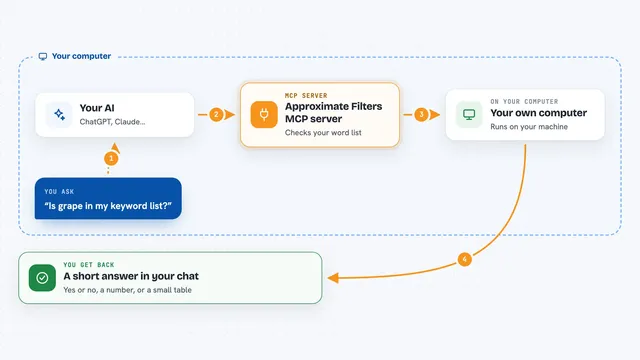
On its own, your AI can only chat about what you paste into it. An MCP server is a small helper program that gives your AI a new skill or a connection to another service. This one connects your AI to Disco, so when you ask it to look for patterns in a data file, the AI can send that file to Disco and bring the findings back into your chat. You do not install anything on your computer for this; the connection runs over the web.
What this MCP server does
You ask your AI to find patterns in a data file you have. The AI passes your file and the column you want to understand to Disco through this helper. Disco runs its analysis in the cloud, which usually takes a few minutes. When it is done, the AI brings back a list of patterns, each with the exact conditions, an effect size, a p-value, and a note on whether the finding is new or already known. You can also ask for a link to a web report that shows everything visually.
 Click to zoom
What you can do with it
- Upload a spreadsheet or data file to Disco without leaving your chat
- Ask for patterns that shift a column you choose
- Get p-values and effect sizes for each pattern found
- See whether each pattern is new or already in the academic literature
- Check how many credits a run will cost before starting it
- Follow the progress of a run while it is processing
- Open a web report with all patterns visualised
Try asking your AI
- “Find patterns in my file patients.csv that affect the readmission column”
- “Which combinations of columns in sales.xlsx are linked to a higher profit column?”
- “Estimate the cost of running a private analysis on this 12 MB file”
- “Show me the results of my last Disco run and summarise the novel patterns”
What it gives back to you
You get back a list of patterns, each described in plain words, with the exact ranges or categories involved, a p-value, an effect size, and a note on whether it is novel or already known. You also get a short written summary of the overall findings and a link to an interactive web report. Everything appears right in your chat, so you can ask follow-up questions about any pattern.
Before you start
What you need
- A Disco account (you can sign up with just an email, no card needed)
- An API key from disco.leap-labs.com/developers (a kind of password for apps; the site gives you one)
- A data file in a flat table format like CSV, Excel, or Parquet, up to 5 GB
Good to know
Private runs cost credits and public runs are free but your data and results are published, so pick the visibility setting carefully before you start.
Install it with your AI
Add Disco Discovery Engine MCP server to your AI, no technical skills needed
You don't install anything by hand. You copy one prompt, paste it into an AI that can work on your computer, and it checks, installs and connects the server for you, asking you when it needs something.
Sign in to get the install prompt
Members get a ready-made prompt that lets the Claude desktop app check Disco Discovery Engine MCP server, install it and connect it for them, step by step. You don't need any technical skills: you copy, paste and answer a few questions. Your connected AI can also find and install any of the 4,361 MCP servers here for you.
Who it's for
Analysts, researchers, data scientists, and anyone who has a table of data and wants to find patterns they did not know to look for.