
MCP server · Social media
Telegram MCP server
Let your AI read, search and send Telegram messages for you, right from the chat.
This is a helper that connects your AI assistant to your Telegram account. Once it is set up, you can ask your AI to find a message, check a group, or send something on your behalf. It is handy if you spend a lot of time in Telegram and want to stop scrolling around by hand.
What is an MCP server? The 30-second version
On its own, your AI can only chat with you. It cannot see your Telegram. An MCP server is a small helper program that gives your AI one new skill, and here that skill is talking to Telegram. You connect it once, and after that your AI can look things up in your chats or send messages when you ask.
What this MCP server does
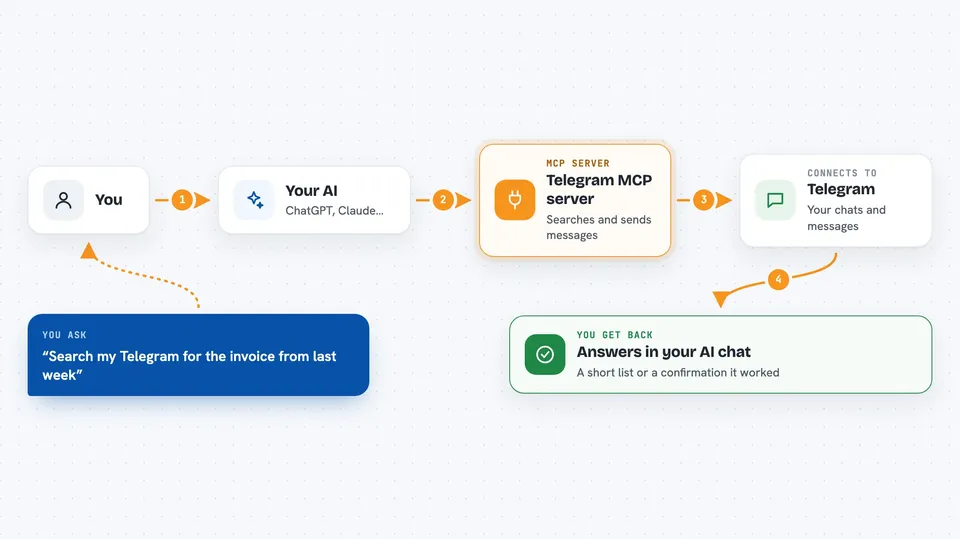
You type a request in plain words, like asking your AI to find a message or send a note. Your AI passes that request to this helper. The helper signs in to Telegram as you and does the actual work: searching chats, reading messages, or sending new ones. Then it hands the result back to your AI, which shows it to you in the chat. You never touch Telegram's own menus for this.
 Click to zoom
What you can do with it
- Search your messages across all your chats at once
- Read the last messages in any chat or group
- Send a new message to a person, group or channel
- Edit a message you already sent
- Find a person, group or channel by name or username
- Get details about a chat, like member count or description
- Send a message to a phone number that is not in your contacts
- Transcribe voice messages into text (if you have Telegram Premium)
Try asking your AI
- “Search my Telegram for anything about the invoice from last week”
- “Show me the last 10 messages in my saved messages”
- “Send hello to my saved messages on Telegram”
- “Find the group called design team and tell me how many members it has”
What it gives back to you
You get answers written in the chat, like a short list of matching messages with who sent them and when. When it sends or edits something, it tells you it worked. For voice messages it can give you the text. It does not dump raw data on you, just the useful bits.
Before you start
What you need
- A Telegram account
- For the hosted demo: a phone with Telegram to scan the QR code, then copy your token
- For running it yourself: an API ID and API hash from Telegram (free, from their developer site)
- Python and uv installed if you run it on your own computer
Good to know
This helper acts as your Telegram account, so it can read your private chats and send messages as you, and anything you ask it to send goes out for real.
Install it with your AI
Add Telegram MCP server to your AI, no technical skills needed
You don't install anything by hand. You copy one prompt, paste it into an AI that can work on your computer, and it checks, installs and connects the server for you, asking you when it needs something.
Sign in to get the install prompt
Members get a ready-made prompt that lets the Claude desktop app check Telegram MCP server, install it and connect it for them, step by step. You don't need any technical skills: you copy, paste and answer a few questions. Your connected AI can also find and install any of the 4,361 MCP servers here for you.
Who it's for
Anyone who lives in Telegram all day, like support people, community managers, or founders juggling many group chats.


