MCP server · Developer tools
GitHub Actions Doctor MCP server
Let your AI check your GitHub Actions for wasted minutes, flaky tests, and slow workflows.
This is a helper that lets your AI look at your GitHub Actions setup and tell you what is slowing it down or costing you money. It is handy if your team keeps rerunning failed builds or if your CI bill feels too high. You do not need to be a developer to understand the plain-English results it gives back.
What is an MCP server? The 30-second version
On its own, your AI can only chat with you. An MCP server is a small helper program that gives your AI a new skill or a connection to an app or service. This one connects your AI to GitHub Actions, the system that runs your automated builds and tests. Once connected, your AI can ask GitHub Actions questions for you and bring back answers in the chat.
What this MCP server does
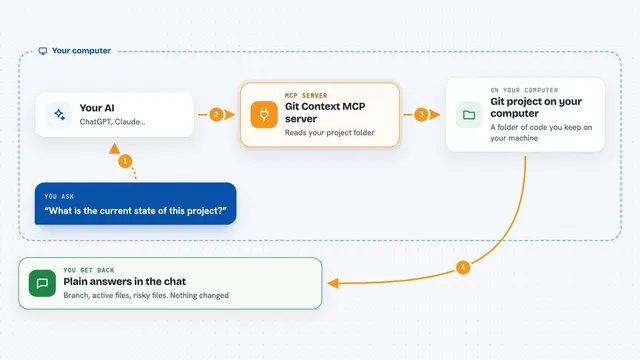
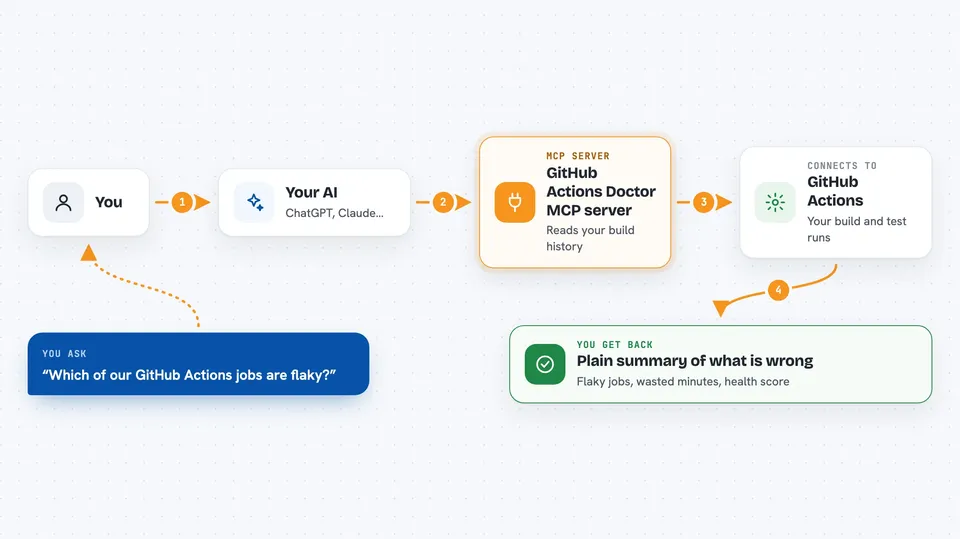
You ask your AI something like which of our builds are flaky. Your AI sends that request to this helper, which reads your GitHub Actions workflows and run history. The helper checks for things like jobs that fail and pass on the same code, missing timeouts, and uncached installs. It then hands the results back to your AI, which explains them to you in normal words. You can also ask it to preview fixes before anything changes.
 Click to zoom
What you can do with it
- Find jobs that fail and pass on the same commit (flaky tests)
- Estimate how many minutes and dollars your workflows waste
- Spot slow steps and missing timeouts in your workflows
- Preview auto-fixes for common workflow problems
- Check any public repo without cloning it first
- Get a 0 to 100 health score for your CI setup
- Scan every repo in an organization at once
Try asking your AI
- “Which of our GitHub Actions jobs are flaky and how much time do they waste?”
- “Show me the slowest steps in our CI workflow and why they are slow.”
- “Give me a health score for the repo owner/name and explain what is dragging it down.”
- “Preview what fixes you would apply to our workflow files without changing anything.”
What it gives back to you
You get back a plain summary in the chat: which jobs are flaky, how many minutes they burn, which steps are slow, and a health score from 0 to 100. It can also give you a list of suggested fixes and a preview of the changes it would make. If you ask for a report, it can hand back a Markdown or HTML version you can paste into an issue. Nothing is changed unless you explicitly ask it to apply fixes.
Before you start
What you need
- A GitHub account with access to the repo you want to check
- A GitHub token or the gh command line tool logged in (this is like a password that lets the helper read your repo)
- The gha-doctor tool installed, or use the hosted version if one is available
Good to know
It only reads your workflows and run history, so it will not change or delete anything unless you explicitly ask it to apply fixes.
Install it with your AI
Add GitHub Actions Doctor MCP server to your AI, no technical skills needed
You don't install anything by hand. You copy one prompt, paste it into an AI that can work on your computer, and it checks, installs and connects the server for you, asking you when it needs something.
Sign in to get the install prompt
Members get a ready-made prompt that lets the Claude desktop app check GitHub Actions Doctor MCP server, install it and connect it for them, step by step. You don't need any technical skills: you copy, paste and answer a few questions. Your connected AI can also find and install any of the 4,361 MCP servers here for you.
Who it's for
Developers, team leads, and anyone who pays the CI bill and wants to know why builds are slow or unreliable.