MCP server · Finance and crypto
Agent Toolbelt MCP server
by marras0914
Lets your AI pull live stock analysis and run handy text, data, and writing tools for you.

Agent Toolbelt is a helper that gives your AI a big set of ready-made tools. Some are for stock research, like writing an investment thesis or checking whether a company looks cheap. The rest are everyday helpers, like pulling emails out of text, counting tokens, or turning meeting notes into action items.
What is an MCP server? The 30-second version
On its own, your AI can only chat with you using what it already knows. An MCP server is a small helper program that gives your AI a new skill or a connection to a service, and here that service is Agent Toolbelt. Once it is connected, your AI can ask Agent Toolbelt to do things like research a stock or clean up text, and then hand you the answer in the chat.
What this MCP server does
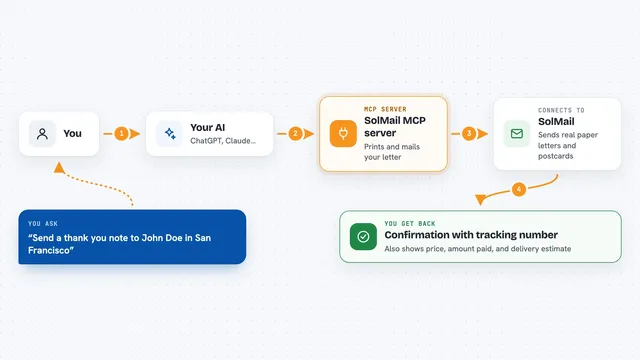
You ask your AI something in plain words, like to analyze a stock or summarize a web page. Your AI passes that request to Agent Toolbelt through this helper. Agent Toolbelt then does the work, either by pulling live financial data or by running a rule-based or AI-powered tool. When it is done, the result comes back to your AI, which shows it to you in the chat.
 Click to zoom
What you can do with it
- Get a full investment thesis for a stock ticker
- Compare two or three stocks head to head
- Check insider buying and selling signals
- Pull emails, phone numbers, and addresses out of text
- Turn meeting notes into action items and decisions
- Count tokens and estimate cost for 15 AI models
- Build a regex or cron schedule from plain English
Try asking your AI
- “Give me a full analysis of NVDA: thesis, earnings quality, insider activity, and whether it is cheap right now”
- “Compare AAPL and MSFT for a long-term investor who cares about quality”
- “Extract all emails, phone numbers, and addresses from this email thread”
- “Summarize this web page and give me the key points”
What it gives back to you
You get back clear written answers, lists, and short reports right in your chat. For stocks, that can include a bullish, neutral, or bearish verdict, key strengths and risks, and what to watch next. For utility tools, you get things like a list of extracted emails, a token count, a regex pattern, or a set of action items.
Before you start
What you need
- A free API key from Agent Toolbelt (sign up with your email, no credit card, 1,000 calls a month)
- The Claude desktop app or Claude Code, if you want to use it inside Claude
- Node.js installed on your computer so the npx command can run
Good to know
Some tools cost money per call, so keep an eye on your usage, and the stock analysis is just information, not financial advice.
Install it with your AI
Add Agent Toolbelt MCP server to your AI, no technical skills needed
You don't install anything by hand. You copy one prompt, paste it into an AI that can work on your computer, and it checks, installs and connects the server for you, asking you when it needs something.
Sign in to get the install prompt
Members get a ready-made prompt that lets the Claude desktop app check Agent Toolbelt MCP server, install it and connect it for them, step by step. You don't need any technical skills: you copy, paste and answer a few questions. Your connected AI can also find and install any of the 4,609 MCP servers here for you.
Who it's for
People who research stocks or do a lot of text, data, and writing work and want their AI to handle those tasks for them.