MCP server · Analytics
Oyemi MCP server
by Osseni94
Lets your AI look up word meanings, feelings, and word relationships from a fixed word list.
This is a small helper that gives your AI a built-in dictionary with feelings attached. It turns words into fixed codes and tells you whether a word sounds positive, negative, or neutral. It is handy if you work with text and want consistent answers instead of guesses.
What is an MCP server? The 30-second version
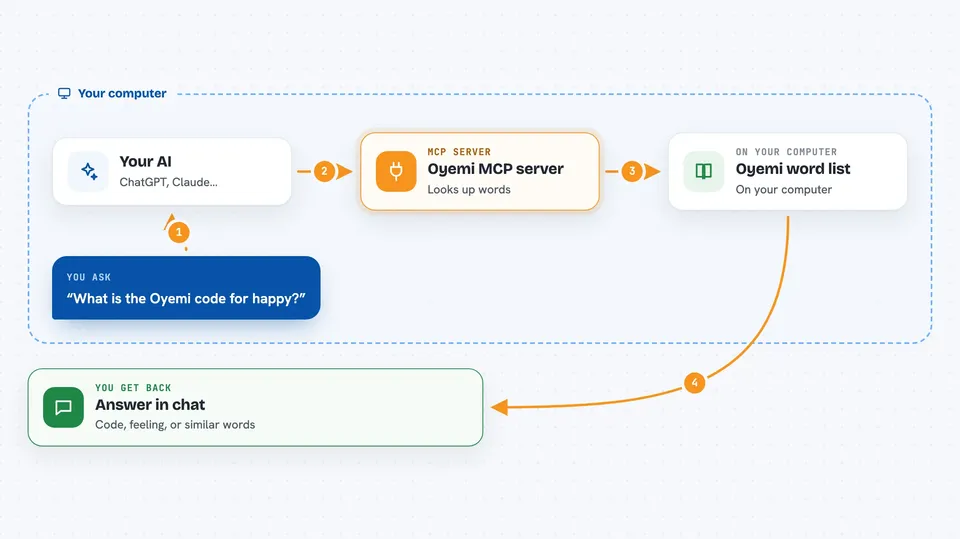
On its own, your AI can only chat with you using what it already learned. An MCP server is a small helper program that gives your AI a new skill or a connection to something outside the chat. This one connects your AI to the Oyemi word list, a large collection of words with codes and feelings attached. Once it is connected, your AI can look words up there and bring answers back to you when you ask.
What this MCP server does
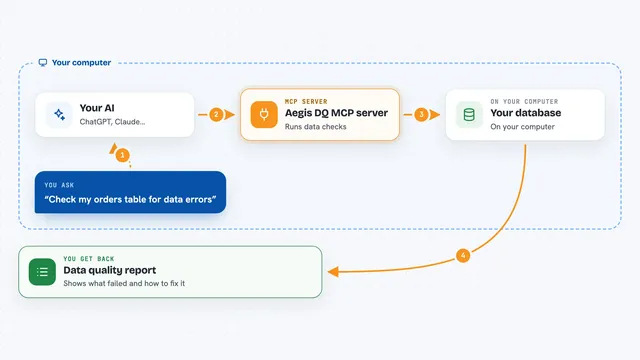
You ask your AI something about words, like whether a sentence sounds positive or what another word for happy is. Your AI passes that request to this helper program running on your computer. The helper looks the words up in the Oyemi word list and works out the codes, feelings, and relationships. Then it sends the answer back, and your AI shows it to you in the chat. You do not have to install any extra language tools for this to work.
 Click to zoom
What you can do with it
- Turn a word into its Oyemi code
- Check whether a piece of text sounds positive, negative, or neutral
- Compare two words and see how similar they are
- Find synonyms for a word
- Find antonyms for a word
- Encode a whole list of words at once
- Ask for basic facts about the word list itself
Try asking your AI
- “What is the Oyemi code for the word happy?”
- “Does this sentence sound positive or negative: I feel hopeful but anxious about the future”
- “How similar are the words happy and joyful?”
- “Give me synonyms and antonyms for the word happy”
- “Encode these words for me: happy, sad, neutral”
What it gives back to you
You get short, structured answers in the chat. For a single word you see its code, its part of speech, whether it is abstract or concrete, and whether it feels positive, negative, or neutral. For a piece of text you get a valence score, a simple sentiment label, and the words that pushed it one way or the other. For comparisons and word lookups you get a similarity number or a short list of related words.
Before you start
What you need
- Python installed on your computer
- The oyemi-mcp package installed with pip
- The Claude desktop app or Claude Code, set up to use MCP servers
Good to know
The answers come from a fixed word list, so unusual, slang, or very new words may not be found, and the sentiment is a simple positive or negative label rather than a deep reading of meaning.
Install it with your AI
Add Oyemi MCP server to your AI, no technical skills needed
You don't install anything by hand. You copy one prompt, paste it into an AI that can work on your computer, and it checks, installs and connects the server for you, asking you when it needs something.
Sign in to get the install prompt
Members get a ready-made prompt that lets the Claude desktop app check Oyemi MCP server, install it and connect it for them, step by step. You don't need any technical skills: you copy, paste and answer a few questions. Your connected AI can also find and install any of the 4,066 MCP servers here for you.
Who it's for
Anyone who works with text, like writers, editors, researchers, or support teams, and wants consistent word and sentiment answers from their AI.