MCP server · Developer tools
Smart Git MCP server
by rafim-dev
Lets your AI write tidy commit messages, spot leaked secrets in your changes, and help sort out merge conflicts.

This is a small helper that plugs into your AI assistant and gives it a hand with everyday Git tasks. Git is the tool developers use to save and track versions of their work. If you or your team use Git and you would like the AI to help write commit messages, check for accidentally pasted passwords, or untangle merge conflicts, this is for you.
What is an MCP server? The 30-second version
On its own, your AI can only chat. An MCP server is a small helper program that gives your AI a new skill or a connection to another tool. This one connects your AI to Git, the version tracking system used for code. Once it is set up, your AI can look at your changes and do things in Git for you when you ask.
What this MCP server does
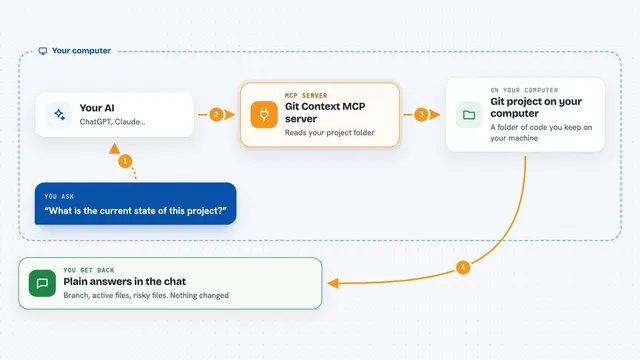
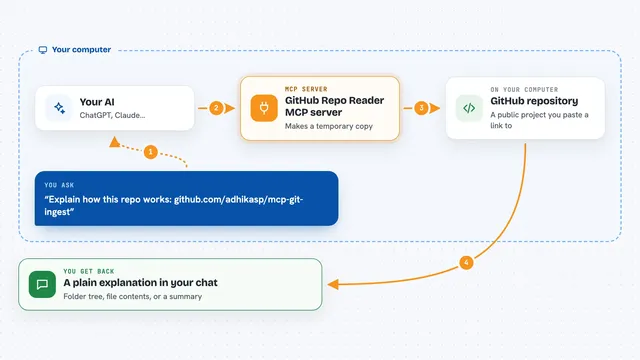
You ask your AI to look at your latest changes. The AI passes that request to this helper. The helper reads your Git changes and works out what happened. It then hands back a tidy commit message, a security check, a conflict fix, or a set of release notes, depending on what you asked for. You see the result right in the chat.
 Click to zoom
What you can do with it
- Write a clean commit message in the standard Conventional Commits style
- Scan your changes for leaked secrets like API keys or passwords
- Give your changes a security score from 0 to 100
- Spot leftover debug logs or risky code in your changes
- Find merge conflict markers and suggest a clean resolution
- Turn your recent commits into tidy release notes
- Show a short summary of your current branch and tracking status
Try asking your AI
- “Write a commit message for my staged changes”
- “Check my latest changes for any leaked secrets”
- “Help me resolve the merge conflicts in this file”
- “Make release notes from the commits since the last tag”
What it gives back to you
You get back plain text in the chat. That might be a ready-to-use commit message, a list of any secrets it spotted with a security score, a suggested fix for a conflict, or a set of release notes grouped into features, fixes and chores. It also gives a short summary of your branch when you ask for status.
Before you start
What you need
- A computer with Git installed and a project saved in Git
- Node.js installed (the free program that runs this helper)
- The folder for this helper downloaded and built once with npm install and npm run build
- The Claude desktop app or Cursor, if you want to use it inside your AI chat
Good to know
It reads your code changes and can suggest edits to your files, so check anything it proposes before you accept it, especially around secrets and conflict fixes.
Install it with your AI
Add Smart Git MCP server to your AI, no technical skills needed
You don't install anything by hand. You copy one prompt, paste it into an AI that can work on your computer, and it checks, installs and connects the server for you, asking you when it needs something.
Sign in to get the install prompt
Members get a ready-made prompt that lets the Claude desktop app check Smart Git MCP server, install it and connect it for them, step by step. You don't need any technical skills: you copy, paste and answer a few questions. Your connected AI can also find and install any of the 4,361 MCP servers here for you.
Who it's for
Developers, and anyone on a team who uses Git and wants a bit of help keeping commits tidy and catching mistakes before sharing work.