MCP server · Research
Wolfram Alpha MCP server
Lets your AI look up facts, math, and calculations through Wolfram Alpha.

This is a small helper that connects your AI assistant to Wolfram Alpha, the answer engine that handles math, science, unit conversions, and factual questions. If you often ask your AI things like "what's 18% of 4,320" or "how many miles is 12 kilometers," this gives it a proper calculator and reference book to check against. It's handy for anyone who wants more reliable numbers and facts in their chat.
What is an MCP server? The 30-second version
On its own, your AI can only chat with you using what it already learned. An MCP server is a small helper program that gives your AI a new skill or a connection to another service. This one connects your AI to Wolfram Alpha, so when you ask a question that needs real calculation or a checked fact, the AI can send it over and bring the answer back to you. You don't have to do anything special; you just ask in normal words.
What this MCP server does
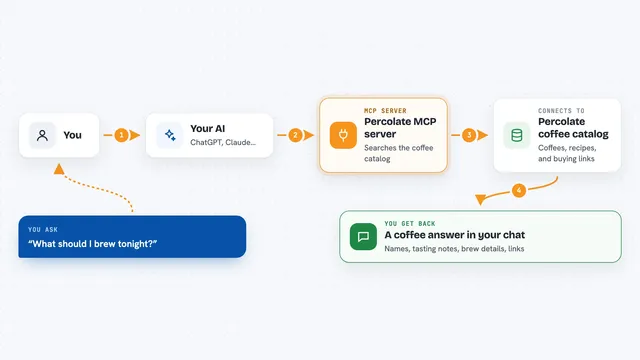
You type a question in your chat, like a math problem or a conversion. Your AI notices it needs Wolfram Alpha, so it passes the question to this helper. The helper sends it to the Wolfram Alpha service using a key you set up once. Wolfram Alpha works out the answer and sends it back. Your AI then shows you the result in the chat, in plain language.
 Click to zoom
What you can do with it
- Solve math problems and equations
- Convert units like miles to kilometers or cups to milliliters
- Look up scientific facts and constants
- Check dates, times, and time zones
- Get quick answers about numbers, percentages, and statistics
- Ask about chemistry, physics, or geography facts
Try asking your AI
- “What is 15% of 2,480?”
- “Convert 72 degrees Fahrenheit to Celsius”
- “How many days until December 25, 2025?”
- “What is the boiling point of mercury in Celsius?”
What it gives back to you
You get a short answer in the chat, usually a number, a converted value, or a plain fact. Sometimes it comes back with a small explanation or a few related details. It won't change anything on your computer or in any account; it just answers your question.
Before you start
What you need
- A Wolfram Alpha API key (a kind of password for apps; you get one for free from the Wolfram Alpha site after signing up)
- An AI app that supports MCP servers, like the Claude desktop app
- The uv tool installed on your computer to run the server
Good to know
Wolfram Alpha has a free tier with a limited number of queries per month, so heavy use may use up your allowance or require a paid plan.
Install it with your AI
Add Wolfram Alpha MCP server to your AI, no technical skills needed
You don't install anything by hand. You copy one prompt, paste it into an AI that can work on your computer, and it checks, installs and connects the server for you, asking you when it needs something.
Sign in to get the install prompt
Members get a ready-made prompt that lets the Claude desktop app check Wolfram Alpha MCP server, install it and connect it for them, step by step. You don't need any technical skills: you copy, paste and answer a few questions. Your connected AI can also find and install any of the 4,361 MCP servers here for you.
Who it's for
Anyone who asks their AI for math, conversions, or factual lookups and wants a more reliable answer, especially students, analysts, and office workers dealing with numbers.