MCP server · Productivity
IT Glue MCP server
by selic
Lets your AI search, read, and update your IT Glue documentation for you.
This is a helper that connects your AI assistant to IT Glue, the place where many IT teams keep their client documentation. Once it is set up, you can ask your AI questions about your documents and assets, and it can also make changes for you. It is handy if you work at an IT support company and spend a lot of time digging through runbooks and notes.
What is an MCP server? The 30-second version
On its own, your AI can only chat with you. An MCP server is a small helper program that gives your AI a new skill or a connection to another app. This one connects your AI to IT Glue, so it can look things up or make changes there when you ask. You stay in the chat, and the helper does the talking to IT Glue behind the scenes.
What this MCP server does
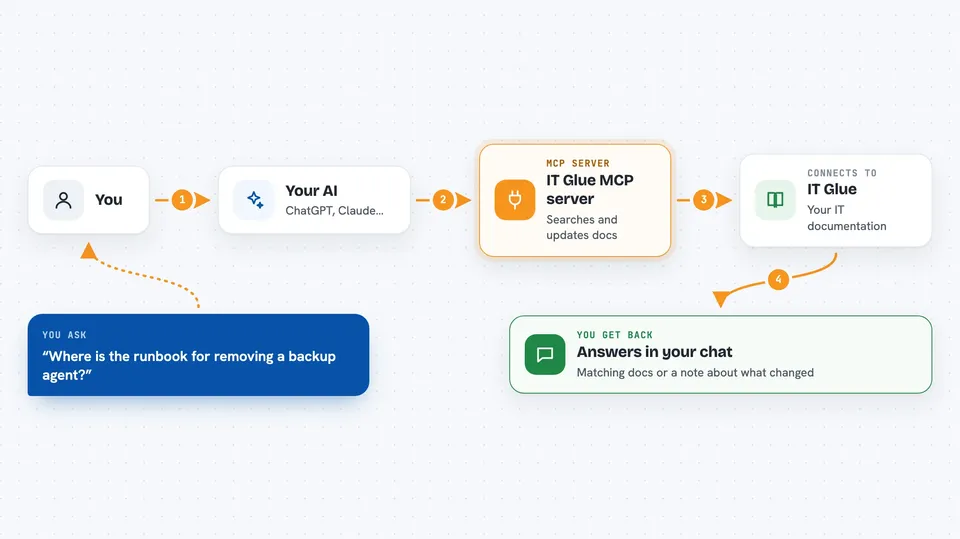
You ask your AI something in plain words, like where a certain runbook lives. The AI passes your request to this helper program. The helper talks to IT Glue using your IT Glue API key and finds the matching documents, assets, or attachments. Then it sends the answer back, and your AI shows it to you in the chat. If you ask it to change something, it can create or update documents and assets too.
 Click to zoom
What you can do with it
- Search your IT Glue documentation by meaning, not just exact words
- Read documents, sections, and flexible assets
- Create and update documents and publish them
- Add or remove images inside a document
- Attach files to a record's attachments panel
- Browse organization and asset type lists
- Delete documents, assets, or attachments when you have permission
Try asking your AI
- “Find the runbook for removing a backup agent”
- “Show me the flexible assets for the Acme organization”
- “Create a new document called Onboarding Checklist in the Acme folder”
- “Add this screenshot to the network diagram section”
What it gives back to you
You get answers in the chat, like a list of matching documents with short summaries, or the full text of one document. When it makes a change, it tells you what it did, such as which document it created or updated. Lists come back short by default so they fit in the chat, and you can ask for the full record if you need more detail.
Before you start
What you need
- An IT Glue account with an API key (IT Glue gives you one under Account, Settings, API Keys)
- The Claude desktop app or Claude Code, or another AI tool that supports MCP servers
- Node.js installed if you use the npx method
Good to know
It can create, change, and delete real documents and assets in your IT Glue account, so check with your team before letting it make changes.
Install it with your AI
Add IT Glue MCP server to your AI, no technical skills needed
You don't install anything by hand. You copy one prompt, paste it into an AI that can work on your computer, and it checks, installs and connects the server for you, asking you when it needs something.
Sign in to get the install prompt
Members get a ready-made prompt that lets the Claude desktop app check IT Glue MCP server, install it and connect it for them, step by step. You don't need any technical skills: you copy, paste and answer a few questions. Your connected AI can also find and install any of the 4,361 MCP servers here for you.
Who it's for
IT support teams and managed service providers who keep their client notes and runbooks in IT Glue.