MCP server · Analytics · official
ThingsBoard MCP server
by thingsboard · official
Ask your AI about your ThingsBoard devices, alarms and sensor data in plain words.

This is a helper made by the ThingsBoard team that connects your AI assistant to your ThingsBoard account. ThingsBoard is a platform where companies collect data from connected devices, like sensors and machines. Once connected, you can simply ask your AI questions about that data instead of clicking around the ThingsBoard website.
What is an MCP server? The 30-second version
On its own, your AI can only chat with you. An MCP server is a small helper program that gives your AI a new skill or a connection to an app. This helper connects your AI to your ThingsBoard platform, so the AI can look things up there or make changes for you when you ask. You set it up once, and after that you just talk to your AI normally.
What this MCP server does
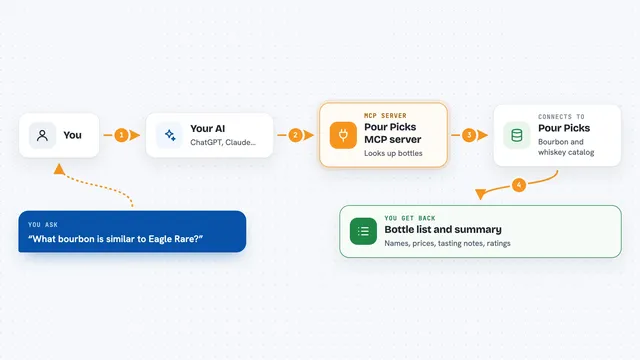
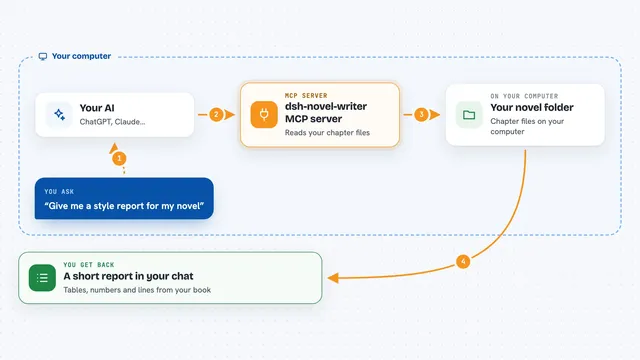
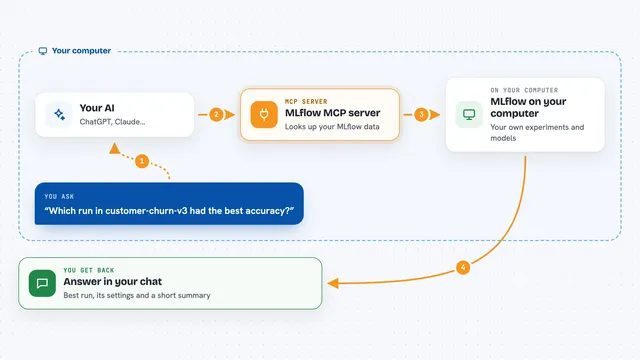
You ask your AI a question in everyday words, like which devices are offline or what the temperature was yesterday. Your AI passes that request to this helper. The helper then talks to your ThingsBoard platform, finds the devices, alarms or sensor readings you asked about, and sends the answer back. Your AI turns that into a clear reply in the chat. It can also make changes, such as creating a device or acknowledging an alarm, if you ask it to.
 Click to zoom
What you can do with it
- List your devices and search them by name or type
- Read sensor readings and attributes for a device over a time range
- Check alarms and see which ones are most serious
- Acknowledge or clear alarms
- Create, update or delete devices, assets and customers
- Save new telemetry values to a device
- Manage users and their access
Try asking your AI
- “Which of my devices have not sent data in the last 24 hours?”
- “Show me the temperature readings for the warehouse sensor over the past week.”
- “List all open alarms and tell me which ones are critical.”
- “Create a new device called Office Thermostat and give me its access token.”
What it gives back to you
You get answers in plain language in your chat, often with lists or small tables of devices, alarms or readings. For example, it might show a list of device names with their last seen time, or a set of temperature numbers for a date range. When you ask it to change something, it tells you what it did, like confirming a device was created or an alarm was acknowledged.
Before you start
What you need
- A ThingsBoard account (Cloud, EU Cloud, or your own self-hosted instance)
- An API key from ThingsBoard version 4.3 or newer, or your username and password for older versions
- Docker installed on your computer, or Java 17 or newer if you use the downloadable file
Good to know
It can create, change and delete real things in your ThingsBoard account, including devices and alarms, so check before you let it make changes.
Install it with your AI
Add ThingsBoard MCP server to your AI, no technical skills needed
You don't install anything by hand. You copy one prompt, paste it into an AI that can work on your computer, and it checks, installs and connects the server for you, asking you when it needs something.
Sign in to get the install prompt
Members get a ready-made prompt that lets the Claude desktop app check ThingsBoard MCP server, install it and connect it for them, step by step. You don't need any technical skills: you copy, paste and answer a few questions. Your connected AI can also find and install any of the 4,361 MCP servers here for you.
Who it's for
People who work with connected devices and sensor data, like operations staff, facility managers and support teams who already use ThingsBoard.