MCP server · Productivity
Docmost MCP server
by wisflux
Let your AI read, search and write pages, spaces and comments in your own self-hosted Docmost.

This is a small helper that connects your AI assistant to your own Docmost wiki, the self-hosted kind you run yourself. Once it is set up, you can ask your AI to find pages, summarize them, or create and edit pages for you. It is handy if your team keeps its notes in Docmost and you would rather not copy and paste everything by hand.
What is an MCP server? The 30-second version
On its own, your AI can only chat with you. An MCP server is a little helper program that gives your AI a new skill, in this case the ability to talk to your Docmost instance. You run this helper on your own computer, and it signs in to your Docmost with your email and password. After that, when you ask your AI something about your wiki, the AI asks this helper, and the helper fetches or changes things in Docmost for you.
What this MCP server does
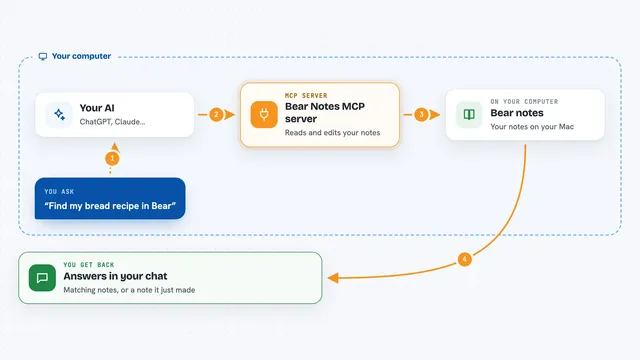
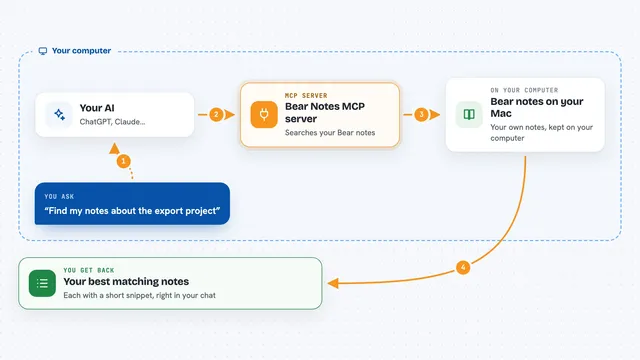
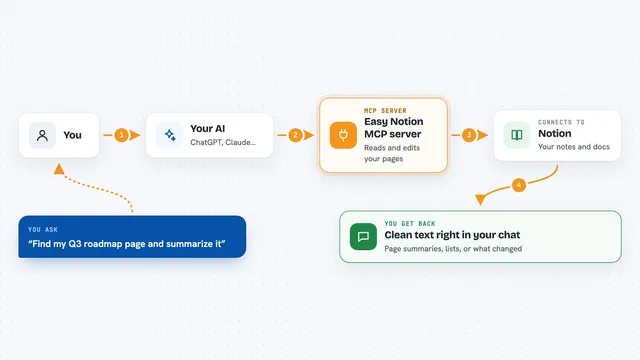
You ask your AI a question or give it a task, like finding a page or writing a new one. The AI passes that request to this helper program running on your machine. The helper signs in to your Docmost, looks up or changes what you asked for, and sends the result back to the AI. The AI then shows you the answer in the chat, or tells you what it changed. Everything happens against your own Docmost, not someone else's.
 Click to zoom
What you can do with it
- Search your Docmost pages and read them as plain text
- List spaces, recent pages and child pages in a space
- Create new pages from notes or text you give the AI
- Update a page title or its content
- Duplicate, copy or move pages between spaces
- Create and update spaces
- Read and add comments on a page
- List workspace members and see who you are signed in as
Try asking your AI
- “Search the Engineering space in Docmost for our on-call runbook and summarize it.”
- “Create a new page in the Product space titled Q3 Planning from these notes: ...”
- “Find every page in Docmost that mentions the old API endpoint and list them.”
- “Add a comment on the release-notes page flagging the missing migration step.”
What it gives back to you
You get back plain answers in the chat: lists of pages or spaces, the text of a page, or a short summary the AI wrote for you. When you ask it to create or change something, it tells you what it did, like the title of the new page or the space it went into. Comments and member lists come back as simple text too. Nothing shows up as a file unless you ask the AI to save it.
Before you start
What you need
- Node.js 18 or newer on your computer
- A Docmost instance you can reach, with email and password login turned on
- Your Docmost email and password for the first sign-in
Good to know
It can create, edit, move and copy pages and comments in your Docmost, so ask your AI to check before it changes or deletes anything important.
Install it with your AI
Add Docmost MCP server to your AI, no technical skills needed
You don't install anything by hand. You copy one prompt, paste it into an AI that can work on your computer, and it checks, installs and connects the server for you, asking you when it needs something.
Sign in to get the install prompt
Members get a ready-made prompt that lets the Claude desktop app check Docmost MCP server, install it and connect it for them, step by step. You don't need any technical skills: you copy, paste and answer a few questions. Your connected AI can also find and install any of the 4,361 MCP servers here for you.
Who it's for
People and teams who run their own Docmost wiki and want their AI assistant to read and write pages without leaving the chat.