MCP server · Notes
Apple Notes MCP server
by Dan8Oren
Search, read and edit your Apple Notes right from your AI chat, all running privately on your Mac.

This is a small helper program that connects your AI assistant to Apple Notes on your Mac. Once set up, you can ask your AI to find old meeting notes, summarize a long memo, or create a fresh shopping list without switching windows. It is handy if you keep everything in Apple Notes already and want your AI to actually work with those notes instead of guessing.
What is an MCP server? The 30-second version
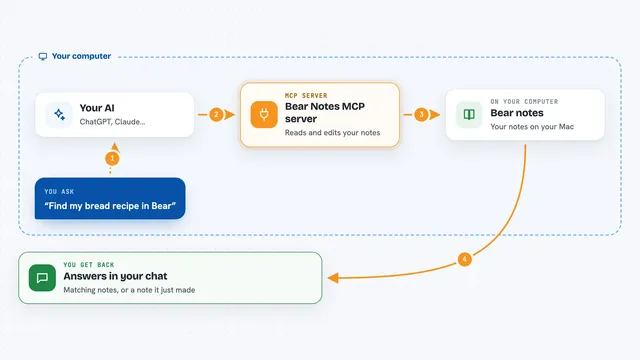
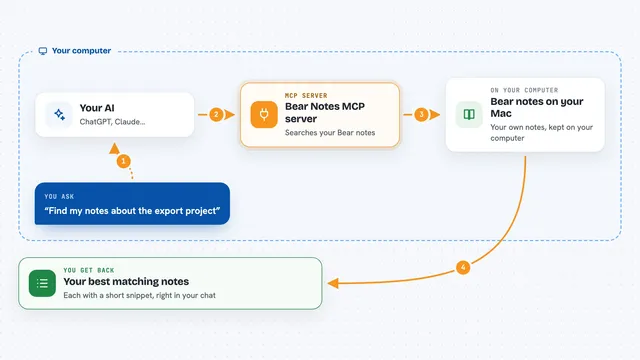
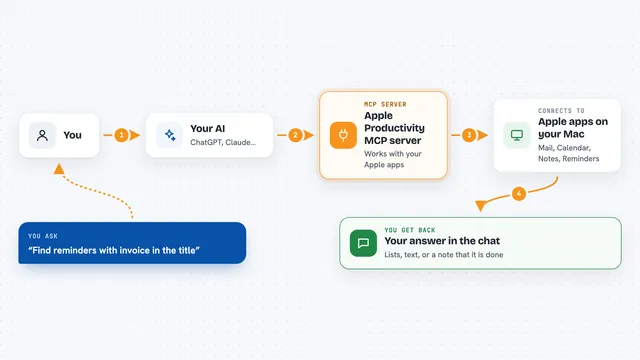
On its own, your AI can only talk to you. An MCP server is a little connector program that gives it one extra ability. This particular connector links your AI to Apple Notes on your computer. So when you say "find my tax receipts," the AI asks this helper, the helper opens Apple Notes quietly behind the scenes, and sends the answer straight back to your chat window. Everything stays on your Mac, and nobody else sees your notes.
What this MCP server does
First, you connect this helper to your AI app once. Then you ask the AI to index your notes, meaning it goes through each note and builds a quick-search map inside itself. After indexing finishes, whenever you mention a topic, person or phrase, the AI searches both by wording and by meaning, finds likely matches, then shows you titles plus snippets. If you allow writing too, the same tool lets the AI make brand-new notes, tweak older ones, move them between folders, or send unwanted ones to Recently Deleted. Nothing leaves your laptop at any point during this process.
 Click to zoom
What you can do with it
- Find notes by rough memory rather than exact keywords
- Summarize several related notes into one paragraph
- Create a new note in whatever folder you choose
- Append today's update onto an ongoing daily log note
- Move misplaced notes into the correct folder
- Send outdated notes to Recently Deleted
Try asking your AI
- “Index all my notes so I can search them later What did Sarah email me last month about the budget? Make a summary of every note tagged 'project phoenix' Create a note called Grocery list in my Personal folder with milk eggs bread cheese”
What it gives back to you
Usually you get a tidy reply written in normal prose, quoting bits of the matched notes along with their titles and folder names. When searching broadly, expect a ranked list showing how well each result fit your question. Creating or editing returns a simple confirmation telling you which note changed. Deleting also confirms, mentioning the note went to Recently Deleted.
Before you start
What you need
- macOS with Apple Notes installed and signed in
- Node.js v18 or newer, or Bun
- Your favourite AI app such as Claude Desktop, Cursor or Windsurf
Good to know
Writing actions really modify your real notebooks, although deletions land softly inside Recently Deleted for thirty recoverable days, so consider turning on read-only mode until comfortable.
Install it with your AI
Add Apple Notes MCP server to your AI, no technical skills needed
You don't install anything by hand. You copy one prompt, paste it into an AI that can work on your computer, and it checks, installs and connects the server for you, asking you when it needs something.
Sign in to get the install prompt
Members get a ready-made prompt that lets the Claude desktop app check Apple Notes MCP server, install it and connect it for them, step by step. You don't need any technical skills: you copy, paste and answer a few questions. Your connected AI can also find and install any of the 4,361 MCP servers here for you.
Who it's for
Anyone whose personal knowledge base lives inside Apple Notes and wants AI assistance reading, summarising or updating it quickly.