MCP server · Productivity
HOCR MCP server
by Wooonster
Turn photos of handwritten math into LaTeX code your AI can read and use.

This is a small helper that reads handwritten math from a picture and turns it into LaTeX, which is the plain-text way of writing math formulas on a computer. It is handy if you often deal with equations on paper, on a whiteboard, or in a photo, and you want them typed up without doing it by hand. It is meant for people who are comfortable running a couple of commands on their own computer.
What is an MCP server? The 30-second version
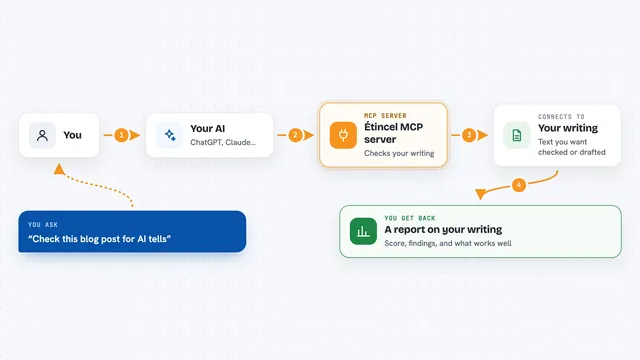
On its own, your AI can only chat with you using text you type. An MCP server is a small helper program that gives your AI a new skill. This helper gives your AI the skill of reading handwritten math from an image and writing it out as LaTeX. So when you ask your AI to convert a photo of an equation, it passes the image to this helper, and the helper sends back the LaTeX text for you.
What this MCP server does
You upload an image that contains handwritten math, like a photo of a notebook page or a whiteboard. Your AI sends that image to this helper program running on your computer. The helper uses a vision-language model, which is a kind of AI that can look at pictures, to read the handwriting and figure out the formula. It then writes the formula out as LaTeX, a text format for math. You get that LaTeX text back in your chat, ready to copy into a document or editor.
 Click to zoom
What you can do with it
- Convert a photo of a handwritten equation into LaTeX
- Turn a whiteboard snapshot of a formula into copyable text
- Read handwritten math from a scanned page and give you the LaTeX
- Preview the resulting formula with the included Vue frontend
- Save yourself from retyping long equations by hand
Try asking your AI
- “Here is a photo of my handwritten equation. Please turn it into LaTeX.”
- “Convert this whiteboard picture of a formula into LaTeX code I can paste into my notes.”
- “Read the math in this image and give me the LaTeX version.”
- “What is the formula in this handwritten image, written as LaTeX?”
What it gives back to you
You get back a text answer in the chat: the LaTeX code for the formula in the image. Depending on how the frontend is set up, you may also see a rendered preview of the formula using KaTeX. If the handwriting is unclear, the result may be wrong or partial, so it is worth checking.
Before you start
What you need
- Python with uvicorn installed to run the MCP server
- Node.js and npm to run the Vue frontend
- The hocr-vue-client folder from the project, with katex and axios installed
Good to know
The handwriting recognition can make mistakes, especially with messy writing, so check the LaTeX before you rely on it.
Install it with your AI
Add HOCR MCP server to your AI, no technical skills needed
You don't install anything by hand. You copy one prompt, paste it into an AI that can work on your computer, and it checks, installs and connects the server for you, asking you when it needs something.
Sign in to get the install prompt
Members get a ready-made prompt that lets the Claude desktop app check HOCR MCP server, install it and connect it for them, step by step. You don't need any technical skills: you copy, paste and answer a few questions. Your connected AI can also find and install any of the 4,609 MCP servers here for you.
Who it's for
Students, teachers, engineers, and anyone who deals with handwritten math and wants it typed as LaTeX without retyping it.