MCP server · Productivity
Yuque MCP server
by yehuoshun
Let your AI read, search, write and organize your Yuque documents and knowledge bases for you.
This is a helper that connects your AI assistant to Yuque (语雀), the Chinese tool for writing documents and building knowledge bases. Once it is set up, you can just ask your AI in plain words to find, create, edit or tidy up your Yuque content, and it does the clicking for you. It is handy if you keep notes, team docs or wikis in Yuque and want to stop copying things back and forth by hand.
What is an MCP server? The 30-second version
On its own, your AI can only chat. It cannot see your Yuque account or change anything there. An MCP server is a small helper program that gives your AI one new skill, here the skill of talking to Yuque. You connect it once, and from then on your AI can look things up in your Yuque or make changes there when you ask.
What this MCP server does
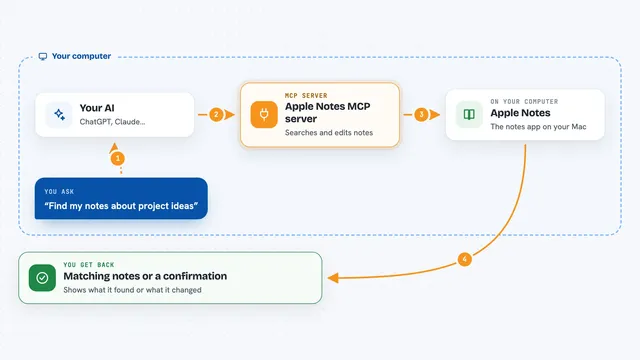
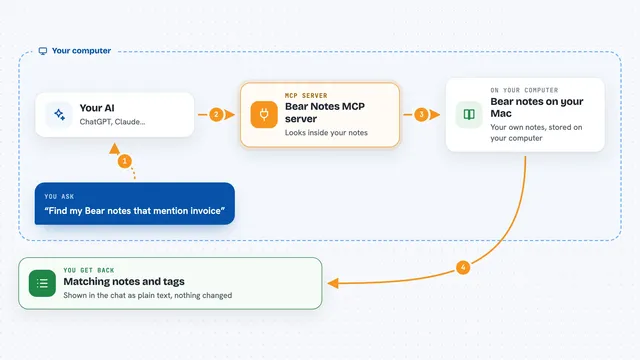
You type a request in your AI chat, like asking it to find a document or write a new one. Your AI passes that request to this helper program. The helper then talks to Yuque using your account, either through Yuque's official connection or through your browser session for the extra features. Yuque sends the answer back, and your AI shows it to you in the chat as a list, a summary or a confirmation that the change is done.
What you can do with it
- Search your Yuque documents and knowledge bases by keyword
- Read a document's full text and its history versions
- Create, update or delete documents and notes
- List and organize the table of contents of a knowledge base
- Export a document or a whole knowledge base as Markdown files
- Upload files and manage items in the recycle bin
- Check team and document statistics
Try asking your AI
- “Find all Yuque documents that mention our onboarding process”
- “Create a new document in my team knowledge base called Weekly Notes and put today's date in the title”
- “Show me the table of contents of the Product knowledge base”
- “Export this document as a Markdown file and download its images”
What it gives back to you
You get answers right in the chat: lists of documents, the text of a document, search results with short highlights, or a note that something was created, updated or deleted. Exports come back as Markdown files you can save. Statistics come back as numbers and summaries.
Before you start
What you need
- A Yuque account
- A Yuque API token (a kind of password for apps; Yuque gives you one in your account settings)
- For some extra features like the recycle bin and uploads, a browser session cookie from your logged-in Yuque account
- Node.js 18 or newer installed on your computer
Good to know
It can change and delete your Yuque documents, notes and knowledge bases, so be clear about what you ask it to do and check before deleting anything.
Install it with your AI
Add Yuque MCP server to your AI, no technical skills needed
You don't install anything by hand. You copy one prompt, paste it into an AI that can work on your computer, and it checks, installs and connects the server for you, asking you when it needs something.
Sign in to get the install prompt
Members get a ready-made prompt that lets the Claude desktop app check Yuque MCP server, install it and connect it for them, step by step. You don't need any technical skills: you copy, paste and answer a few questions. Your connected AI can also find and install any of the 4,361 MCP servers here for you.
Who it's for
People and teams who keep their notes, docs or wikis in Yuque and want their AI assistant to read and edit them without switching apps.