AI agent for software developers
Bug Fix With Failing Test Agent
A fix in a branch with a test that proves the bug is gone and nothing else broke
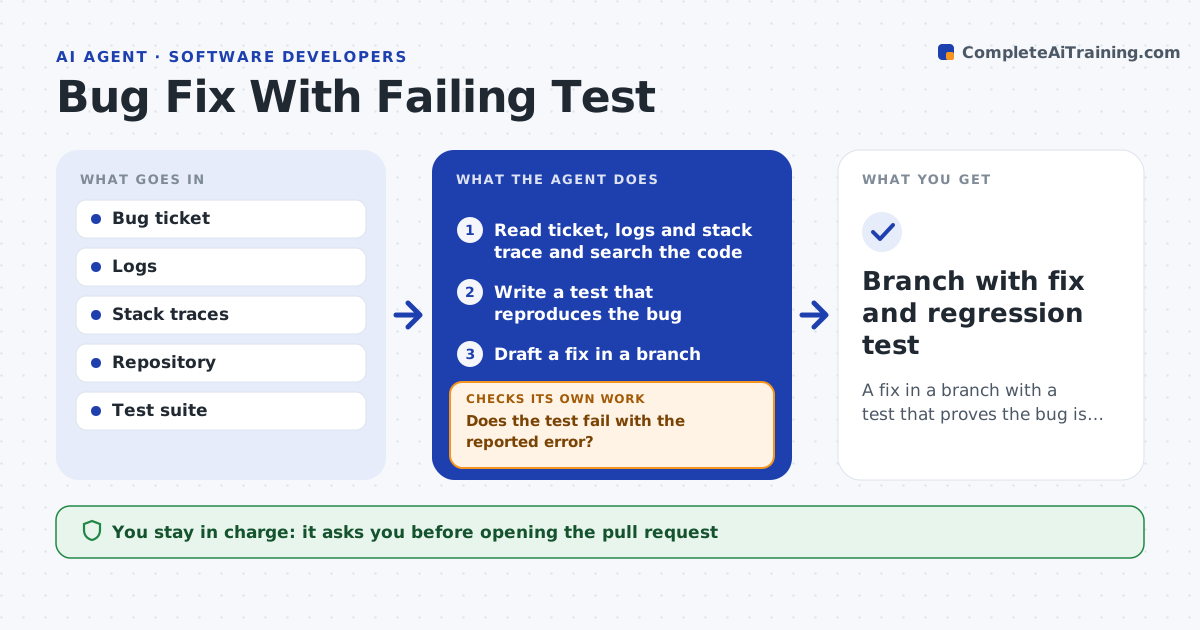
What it does
A good bug fix starts with a test that fails because of the bug, but under pressure developers often skip it and the bug returns. When a bug ticket is assigned, this agent reads the ticket, logs and stack trace, searches the code for the likely cause, and writes a test that reproduces the reported behavior. It runs the test to confirm it fails with the reported error. If it does not, it revises the setup or inputs, or reports what environment data is missing. It then drafts the smallest fix that could work in a branch and runs the new test plus the full suite. If anything fails, it reads the output, adjusts the fix and runs again. The developer reviews the change and opens the pull request. Edge case: if the bug cannot be reproduced locally, it returns questions to the reporter instead of guessing a fix.
How it works
Follow the arrows from top to bottom. The orange dashed arrow is the loop: when a check fails, the agent goes back and tries again.
Read the steps as a list
- Bug ticket assigned
- Read ticket, logs and stack trace and search the code
- Write a test that reproduces the bug
- Does the test fail with the reported error?If not: revise the test setup or inputs until it reproduces the bug, or report missing environment data. Back to step 3.
- Draft a fix in a branch
- Run the new test and the full suite
- Do all tests pass?If not: read failures and adjust the fix. Back to step 5.
- Developer reviews and opens the pull requestThe agent waits here for your OK.
- Branch with fix and regression test
How it decides
It only accepts a reproduction test that fails with the reported error, and only accepts a fix when the full suite passes.
- No fix without a failing test first
- Smallest change that passes is preferred
- Unreproducible bugs return to the reporter with questions
Make it yours
Every agent is a starting point. You choose these settings for your own situation.
- Test framework
- Maximum fix attempts (default 3)
- Branch naming
- Whether to run full or affected tests
What keeps you in control
It always asks you first
- Opening the pull request
- Merging
Hard limits
- Works only in a branch
- Never merges or deploys
It stops when
- Done: fix and test in branch
- Stop: cannot reproduce after three attempts
Set it up
We guide you through the set-up, step by step
Members get the full set-up guide for this agent. No technical skills needed: you copy, paste and upload.
- One set of instructions to paste into your AI, with the clicks for ChatGPT, Claude, Microsoft 365 Copilot, Gemini and Grok
- The agent then walks you through connecting your own data, one source at a time
- A downloadable copy with the flow chart, the rules and the full guide