AI agent for no-code developers
Rollback Rehearsal Agent
Prove that a release can be rolled back to the exact earlier state
What it does
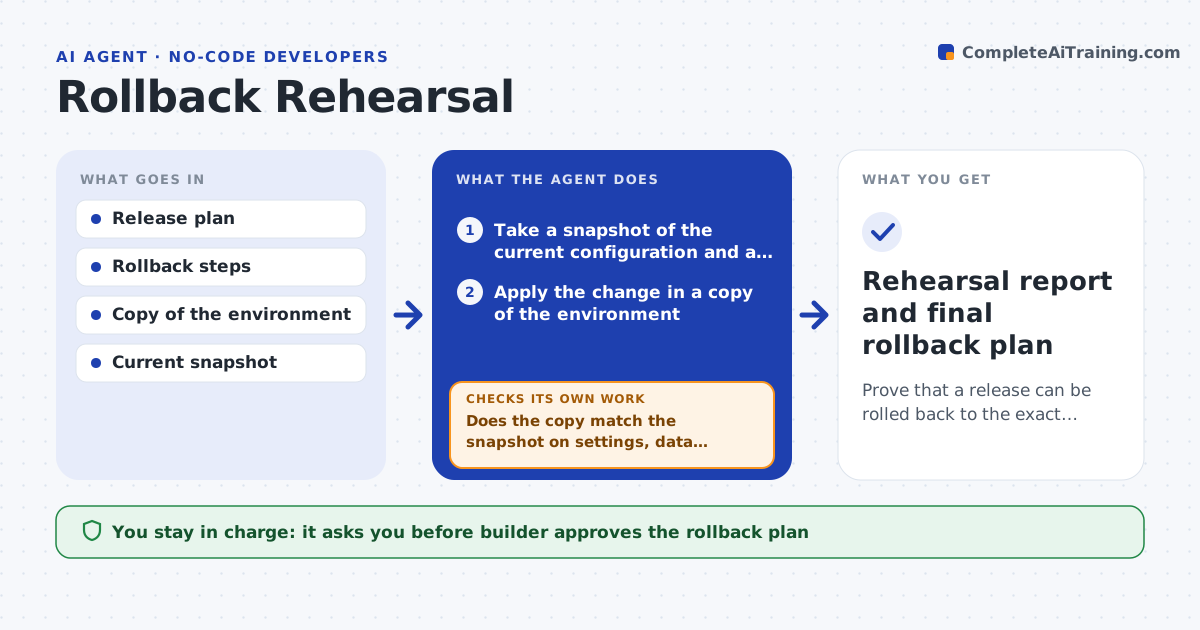
A deployment goes wrong and the team discovers that the backup is missing a setting or the old version cannot be restored. This agent practices the rollback before the release. It takes a snapshot of the current configuration and data samples, applies the planned change in a copy of the environment, and then runs the rollback steps. After the rollback it compares the copy with the snapshot: settings, data, permissions, automations and integrations. It lists every difference, such as a field that cannot be removed or data that changed in the migration. The builder fixes the rollback plan and the agent rehearses again. The builder approves the release. Edge case: a data migration is one-way, so the agent adds a restore-from-backup step.
How it works
Follow the arrows from top to bottom. The orange dashed arrow is the loop: when a check fails, the agent goes back and tries again.
Read the steps as a list
- Release planned
- Take a snapshot of the current configuration and a data sample
- Apply the change in a copy of the environment
- Run the rollback steps in the copy
- Compare the copy with the snapshot and record the rollback time
- Does the copy match the snapshot on settings, data, permissions and integrations?If not: list the differences and ask the builder to revise the rollback plan. Back to step 3.
- Builder approves the revised rollback planThe agent waits here for your OK.
- Rehearse again with the revised plan
- Does the second rehearsal match and finish within the time limit?If not: revise the plan and repeat. Back to step 3.
- Builder approves the releaseThe agent waits here for your OK.
- Rehearsal report and final rollback plan
How it decides
It declares the rollback good only when the copy matches the snapshot on all compared items after the rollback.
- Compare settings, data counts, permissions, automations and integrations
- Require a restore-from-backup step for any one-way data change
- Fail the rehearsal when rollback exceeds the agreed time (default 30 minutes)
- Repeat the rehearsal after every plan change
Make it yours
Every agent is a starting point. You choose these settings for your own situation.
- Items to compare
- Time limit (default 30 minutes)
- Snapshot method
- Data sample size
- Environment to use as the copy
What keeps you in control
It always asks you first
- Builder approves the rollback plan
- Builder approves the release
Hard limits
- Run rehearsals only on a copy, never on live data
- Never release without a passing rehearsal
It stops when
- Done: the rollback matches the snapshot within the time limit
- Stop: the change cannot be rolled back and needs a different release plan
Set it up
We guide you through the set-up, step by step
Members get the full set-up guide for this agent. No technical skills needed: you copy, paste and upload.
- One set of instructions to paste into your AI, with the clicks for ChatGPT, Claude, Microsoft 365 Copilot, Gemini and Grok
- The agent then walks you through connecting your own data, one source at a time
- A downloadable copy with the flow chart, the rules and the full guide