AI agent for devops engineers
Secrets Rotation Agent
Rotate every secret before it expires without breaking a dependent service.
What it does
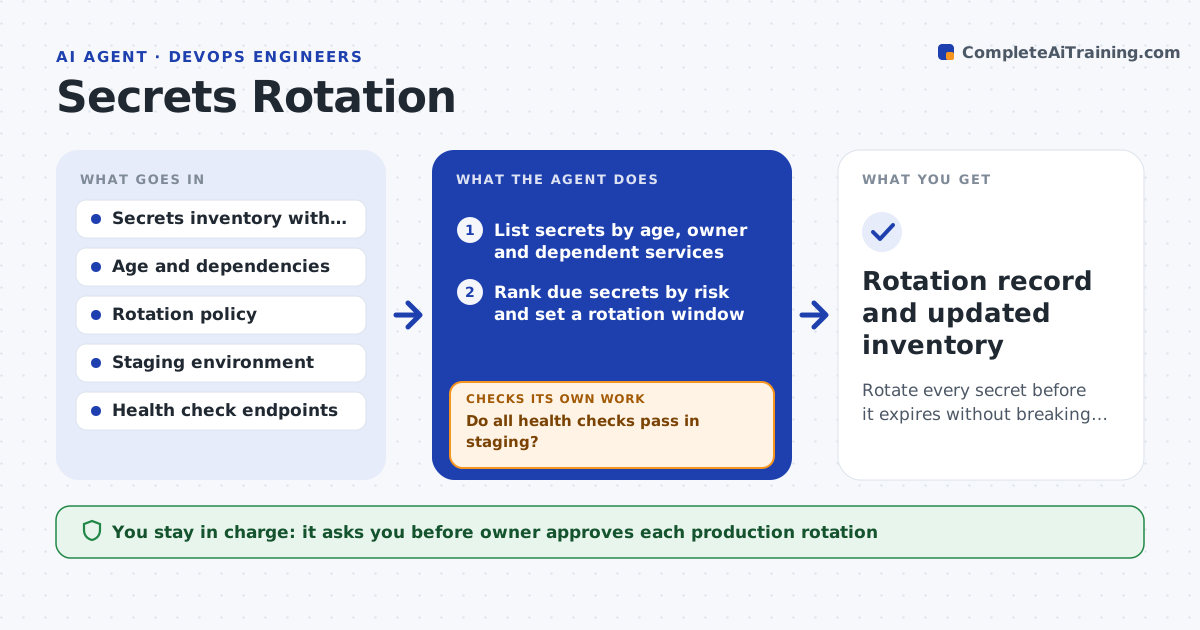
API keys, tokens and certificates are rotated late because nobody owns the list, and when they are rotated in a hurry, services break. The agent lists every secret with its age, owner and the systems that use it, and ranks them by risk. For each one that is due, it schedules rotation, creates the new secret, updates it in a staging environment and runs health checks on the services that depend on it. If a check fails, it rolls back to the old secret and reports what failed. Only after staging passes does it prepare the production change, which a person approves. It then checks production health and closes the item. Edge case: a worker still uses a cached copy of the old key, so staging fails and the agent finds the dependent job.
How it works
Follow the arrows from top to bottom. The orange dashed arrow is the loop: when a check fails, the agent goes back and tries again.
Read the steps as a list
- Weekly scan of the secrets inventory
- List secrets by age, owner and dependent services
- Rank due secrets by risk and set a rotation window
- Create the new secret and update staging
- Run health checks on every dependent service
- Do all health checks pass in staging?If not: Roll back, find the failing dependency and fix or flag it, then retry. Back to step 4.
- Owner approves the production rotationThe agent waits here for your OK.
- Update production and run health checks
- Is production healthy after rotation?If not: Roll back to the old secret and alert the owner. Back to step 7.
- Rotation record and updated inventory
How it decides
It rotates secrets that pass the age limit, highest risk first. It moves to production only when staging health checks pass for every dependent service; otherwise it rolls back and reports.
- Secrets older than 90 days are due, privileged ones at 60
- Production rotation only after staging passes every check
- A secret with no known owner is flagged and not rotated
- Roll back within 5 minutes of a failed production check
Make it yours
Every agent is a starting point. You choose these settings for your own situation.
- Maximum secret age (default 90 days, privileged 60)
- Rotation window day and time
- Health checks required per service
- Who owns secrets with no owner
What keeps you in control
It always asks you first
- Owner approves each production rotation
Hard limits
- Never writes a secret value into logs, tickets or messages
- Never changes production without the owner approval
It stops when
- Done: new secret live, old one revoked, checks green
- Stop: rollback performed or unknown dependencies found, so the owner is alerted
Set it up
We guide you through the set-up, step by step
Members get the full set-up guide for this agent. No technical skills needed: you copy, paste and upload.
- One set of instructions to paste into your AI, with the clicks for ChatGPT, Claude, Microsoft 365 Copilot, Gemini and Grok
- The agent then walks you through connecting your own data, one source at a time
- A downloadable copy with the flow chart, the rules and the full guide