AI tool
Claude to Notion
Claude to Notion automatically saves and organizes your Claude chat history in Notion, providing a customizable, searchable archive so you can easily reference and manage valuable insights from your conversations.

About Claude to Notion
Claude to Notion is a browser extension that enables users to save their conversations from Claude directly into Notion with a single click. This tool simplifies the process of preserving and organizing chat content, making it easy to reference and manage valuable information within Notion’s workspace.
Review
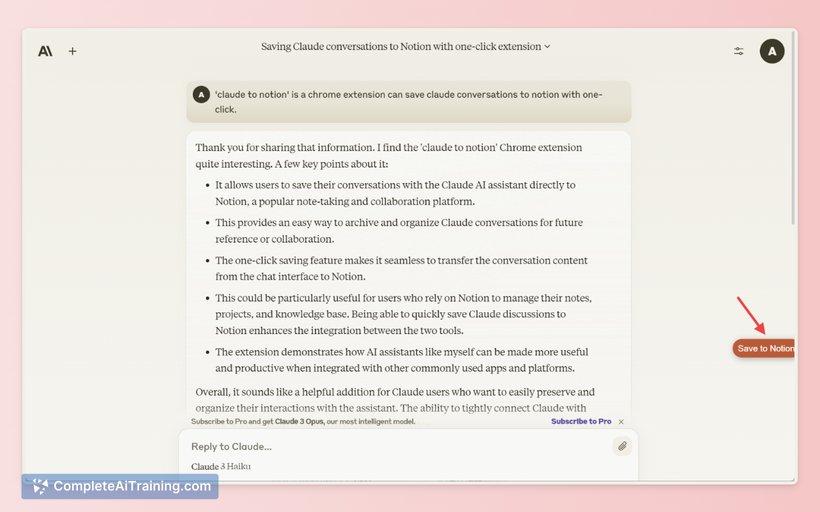
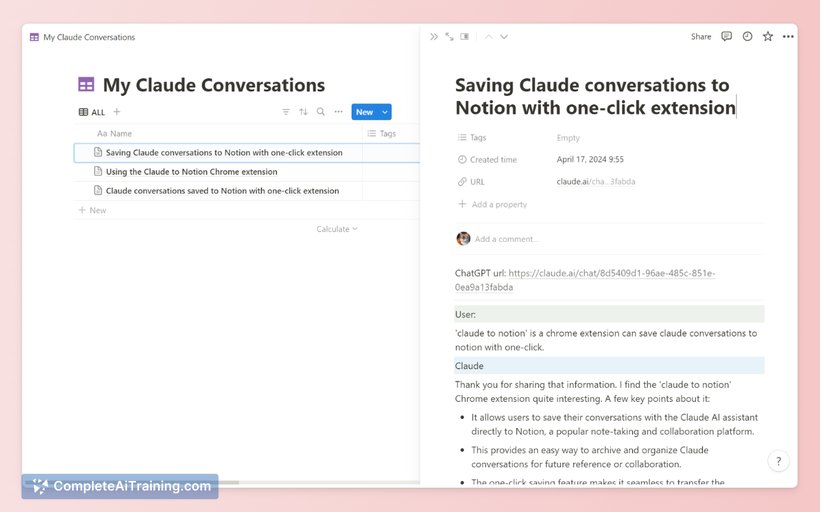
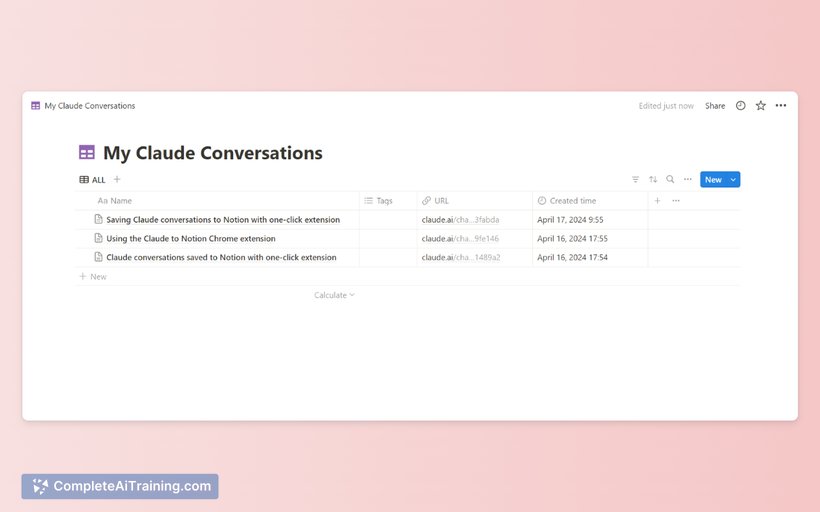
Claude to Notion offers a straightforward solution for users who frequently interact with Claude and want to keep their discussions well-organized. By integrating chat saving functionality seamlessly into the workflow, it eliminates the need for manual copying and pasting, saving time and effort. The extension is particularly useful for those who rely on Notion as a central hub for notes and knowledge management.
Key Features
- One-click saving of Claude conversations directly to Notion
- Customizable synchronization options to control how chats are saved
- Searchable history of saved conversations within Notion
- Organizes chat data into a centralized knowledge base for easy access
- Simple and intuitive interface designed for quick use
Pricing and Value
The tool is currently available for free, which makes it accessible for anyone using Claude and Notion. Given its utility in streamlining workflow and reducing repetitive tasks, it offers considerable value to users who want to keep their conversations organized without extra effort. The free pricing model encourages adoption and allows users to evaluate its benefits before considering any additional tools.
Pros
- Effortless integration between Claude and Notion
- Eliminates manual copy-pasting, saving time
- Maintains a searchable archive of conversations
- Customizable sync settings provide flexibility
- Free to use with no hidden costs
Cons
- Limited to users who use both Claude and Notion
- Functionality depends on browser compatibility with the extension
- Lacks advanced organizational features beyond basic syncing
Claude to Notion is ideal for users who regularly engage with Claude and want to keep their conversations organized within Notion. It suits professionals, students, and knowledge workers looking for a convenient way to archive chat content without interrupting their workflow. Those needing deeper customization or broader integrations might find it somewhat basic, but for its intended purpose, it performs reliably and efficiently.
Jobs Claude to Notion suits
We checked Claude to Notion against 500+ jobs; these get the most out of it.
Alternatives to Claude to Notion
Other tools that do the same main job. Our AI compared Claude to Notion with similar tools and kept the ones you could use instead.