AI tool
Mindly
Mindly for macOS captures links, files, notes, and tasks instantly via shortcut, then auto-organizes, tags, summarizes, and visualizes your content—helping you keep everything clear, connected, and easy to find in one interactive workspace.

About Mindly
Mindly is an AI-powered productivity tool for macOS that helps users capture and organize various types of content quickly. It automatically tags, summarizes, and connects ideas, providing a streamlined way to keep track of information without manual effort.
Review
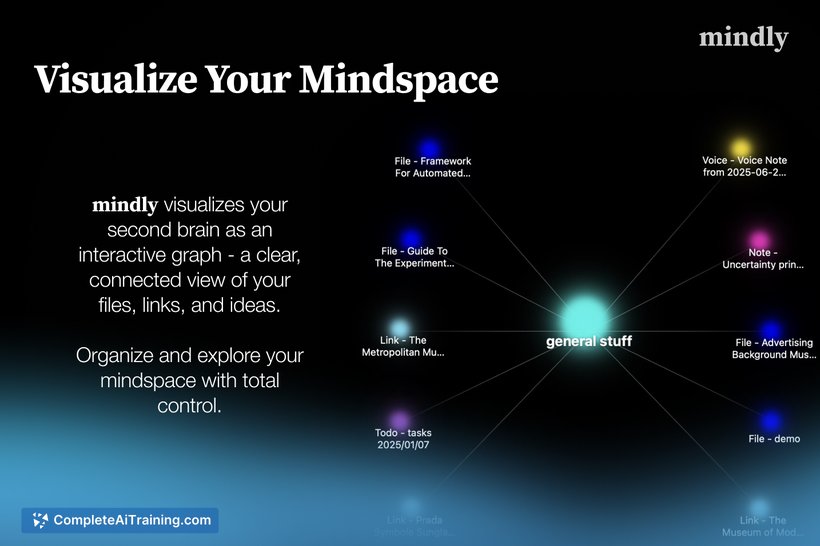


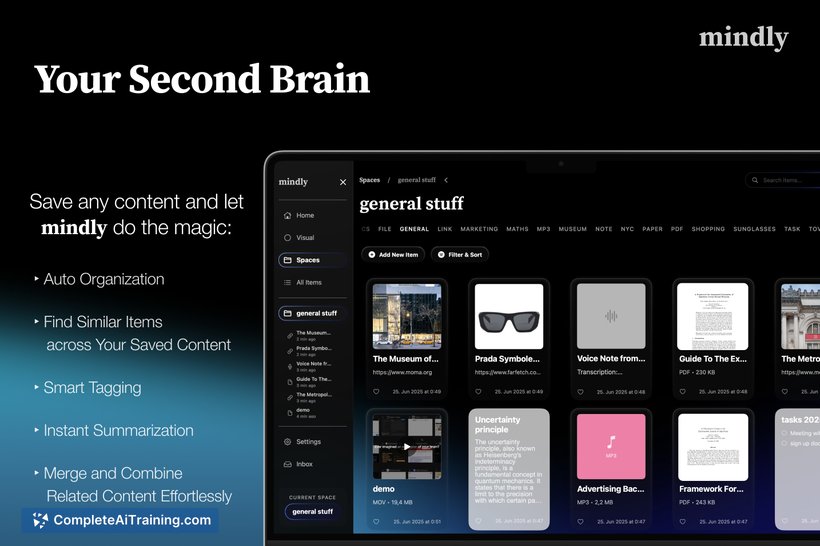

Mindly offers a straightforward solution for managing digital clutter by acting as a "second brain" on your Mac. Its ability to capture multiple content types with a simple shortcut and then intelligently organize them makes it an appealing choice for users looking to improve their workflow efficiency.
Key Features
- Quick capture of links, files, notes, tasks, and voice memos using a simple keyboard shortcut.
- Automatic organization of saved content by type, topic, and context to maintain a clean workspace.
- Context-aware tagging that eliminates the need for manual labeling.
- Summarization of saved items to provide a clear overview at a glance.
- Interactive visualization of connections between ideas through a graph interface.
Pricing and Value
Mindly currently offers a free version that provides essential capturing and organizing functionalities. Details about premium plans or additional paid features have not been explicitly disclosed, but the free option already delivers considerable value for users seeking a lightweight yet effective knowledge management tool on macOS.
Pros
- Fast and easy content capture reduces interruptions to workflow.
- Automatic tagging and summarization save time and effort.
- Visual graph helps users understand relationships between ideas.
- Supports various content types including voice notes and files.
- Clean and intuitive interface focused on productivity.
Cons
- Currently limited to macOS, which restricts usage across other platforms.
- Pricing details for advanced features are not clearly outlined.
- May require some time for users to fully explore the visualization features.
Overall, Mindly is well-suited for individuals who want a simple yet intelligent tool to capture and organize information quickly on a Mac. It is particularly beneficial for professionals, students, and creatives who handle diverse content types and prefer an automated approach to managing ideas and resources.
Jobs Mindly suits
Useful in almost any job. We checked Mindly against 500+ jobs; these get the most out of it.
Alternatives to Mindly
Other tools that do the same main job. Our AI compared Mindly with similar tools and kept the ones you could use instead.