
MCP server · Developer tools
Smart Tree MCP server
by 8b-is
Lets your AI see and search your project folders, and remember useful notes between chats.
Smart Tree is a helper program that shows your computer's folders and files in a clear, tidy way. It is made to work well with AI assistants, so your AI can look at your project and understand it quickly. It is handy if you work with lots of files and want your AI to help you find things or keep track of what you learned.
What is an MCP server? The 30-second version
On its own, your AI can only chat with you. An MCP server is a small helper program that gives your AI a new skill or a connection to something on your computer. This one connects your AI to your folders and files, so it can look around and read what is there when you ask. Think of it as giving your AI a pair of eyes for your project.
What this MCP server does
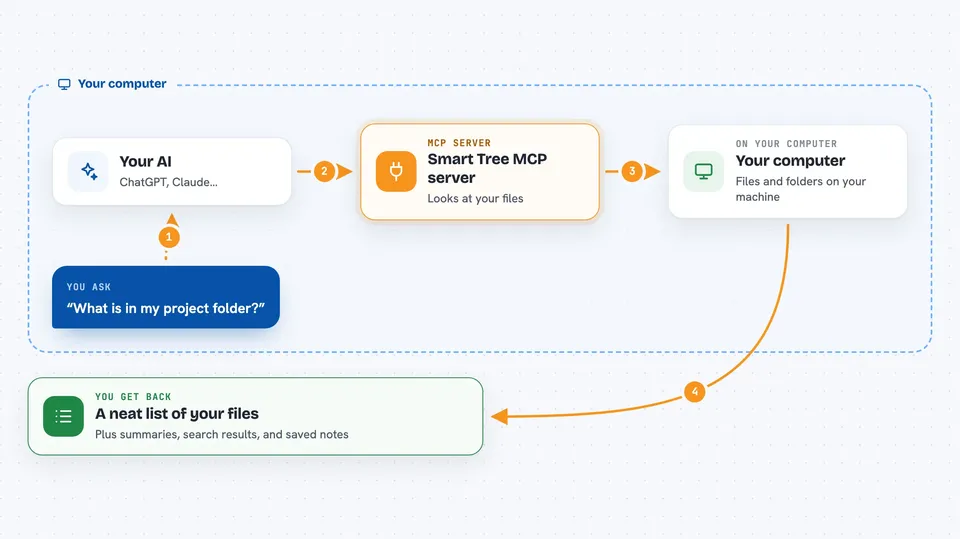
You ask your AI something like "what is in my project folder?" Your AI then uses this helper to look at your folders. The helper scans the files and sends back a neat list or summary. Your AI shows you the answer in the chat. It can also save little notes for later, so your AI remembers things between sessions.
 Click to zoom
What you can do with it
- See a clear list of all files and folders in a project
- Search inside files for words like TODO or a function name
- Get a quick summary of what a codebase contains
- Save notes and insights so your AI remembers them next time
- Check your AI setup for suspicious or unwanted add-ons
- Browse files in a friendly visual menu instead of typing commands
Try asking your AI
- “Show me the folder structure of my project”
- “Find all files that mention authentication”
- “Remember that we decided to use JWT tokens for login”
- “What did we work on in this project last time?”
What it gives back to you
You get back lists of files and folders, short summaries, or search results. If you asked it to remember something, it confirms that the note was saved. Sometimes it shows a tidy tree view right in the chat. It can also tell you if it found anything unusual in your AI settings.
Before you start
What you need
- The Smart Tree program installed on your computer (there is a one-line installer)
- The Claude desktop app or another AI tool that supports MCP servers
- Permission to read the folders you want your AI to see
Good to know
This tool can read your files and change your AI settings, so only point it at folders you are comfortable sharing and review any cleanup it suggests.
Install it with your AI
Add Smart Tree MCP server to your AI, no technical skills needed
You don't install anything by hand. You copy one prompt, paste it into an AI that can work on your computer, and it checks, installs and connects the server for you, asking you when it needs something.
Sign in to get the install prompt
Members get a ready-made prompt that lets the Claude desktop app check Smart Tree MCP server, install it and connect it for them, step by step. You don't need any technical skills: you copy, paste and answer a few questions. Your connected AI can also find and install any of the 4,361 MCP servers here for you.
Who it's for
Developers, writers, and anyone who works with many files and wants their AI assistant to understand their project without lots of explaining.


