MCP server · Developer tools
MCP Telemetry server
Watch a long AI task run step by step in your chat, live, without asking over and over.

This is a small helper you add next to another AI tool, so you can see what that tool is doing while it works. Instead of waiting in silence for a long job to finish, you get live updates in your chat: which step it is on, what it logged, and what it cost. It is handy if you or your team build AI tools that run slow jobs like builds, deploys, or tests.
What is an MCP server? The 30-second version
On its own, your AI can only chat with you. An MCP server is a small helper program you connect to your AI, and it gives your AI one new skill or one new connection. This helper connects your AI to a telemetry stream, which is just a live feed of progress messages from another tool. Once it is connected, your AI can tune in to that feed and show you what is happening while a job runs.
What this MCP server does
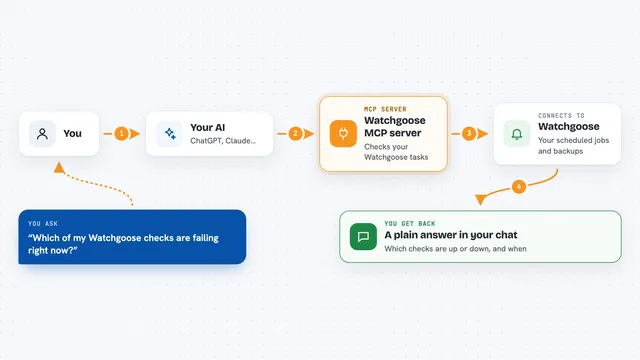
You ask your AI to run something, like a deploy or a build, using another connected tool. That other tool sends small progress notes to this helper as it works. Your AI then uses this helper to listen to those notes and shows them to you in the chat, line by line. You see each step start, finish, or fail, plus any log lines and cost figures. When the job ends, the stream stops and your AI tells you the result.
 Click to zoom
What you can do with it
- Watch a long job run step by step in your chat
- See which step is running right now and which ones already finished
- Read log lines from the job as they come in
- See the cost of a job in US dollars
- List all jobs the helper currently knows about
- Look up the full details of one finished job after the fact
Try asking your AI
- “Deploy to staging and show me the progress”
- “Watch the build job and tell me if any step fails”
- “List the jobs you know about and their status”
- “Show me the full details of the last deploy job”
What it gives back to you
You get a live stream of short lines in the chat: a step starting, a step finishing with details like how long it took, log lines, and any cost. When the job ends you see a final line with the exit code, and your AI sums it up for you. If you ask about a job that already finished, you get a full written summary with every step, cost, and any failure reason.
Before you start
What you need
- The other tool you want to watch must be set up to send progress notes to this helper (this is a small code change its author makes)
- Node.js installed on your computer (the free program that runs these helpers)
- An AI app that supports MCP servers, like Claude Code or Cursor
Good to know
Progress notes are sent on a best effort basis, so a few updates can be missed if the connection drops, and the live view does not replay anything that already happened before you tuned in.
Install it with your AI
Add MCP Telemetry server to your AI, no technical skills needed
You don't install anything by hand. You copy one prompt, paste it into an AI that can work on your computer, and it checks, installs and connects the server for you, asking you when it needs something.
Sign in to get the install prompt
Members get a ready-made prompt that lets the Claude desktop app check MCP Telemetry server, install it and connect it for them, step by step. You don't need any technical skills: you copy, paste and answer a few questions. Your connected AI can also find and install any of the 4,066 MCP servers here for you.
Who it's for
People who build or run AI tools that do slow jobs, like developers, DevOps folks, and anyone watching builds, deploys, or tests.