MCP server · Apple, iOS and Mac
SupaSidebar MCP server
by auspy
Lets your AI see your open tabs, bookmarks and recent links on your Mac, and tidy them up for you.

This is a small helper that connects your AI assistant to SupaSidebar, a free Mac app that puts all your browser tabs, bookmarks and links in one sidebar. Once it is set up, you can just ask your AI in plain words to find a saved link, sort your bookmarks into folders, or open a page in the right browser. It is handy if you keep far too many tabs open and want someone else to do the tidying.
What is an MCP server? The 30-second version
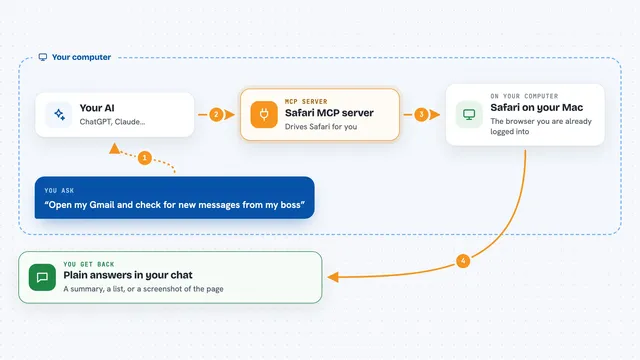
On its own, your AI can only chat with you. An MCP server is a small helper program that gives your AI a new skill or a connection to an app, and here it connects your AI to the SupaSidebar app on your Mac. So when you ask your AI about your tabs or bookmarks, it passes the request to this helper, the helper talks to SupaSidebar, and SupaSidebar reads or changes things on your machine. Everything stays on your computer; nothing is sent to the internet.
What this MCP server does
You ask your AI something like "what do I have open right now?" or "find the pricing page I bookmarked last week". Your AI sends that request to this helper program running quietly in the background. The helper passes it to the SupaSidebar app on your Mac, which knows about your tabs, bookmarks, folders and spaces. SupaSidebar sends the answer back, and your AI shows it to you as a normal chat reply. If you asked for a change, like saving a link or moving it to a folder, SupaSidebar makes that change for you.
 Click to zoom
What you can do with it
- See all your currently open browser tabs
- Search your saved links by name, web address, notes or tags
- Save a new link into a space or folder
- Create new spaces and folders to organise your links
- Move links between spaces and folders
- Open a link in a specific browser or browser profile
- Set up rules so certain links always open in the right place
Try asking your AI
- “What do I have open right now?”
- “Find the pricing page I bookmarked last week, I think it had billing in the notes”
- “Group my unfiled links into folders by topic and move them there”
- “What did I open yesterday afternoon?”
What it gives back to you
You get answers in plain chat text: lists of tabs, bookmarks or recent links with their names and web addresses, search results, or a short confirmation that something was saved, moved or opened. For example, asking what you have open gives you a tidy list of your tabs, grouped by browser. If you asked for a change, it tells you what it did.
Before you start
What you need
- A Mac running macOS 14 (Sonoma) or later
- The free SupaSidebar app installed and running
- Node.js 18 or newer on your Mac
- Accessibility and Automation permissions granted to SupaSidebar in System Settings
Good to know
It can save, move and open things on your Mac, so check what your AI is about to do before saying yes.
Install it with your AI
Add SupaSidebar MCP server to your AI, no technical skills needed
You don't install anything by hand. You copy one prompt, paste it into an AI that can work on your computer, and it checks, installs and connects the server for you, asking you when it needs something.
Sign in to get the install prompt
Members get a ready-made prompt that lets the Claude desktop app check SupaSidebar MCP server, install it and connect it for them, step by step. You don't need any technical skills: you copy, paste and answer a few questions. Your connected AI can also find and install any of the 4,361 MCP servers here for you.
Who it's for
Mac users who keep a lot of tabs and bookmarks and want their AI assistant to help find, sort and open them.