MCP server · Productivity
Apple Reminders MCP server
by FradSer
Lets your AI read and update your Apple Reminders and Calendar on your Mac.
This is a small helper that connects your AI assistant to the Reminders and Calendar apps on your Mac. Once it is set up, you can just ask in plain words and your AI will look things up or make changes for you. It is handy if you keep your to-do lists and events in Apple's own apps and want to stop clicking around.
What is an MCP server? The 30-second version
On its own, your AI can only chat with you. An MCP server is a small helper program that gives your AI a new skill or a connection to an app or service. This one connects your AI to Apple Reminders and Calendar on your Mac, so it can look things up or make changes there when you ask. You set it up once, and after that your AI can reach those apps for you.
What this MCP server does
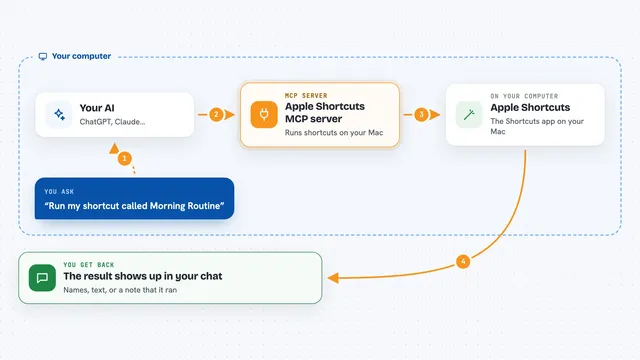
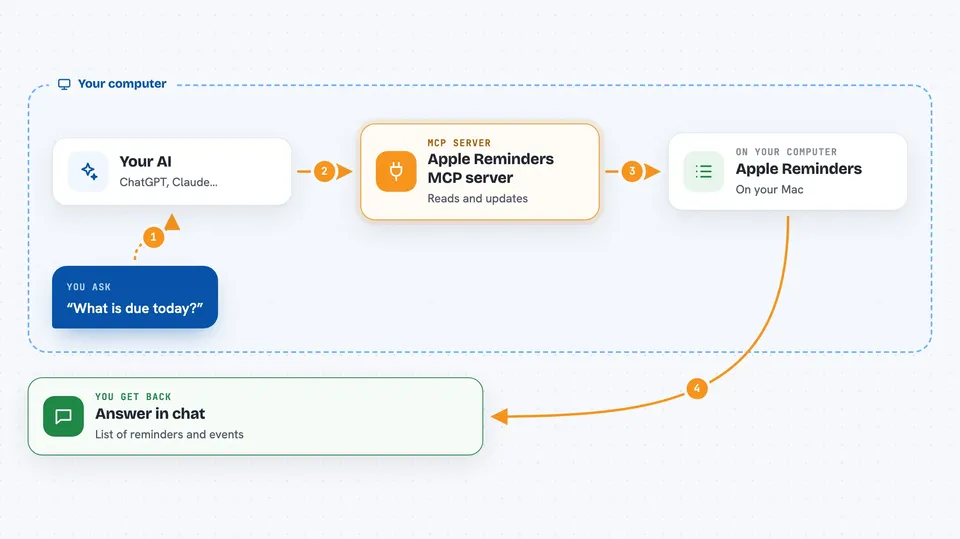
You ask your AI something like "what is due today" or "add milk to my shopping list". Your AI passes that request to this helper program running on your Mac. The helper talks to the Reminders and Calendar apps through Apple's own system, the same way the apps talk to each other. Then it sends the answer or the change back, and your AI shows it to you in the chat. You never have to open the apps yourself unless you want to.
 Click to zoom
What you can do with it
- Create reminders with a due date, priority, tags, and subtasks
- Read your reminders and filter them by list, priority, tag, or due date
- Mark reminders or subtasks as done, or edit and delete them
- Create and manage your reminder lists
- Create, update, and delete calendar events
- See your calendar events for a chosen date range
- Invite people to an event or cancel one occurrence of a repeating event
Try asking your AI
- “Create a reminder to buy groceries tomorrow at 5 PM with tags shopping and errands”
- “Show me all high-priority reminders due today tagged urgent”
- “Add a high-priority reminder to finish the quarterly report due Friday in my Work list”
- “Show my calendar events for the next week”
What it gives back to you
You get answers written in the chat, like a list of reminders with their list, due date, priority, tags, and subtask progress. When you ask it to change something, it tells you what it did. Calendar answers come back as a list of events with their times and calendars. Everything appears as normal text you can read and copy.
Before you start
What you need
- A Mac (this only works on macOS)
- Node.js 20 or newer installed on your Mac
- Permission to access Reminders and Calendar, which macOS will ask for the first time
Good to know
It can change and delete your real reminders and calendar events, so check what you asked for before saying yes.
Install it with your AI
Add Apple Reminders MCP server to your AI, no technical skills needed
You don't install anything by hand. You copy one prompt, paste it into an AI that can work on your computer, and it checks, installs and connects the server for you, asking you when it needs something.
Sign in to get the install prompt
Members get a ready-made prompt that lets the Claude desktop app check Apple Reminders MCP server, install it and connect it for them, step by step. You don't need any technical skills: you copy, paste and answer a few questions. Your connected AI can also find and install any of the 4,361 MCP servers here for you.
Who it's for
Anyone on a Mac who keeps their to-dos and events in Apple Reminders and Calendar and wants to manage them by chatting with an AI.