MCP server · Productivity · official
Doconda MCP server
by B-C-Software · official
Let your AI create, review and edit Word, PowerPoint, Excel and PDF files for you, with a preview of each page.
Doconda is a service that makes and edits office documents: Word, PowerPoint, Excel and PDF. This MCP server connects your AI assistant to Doconda, so you can ask for a document in plain words and get an editable file back. It is handy for anyone who builds budgets, reports, slide decks or PDFs and would rather describe them than click through menus.
What is an MCP server? The 30-second version
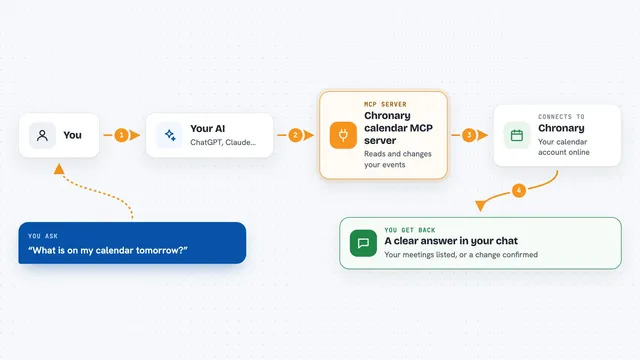
On its own, your AI can only chat. An MCP server is a small helper program that gives your AI a new skill or a connection to an app or service. This helper connects your AI to Doconda, so when you ask for a document, the AI can send that request to Doconda and bring the finished file back to you. You do not need to understand how it works. You just ask, and the AI uses this helper on your behalf.
What this MCP server does
You tell your AI what you need, for example an Excel budget or a PowerPoint deck. The AI passes your request to this helper, and the helper talks to Doconda. Doconda builds the file, reviews it, and makes a PDF plus a preview of each page. The helper brings the result back to your chat, so you can look at it and ask for changes. You can also upload an existing file, convert it to another format, or ask the AI to edit a document you already have.
What you can do with it
- Create a new Word, PowerPoint, Excel or PDF document from a plain description
- Upload a file you already have so the AI can work with it
- Convert a document from one format to another
- Edit an existing document, for example change text or numbers
- List the documents in your Doconda project
- Get a report about a document, including a preview of each page
- Read the data behind a document so you can check it
Try asking your AI
- “Make an Excel file with the event budget, one row per category, and a total at the bottom”
- “Create a five-slide PowerPoint about our quarterly results using the numbers I pasted below”
- “Convert this Word file to PDF and give me a preview of each page”
- “Edit the report I uploaded and change the date on the cover to next Monday”
What it gives back to you
You get the finished document back, plus a PDF and a preview of each page so you can check it before sharing. The AI can also show you a list of your documents, a report about one document, or the data inside it. In the chat, this usually looks like a short summary from the AI with a link or file you can open.
Before you start
What you need
- A Doconda account (you sign in through the browser for the remote server, or get an API key from doconda.com for the local one)
- An API key that looks like ak_eu_... if you use the local server or connect from an agent framework
- Node.js 22.18 or newer if you run the local server with npx
Good to know
This server can create and change files in your Doconda project, and creating documents may use your Doconda plan or credits, so check the preview before you share anything.
Install it with your AI
Add Doconda MCP server to your AI, no technical skills needed
You don't install anything by hand. You copy one prompt, paste it into an AI that can work on your computer, and it checks, installs and connects the server for you, asking you when it needs something.
Sign in to get the install prompt
Members get a ready-made prompt that lets the Claude desktop app check Doconda MCP server, install it and connect it for them, step by step. You don't need any technical skills: you copy, paste and answer a few questions. Your connected AI can also find and install any of the 4,960 MCP servers here for you.
Who it's for
Office workers, analysts, consultants and anyone who regularly builds reports, budgets, slide decks or PDFs and wants to describe them instead of formatting them by hand.