MCP server · Research
Scout MCP server
Search GitHub, npm, arXiv, Reddit, Hacker News and more from one place, all at once.

Scout is a helper that lets your AI search many websites at the same time. You ask a question, and it looks across code sites, research papers, forums, and tech blogs in one go. It is handy if you often hunt for information in several places and want the results gathered for you.
What is an MCP server? The 30-second version
On its own, your AI can only chat with you using what it already knows. An MCP server is a small helper program that gives your AI a new skill or a connection to an app or service. This one connects your AI to many search sources, like GitHub, npm, arXiv, Reddit, and Hacker News. Once it is connected, your AI can look things up on those sites for you when you ask.
What this MCP server does
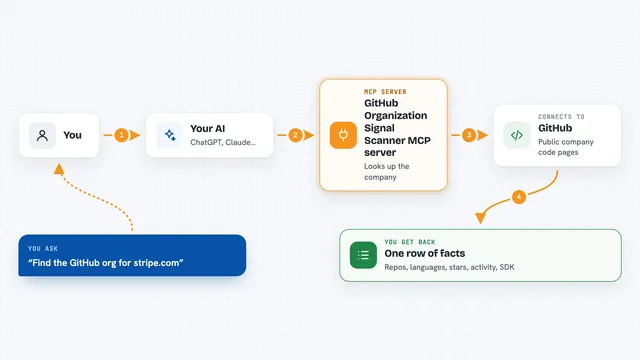
You type a request, like asking for recent papers on a topic or packages for a certain job. Your AI passes that request to Scout. Scout then sends the search to each source you picked and waits for the answers. It tidies everything into the same shape, with a title, a link, a source name, and a date. You get a clean list back in the chat, all from one question.
 Click to zoom
What you can do with it
- Search GitHub for repositories by keyword
- Look up packages on npm and PyPI
- Find academic papers on arXiv and Semantic Scholar
- Search Hacker News, Reddit, and Lobste.rs for discussions
- Find tech articles on Dev.to, Hashnode, Zenn, and Qiita
- Search StackExchange for questions and answers
- Run one search across several sources at the same time
Try asking your AI
- “Search GitHub and npm for libraries that parse CSV files in JavaScript”
- “Find recent arXiv papers about large language models and summarise them”
- “What are people saying on Hacker News and Reddit about this new database?”
- “Look up Python packages for working with dates and show me the top ones”
What it gives back to you
You get a list of results, each with a title, a link, the source it came from, and often a date. The results are grouped or listed in the chat so you can scan them. For a multi-source search, you see what each source found, and if one source fails, the others still come back. You can then ask your AI to summarise or compare them.
Before you start
What you need
- A computer with Node.js installed (the free program that runs JavaScript tools)
- The Scout MCP server files, which you get by copying them from GitHub
- Optional: free API keys for some sources, like GitHub or YouTube, to raise limits or unlock them
Good to know
Some sources need their own API keys and have limits on how many searches you can do, so you may hit a cap if you search a lot.
Install it with your AI
Add Scout MCP server to your AI, no technical skills needed
You don't install anything by hand. You copy one prompt, paste it into an AI that can work on your computer, and it checks, installs and connects the server for you, asking you when it needs something.
Sign in to get the install prompt
Members get a ready-made prompt that lets the Claude desktop app check Scout MCP server, install it and connect it for them, step by step. You don't need any technical skills: you copy, paste and answer a few questions. Your connected AI can also find and install any of the 4,609 MCP servers here for you.
Who it's for
Developers, researchers, and anyone who often searches across code sites, papers, and forums and wants the results gathered in one place.