MCP server · Research
Context Awesome MCP server
by bh-rat
Lets your AI search thousands of community-curated awesome lists and pull the best resources for any topic.

Context Awesome is a helper that connects your AI to a huge collection of curated resource lists from GitHub. These lists are made by communities and gather the best tools, libraries and learning links on a topic. It is handy when you want trustworthy suggestions instead of whatever a random web search turns up.
What is an MCP server? The 30-second version
On its own, your AI can only chat with you using what it already learned. An MCP server is a small helper program that gives your AI a new skill or a connection to a service. This one connects your AI to Context Awesome, which holds thousands of curated resource lists. Once connected, your AI can look things up there and bring back real, vetted links when you ask.
What this MCP server does
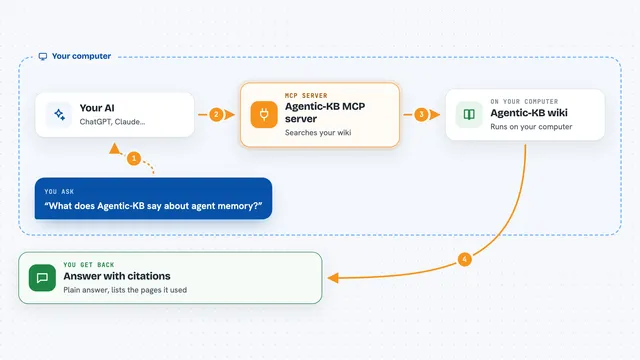
You ask your AI something like which tools exist for a certain job. The AI passes your question to this helper. The helper searches the curated awesome lists and their items on the Context Awesome service. It sends back the matching sections, tools and links. Your AI then shows you a short, tidy answer in the chat.
 Click to zoom
What you can do with it
- Find curated sections and categories across thousands of awesome lists
- Search individual items like tools, libraries and learning resources
- Pull all items from a specific list and section you already know
- Get vetted recommendations instead of random web results
- Gather many high-quality links quickly for research or a report
- Ask follow-up questions and narrow down by topic
Try asking your AI
- “Find awesome lists about graph databases”
- “Search for a good rate limiter library in Python”
- “What are the best resources for learning Rust?”
- “Pull the items from the awesome machine learning list, frameworks section”
What it gives back to you
You get back short lists of matching sections or items, usually with names and links. Your AI may summarize them or group them by topic. If you asked for items from a known list, you get that list's entries. Everything shows up as normal text in your chat window.
Before you start
What you need
- An AI app that supports MCP, like Claude Desktop or Cursor
- For the recommended setup, nothing else: it uses a hosted web address
- For the local setup, Node.js installed on your computer
Good to know
The results come from community-curated lists, so double-check links and details before you rely on them for important decisions.
Install it with your AI
Add Context Awesome MCP server to your AI, no technical skills needed
You don't install anything by hand. You copy one prompt, paste it into an AI that can work on your computer, and it checks, installs and connects the server for you, asking you when it needs something.
Sign in to get the install prompt
Members get a ready-made prompt that lets the Claude desktop app check Context Awesome MCP server, install it and connect it for them, step by step. You don't need any technical skills: you copy, paste and answer a few questions. Your connected AI can also find and install any of the 4,609 MCP servers here for you.
Who it's for
Anyone who researches topics, writes reports or looks for tools and learning resources, like analysts, writers, students and developers.