MCP server · Privacy
Remote SSH MCP server
by faizbawa
Let your AI log into a remote server, run commands, move files, and use secrets without ever seeing them.

This is a helper that lets your AI connect to another computer over SSH, the same way you would with a terminal app. You can ask it to run commands, open an interactive shell, copy files back and forth, or set up a tunnel to a service. It is handy for anyone who manages a server, a lab machine, or a cloud box and wants to do it by chatting instead of typing.
What is an MCP server? The 30-second version
On its own, your AI can only chat with you. An MCP server is a small helper program that gives your AI a new skill or a connection to something outside the chat. This one gives your AI an SSH connection to a remote machine, so it can log in and do things there when you ask. Think of it as handing your AI a terminal window, with a few safety features built in.
What this MCP server does
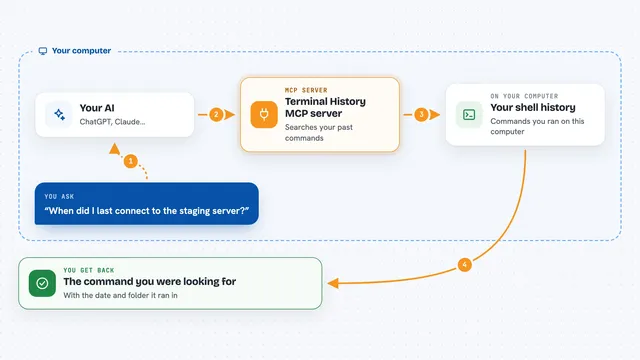
You ask your AI something like "log into my server and check the disk space." The AI uses this helper to open an SSH connection, run the command, and read the result. The helper sends back the output, any error text, and the exit code, so the AI knows if it worked. If you loaded a secrets file, the helper swaps any secret values for *** before the AI ever sees them. Everything happens on your machine, and the AI just sees the cleaned-up result.
 Click to zoom
What you can do with it
- Log into a remote server with a password, a key, or your SSH agent
- Run commands and see the output, errors, and exit code
- Open a persistent shell that keeps your folder and settings between commands
- Upload and download files between your machine and the server
- Read and write text files on the remote machine
- Set up a port forward so you can reach a service on the server from your laptop
- Load secrets from a local file and keep them hidden from the AI
- Record a session transcript for later review
Try asking your AI
- “Log into server.example.com as admin and tell me how much free disk space is left”
- “Open a shell on the lab box and run make in /opt, then wait for it to finish”
- “Upload my local config.yaml to /etc/app/config.yaml on the server”
- “Forward port 5432 on the server to my laptop so I can connect to the database”
What it gives back to you
You get back the output of whatever ran, split into normal output, error output, and an exit code. For file actions you get a short confirmation, and for listings you get a list of files with their details. For transcripts you get a readable log of what happened, with any secrets already blanked out. In the chat it looks like a short answer or a small block of text, not a wall of raw data.
Before you start
What you need
- Python 3.10 or newer (the helper is a Python program)
- The uv tool, or pip, to install it
- Login details for the remote server (password, key file, or SSH agent)
- An MCP-capable chat app such as Claude Desktop or another client that supports MCP
Good to know
This gives your AI real power on a remote machine, so it can change or delete files and run commands as you; only connect to servers you trust, and remember that secrets are only hidden if they are loaded through the secrets file.
Install it with your AI
Add Remote SSH MCP server to your AI, no technical skills needed
You don't install anything by hand. You copy one prompt, paste it into an AI that can work on your computer, and it checks, installs and connects the server for you, asking you when it needs something.
Sign in to get the install prompt
Members get a ready-made prompt that lets the Claude desktop app check Remote SSH MCP server, install it and connect it for them, step by step. You don't need any technical skills: you copy, paste and answer a few questions. Your connected AI can also find and install any of the 4,361 MCP servers here for you.
Who it's for
Anyone who manages a server, a lab machine, or a cloud box and would rather ask their AI to run commands than type them by hand.