MCP server · Developer tools
LogMCP server
by kascada
Let your AI read your Linux server's log files so it can help you figure out what went wrong.

LogMCP is a small helper program you run on your Linux server. It lets your AI assistant read your log files, without giving the AI a login or any way to change things on the server. It is handy if you look after a server and want help understanding error messages, but you do not want to hand over full access.
What is an MCP server? The 30-second version
On its own, your AI can only chat with you. It cannot see anything on your computer or your server. An MCP server is a small helper program that gives your AI one new skill or one new connection. LogMCP is that helper for your Linux server's log files: it sits on the server and lets the AI read the logs you allow, when you ask it to.
What this MCP server does
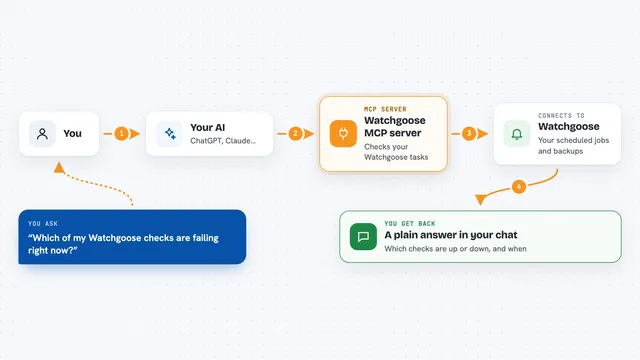
You ask your AI something like why the web server restarted last night. The AI sends that question to LogMCP, which is running on your server. LogMCP looks at the log files you have allowed it to see, searches them, and sends the matching lines back. The AI then reads those lines and explains what it found. Every time the AI looks at a log, the server writes a note about it to its own audit log.
 Click to zoom
What you can do with it
- List the log files your server has been set up to share
- Read the last lines of a log, or a specific time window
- Search a log for a word or pattern and get nearby lines for context
- Check how big a log file is and when it last changed
- Read the systemd journal as if it were a log file
- Run health checks on the LogMCP setup itself
What it gives back to you
You get answers in the chat, based on real lines from your logs. It can be a short list of matching lines, a summary of what the AI noticed, or a count and time range. If you ask for the last lines of a file, you see those lines quoted back. Nothing on the server is changed, so the only thing you get back is information.
Before you start
What you need
- A Linux server where you can install programs
- The Go programming language installed, or the ready-made .deb package
- Permission to read the log files you want to share (usually the adm or systemd-journal group)
- An AI client that supports MCP, such as Claude Code, VS Code, or Claude Desktop
Good to know
The AI can read any log file you have allowed, and logs can contain private details like usernames, IP addresses, or email addresses, so only share the files you are comfortable with.
Install it with your AI
Add LogMCP server to your AI, no technical skills needed
You don't install anything by hand. You copy one prompt, paste it into an AI that can work on your computer, and it checks, installs and connects the server for you, asking you when it needs something.
Sign in to get the install prompt
Members get a ready-made prompt that lets the Claude desktop app check LogMCP server, install it and connect it for them, step by step. You don't need any technical skills: you copy, paste and answer a few questions. Your connected AI can also find and install any of the 4,361 MCP servers here for you.
Who it's for
People who look after a Linux server, like sysadmins, developers on call, and small teams without a dedicated ops person.