MCP server · Developer tools
Last9 MCP server
by last9
Lets your AI read your real production logs, metrics, and traces from Last9 so it can help you debug.

The Last9 MCP server connects your AI assistant to Last9, the place where your company keeps its production monitoring data. Once it is connected, your AI can look at real logs, metrics, traces, alerts, and deployments instead of guessing. It is handy for anyone who gets asked to help figure out why a service is slow or broken.
What is an MCP server? The 30-second version
On its own, your AI can only chat with you using what it already learned. An MCP server is a small helper that gives your AI a new skill or a connection to an app. This one connects your AI to Last9, so it can look up your real production data when you ask. You stay in the chat, and the helper does the fetching behind the scenes.
What this MCP server does
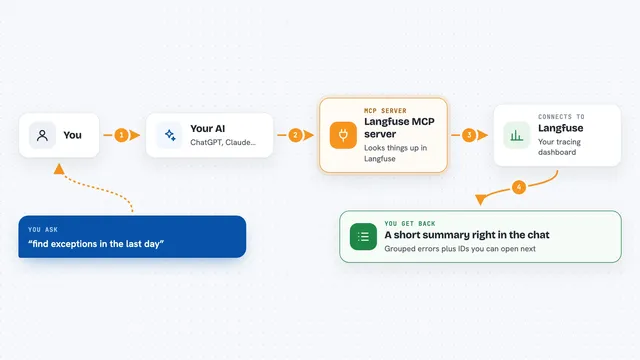
You ask your AI a question about your services, like why errors went up overnight. The AI uses this helper to reach Last9 and pull the relevant logs, metrics, traces, or alerts. The helper brings that data back into the chat. Then the AI reads it and explains what it found, in plain words. You can keep asking follow-up questions without leaving the conversation.
 Click to zoom
What you can do with it
- Check which services are healthy and which are throwing errors
- Look at the slowest database queries and how often they run
- Read raw log lines for a service, filtered by severity or text
- See which alerts are firing right now and what rules exist
- Correlate an incident with recent deployments or config changes
- Run Prometheus-style metric queries over any time range
- Pull a single trace as a step-by-step waterfall to find the slow part
Try asking your AI
- “Why did the checkout service get slow last night?”
- “Show me the top errors in the payments service over the past hour”
- “Which database queries are slowest right now?”
- “Did any deployments happen around the time the alerts started firing?”
What it gives back to you
You get answers in the chat, built from your real Last9 data. That can be lists of services with error counts, log lines, slow query tables, alert names, or a trace broken into steps. The AI usually adds a short explanation of what the numbers mean. Some tools can also create or change things, like a new dashboard or a log drop rule.
Before you start
What you need
- A Last9 account with access to your organization's data
- Admin rights in Last9 if you want to create a token
- For the hosted option: an MCP-capable AI app like Claude, Cursor, VS Code, or Windsurf
Good to know
Some tools can change things in Last9, like creating a dashboard or adding a log drop rule, so check with your AI before letting it make changes.
Install it with your AI
Add Last9 MCP server to your AI, no technical skills needed
You don't install anything by hand. You copy one prompt, paste it into an AI that can work on your computer, and it checks, installs and connects the server for you, asking you when it needs something.
Sign in to get the install prompt
Members get a ready-made prompt that lets the Claude desktop app check Last9 MCP server, install it and connect it for them, step by step. You don't need any technical skills: you copy, paste and answer a few questions. Your connected AI can also find and install any of the 4,361 MCP servers here for you.
Who it's for
Developers, SREs, and support engineers who debug production services and already use Last9 for monitoring.